

Help desk
Log a client's problem as a ticket, reply by email and in the portal, keep internal notes for your team, and resolve it when it is fixed.
The help desk keeps every client request in one place. Clients open tickets from their portal or by email, and you can log a ticket yourself when a client calls.
See your tickets
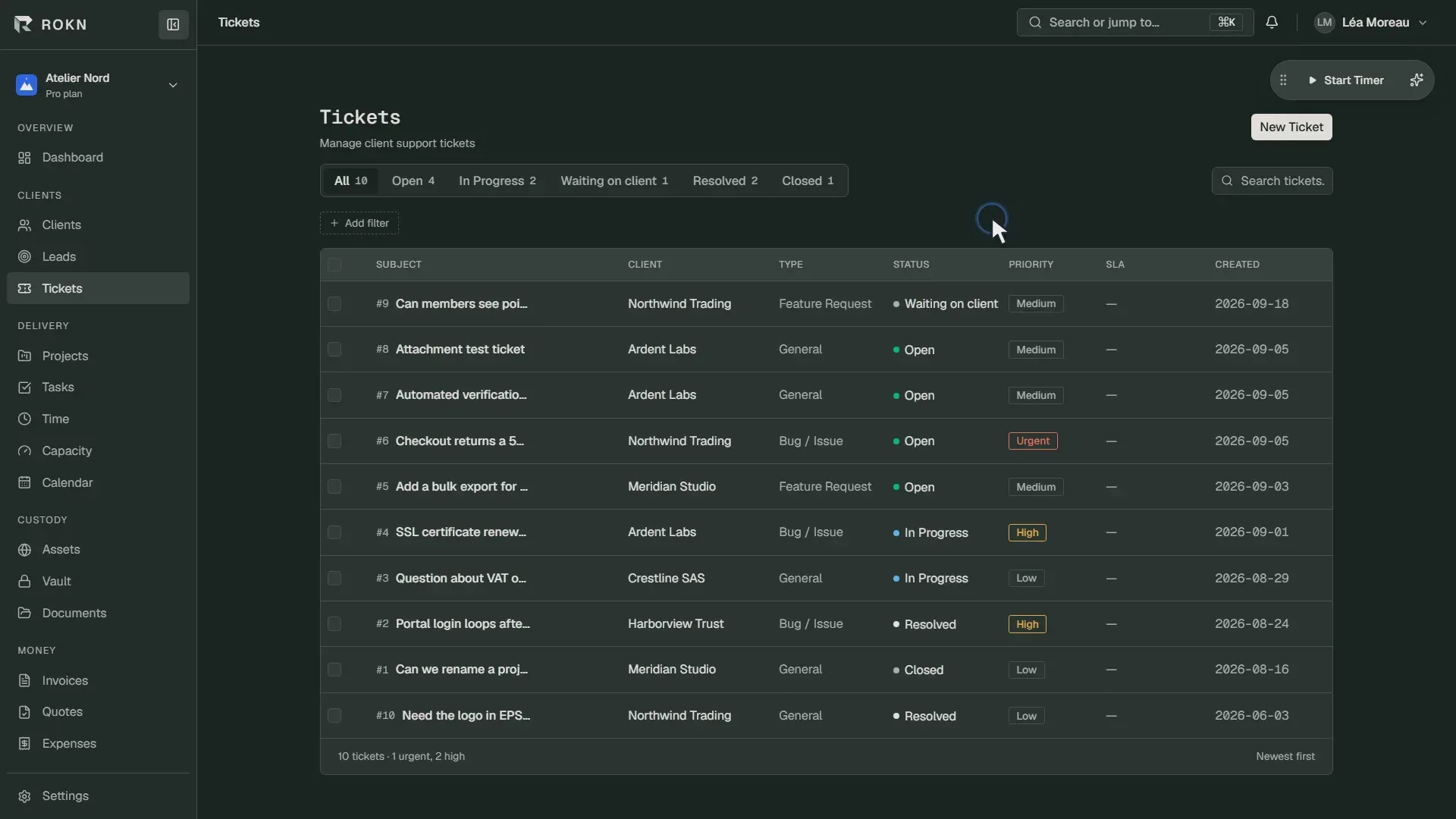
Open Tickets. Clients open tickets from their portal, or by emailing your help desk address, and they all land here, sorted by status.
Log a ticket for a client
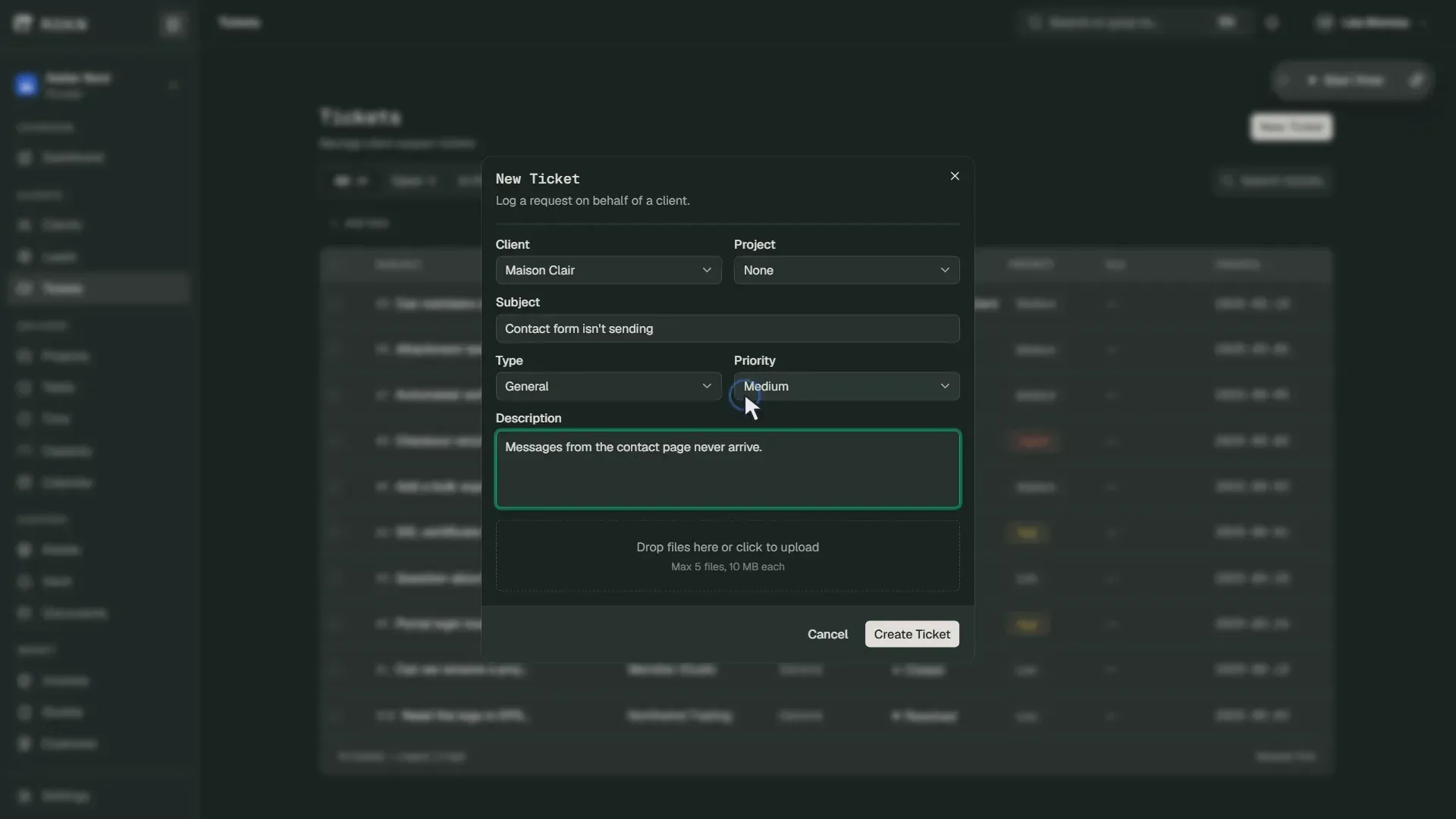
When a client calls instead, log it yourself. Click New Ticket, choose the client, and describe the problem with a subject and a description.
Set the priority and create it
Choose the type and set the priority, then click Create Ticket.
Reply to the client
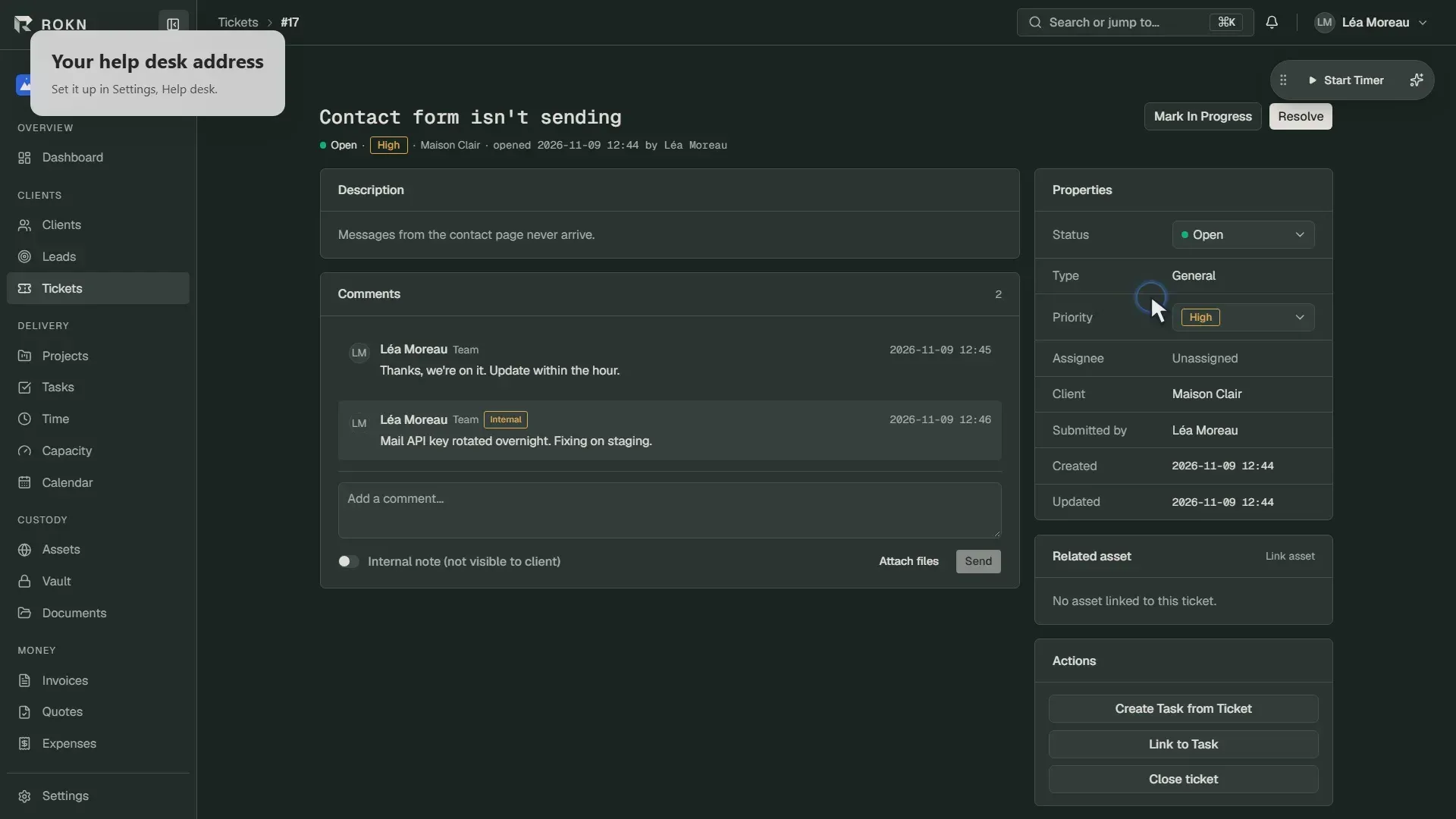
On the ticket, write your reply under Comments and send it. The client gets your answer by email, and in their portal.
Keep a note for your team
Turn on Internal note for anything only your team should see. The client never sees it.
Resolve it
When it is fixed, set the status to Resolved. If you turn on satisfaction surveys, the client is asked how it went.
Good to know
- Set up your help desk address in Settings, under Help desk.
November 10, 2026
Suggest an improvement