Invoice template builder
Arrange blocks for your logo, client details, line items, totals, payment instructions and legal notes, with a preview on real data. Reuse the layout for every invoice.


Good work deserves a clear money trail. Send invoices your clients pay by card or PayPal into your own accounts, with no fee from Rokn, and let reminders chase late payments for you.
Start free
Set the layout up once. Rokn fills in the client, the lines and the tax details for your country.
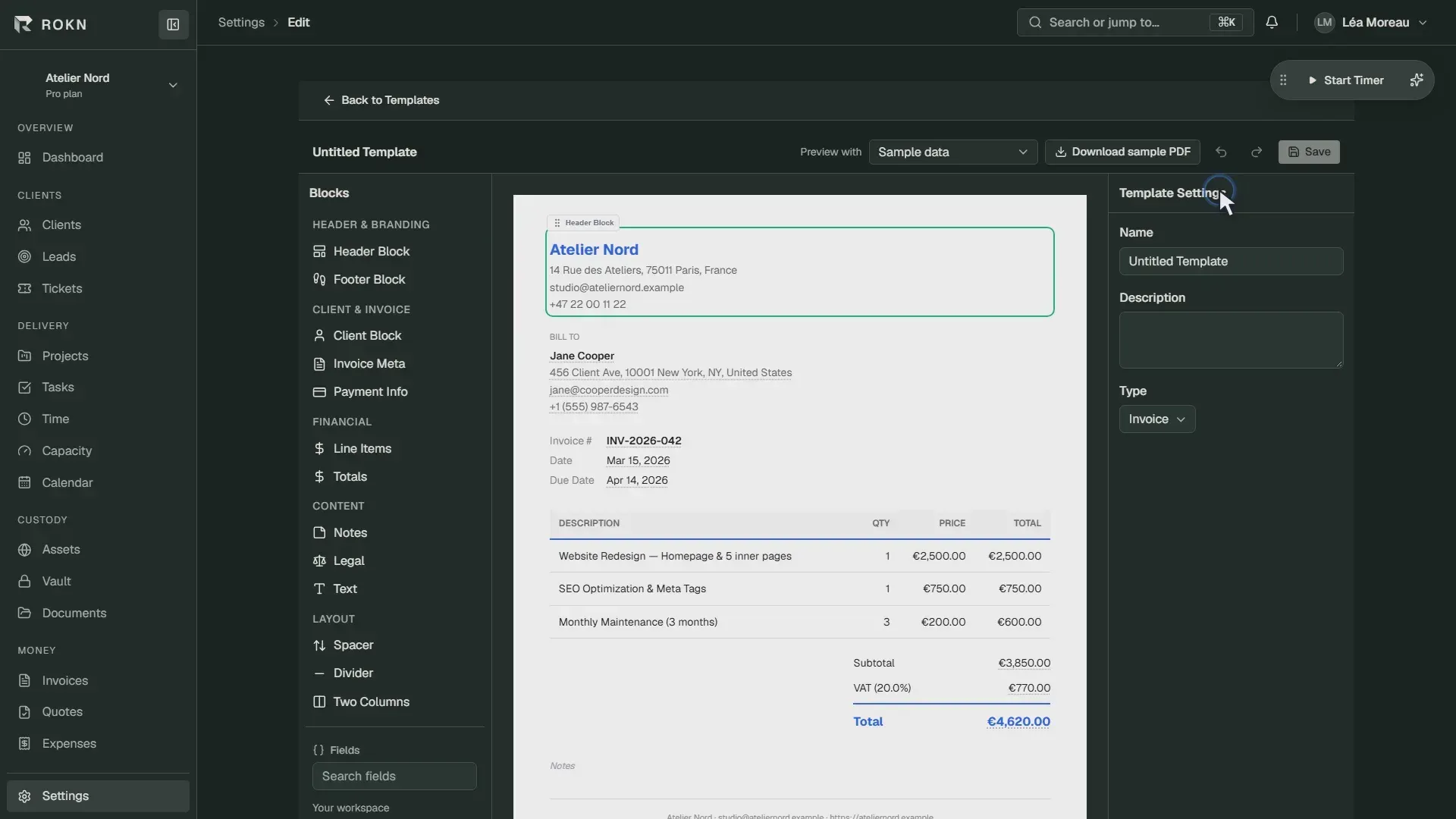
Arrange blocks for your logo, client details, line items, totals, payment instructions and legal notes, with a preview on real data. Reuse the layout for every invoice.
Create one-off or recurring invoices, from weekly to yearly. Recurring invoices can send themselves, with a renewal notice months before a yearly one renews. Correct a sent invoice with a full or partial credit note.
Invoice in any of 155 currencies with per-line taxes, VAT, reverse charge or VAT exemption. Tax names, tax-ID labels and bank fields follow your country, and you can add late-payment interest and a fixed recovery fee.
Add the costs you paid on a client's behalf to their invoice, so you get that money back.
Connect your own Stripe account, your own PayPal account, or both. Rokn ties each payment, refund and dispute to its invoice and never holds the money.
Send a payment link your client opens without a Rokn account. Card payments go straight to your Stripe account and PayPal payments to your PayPal account; with both connected, the client chooses on the pay page. Rokn adds no platform fee; the provider's own fees still apply. Where neither can take the invoice's currency, the client sees your bank details instead.
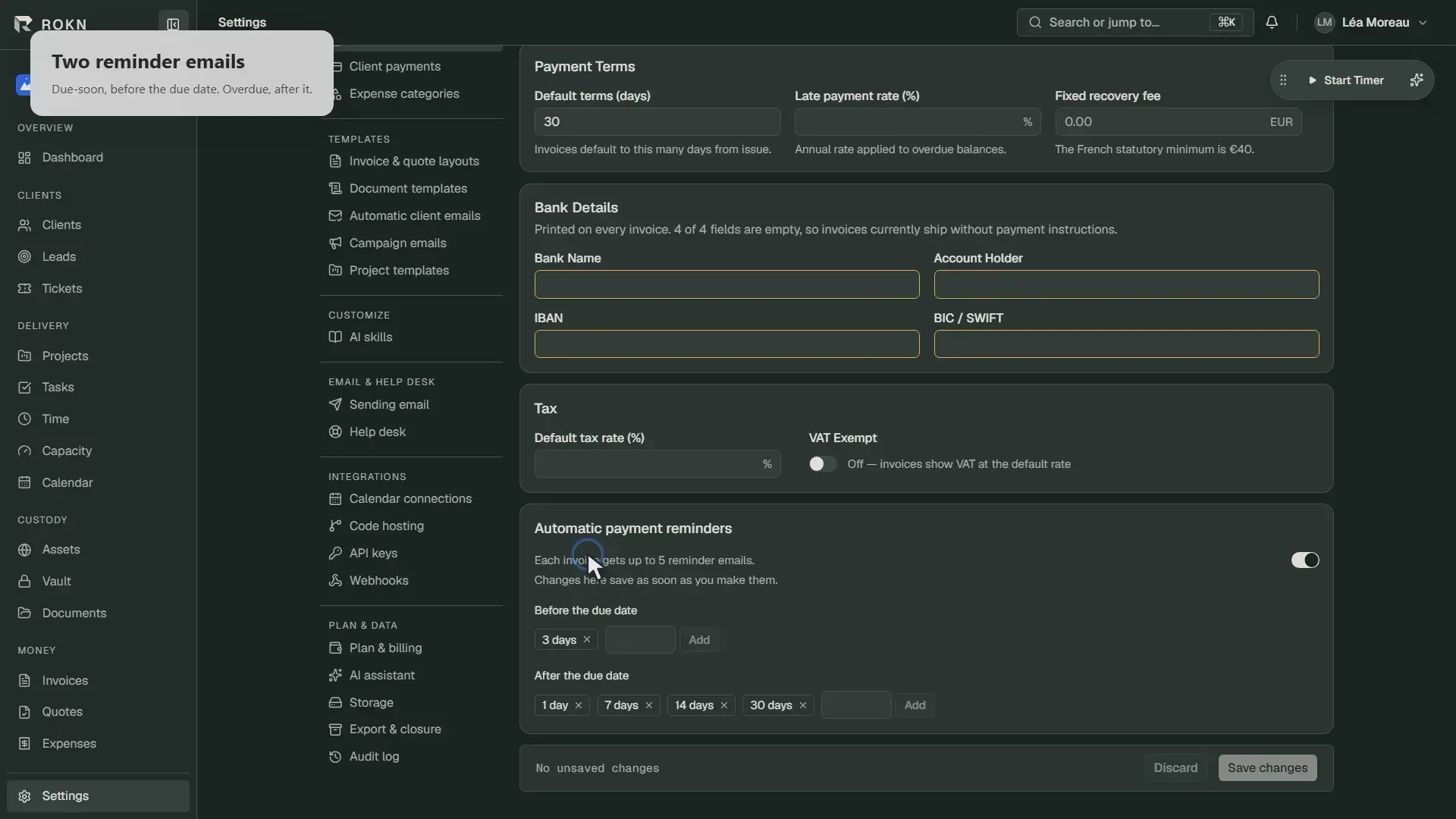
Rokn chases unpaid invoices on your schedule, days before and after the due date, in your wording and the client's language. Switch reminders off for a single invoice when you need to. Record manual, partial and over-payments, and refund a card payment from the invoice.
Sell prepaid hours or amounts, draw down against the balance, and choose rollover with a cap or expiry. Rokn prepares each period's invoice and alerts you when a retainer's balance runs out.
See when the client opened an invoice. If the email bounced, the invoice says so, and you can send it again once the address is fixed.
Subscriptions, suppliers and project costs belong in the same picture as your revenue.
Record one-off and recurring expenses with their receipts, and assign each cost to a client or project. Recurring expenses are added on their dates.
Keep vendors and supplier bills, and split their lines across clients and projects so each cost lands where it belongs.
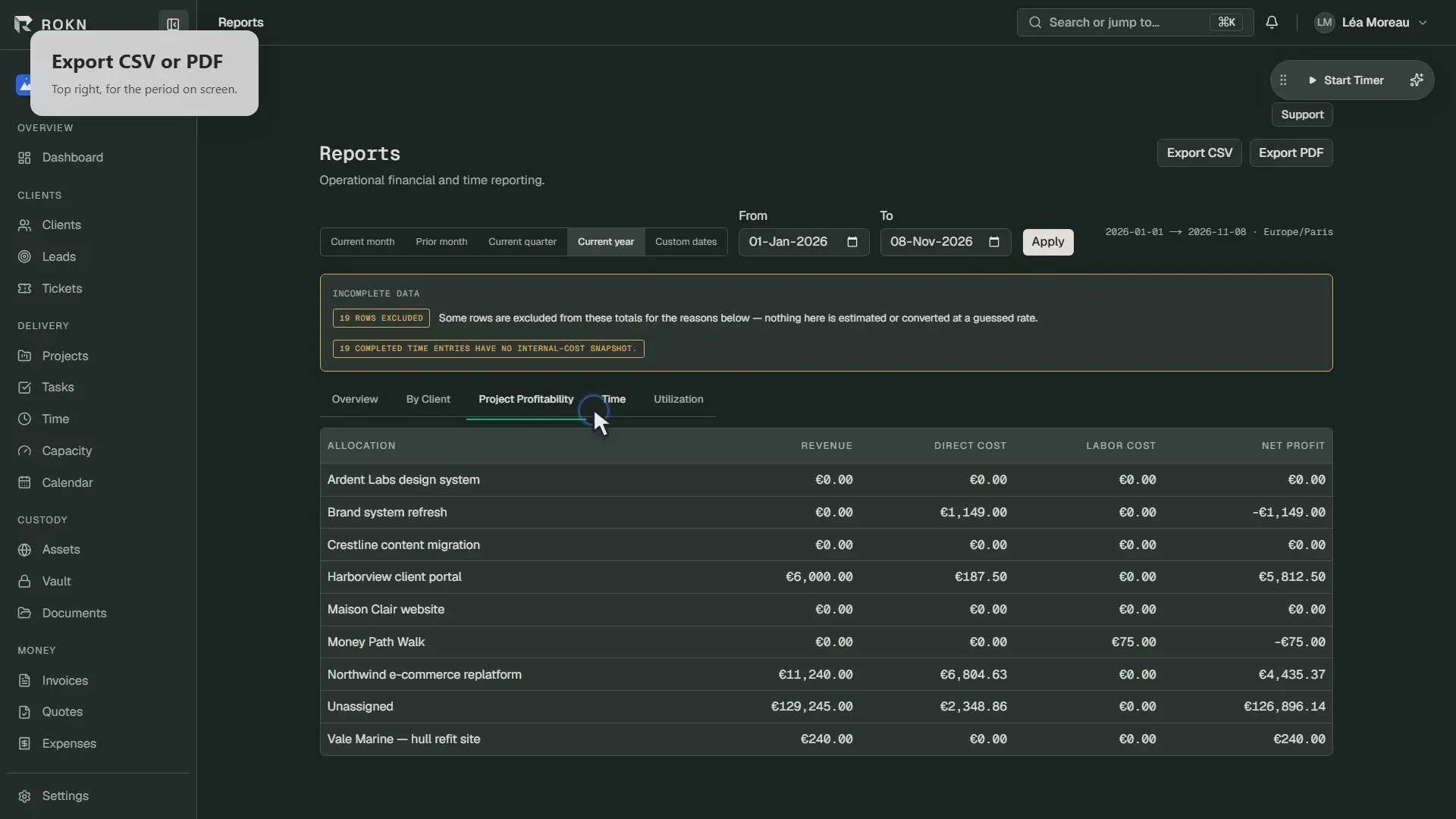
Profit and loss, tax summary, cash in, revenue by service and profitability per client and project. Export reports to CSV or PDF for your accountant.
An invoice from first line to sent, and a payment recorded against it.
No. Payments go to your own Stripe or PayPal account and Rokn adds no platform fee. You pay the provider's standard fees, as with any payment you take there.
Stripe and PayPal, each connected with your own account. With both, the client chooses card or PayPal on the pay page. Clients can also pay by bank transfer, which you record on the invoice as a manual payment.
Yes. Start a full or partial refund from the invoice; Rokn sends it to PayPal and records it when PayPal confirms. Refunds you make in PayPal itself, and disputes your client opens, are recorded on the invoice too.
Yes, once you set the schedule. Rokn sends them before and after the due date, in the client's language, and you can switch them off for a single invoice.
No. Export invoices and reports as CSV or PDF for your accountant, or invite them with the Accountant role so they can see the money without seeing client passwords.
Invoices, receipts and payment links sit in the same portal where clients follow the work.
See the client portalConnect Stripe or PayPal, set your reminder schedule and send your next invoice from Rokn.