Projects & reusable templates
Set up projects with a budget, milestones, deliverables and dependencies. Save your own templates for work you deliver again, or start from Rokn's ready-made starters.


The plan, the people, the work that gets done. Go from an approved quote to milestones and tasks, keep the code and the calendar in view, and see who has time next week.
Start free
Set up delivery once, reuse it for the next client, and see a project's health at a glance.
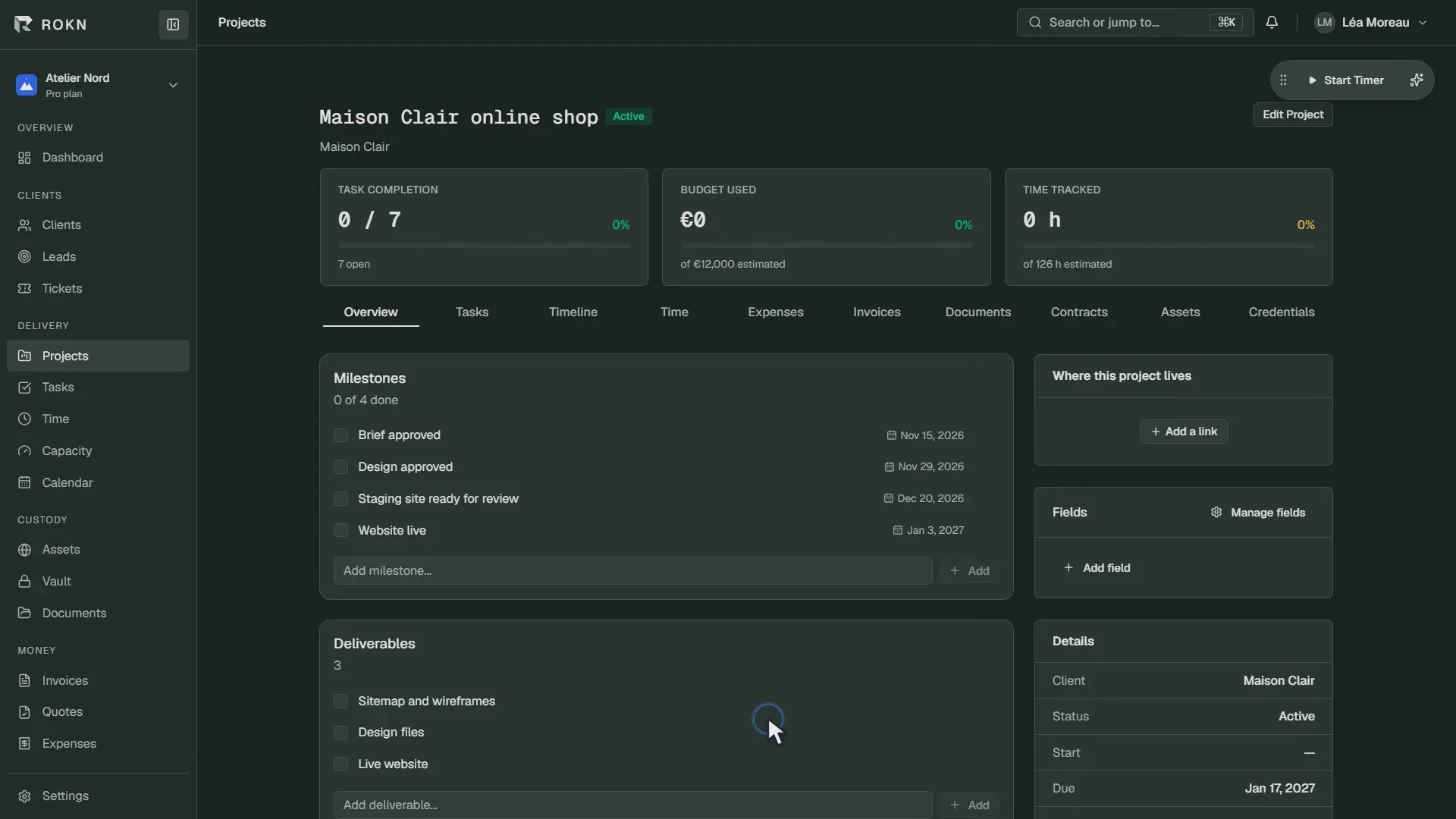
Set up projects with a budget, milestones, deliverables and dependencies. Save your own templates for work you deliver again, or start from Rokn's ready-made starters.
Assign work, set priorities and break tasks into subtasks. Switch between board, list and timeline views, use your own statuses per project, and change many tasks at once.
Follow delivery against dated milestones, with overdue ones marked, and see progress, budget and linked records together.
Mark a task as waiting on another task, or on an asset such as a domain transfer, so everyone knows what is holding it up.
Keep where a project lives on its overview: the live site, staging, admin login, dashboards and hosting panel.
For developers: the code and the client's task list stop being two different worlds.
northwind/storefront #142
TaskStorefront rebuild
Attach GitHub repositories to a project and see their CI status, latest deploy, issues and pull requests on its Code tab.
Turn a GitHub issue into a task. Its title, open or closed state and assignee then stay in sync in both directions.
If the GitHub connection stops working, the workspace owners are told, so the sync never breaks without anyone noticing.
A deadline means more when everyone's available time is visible.
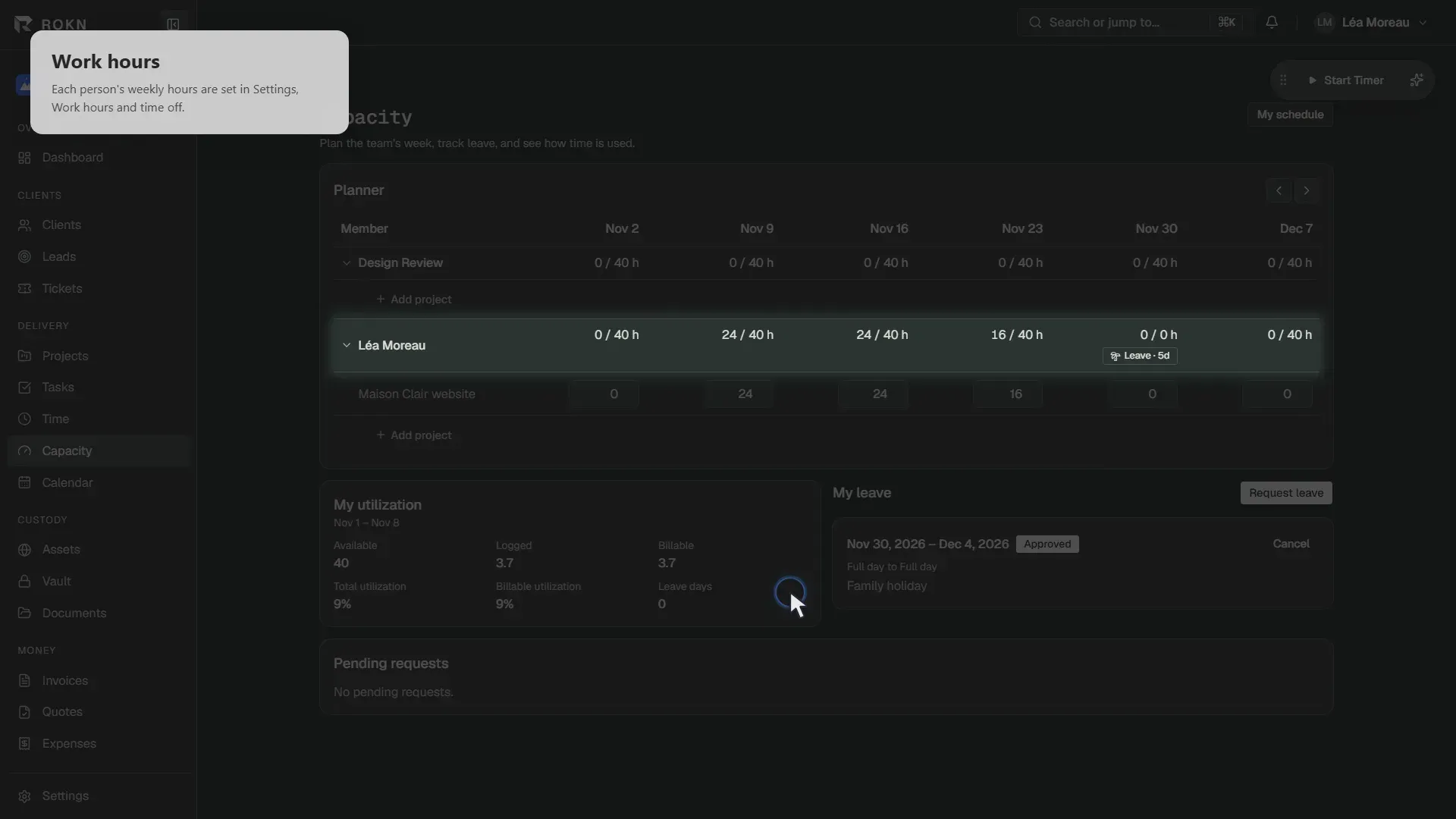
Allocate work per person and week, compare it with the hours each person has, and spot who is overloaded before the deadline does.
Plan around individual schedules, public holidays and approved leave. Team members request time off in Rokn and you approve it there.
See tasks, milestones, meetings, invoice due dates and renewals on one calendar. Connect Google Calendar or Microsoft 365 / Outlook for two-way sync, or subscribe from Apple Calendar, Proton or any calendar app with a private ICS link.
See logged hours against available hours for each person, how much of it was billable, and the leave taken. Export it as CSV or PDF.
Start a project from a template, then set its milestones and deliverables.
Board, list and timeline. Tasks with dates also appear on the workspace calendar, next to meetings, milestones and due dates.
No. GitHub is optional. Connect it when you want repositories, CI status and issue sync on a project.
Yes, if you switch the projects section on in their client portal. You choose which records they see, and your internal work stays inside the team.
Time is logged against projects and tasks, so every hour belongs to the work. The timer, rounding rules and invoicing from tracked time are on the Time tracking page.
Track time against the project's tasks, then bill it without retyping a single hour.
See time trackingStart from a template, connect GitHub if you use it, and invite the people doing the work.