

Your own project template
Start from one of Rokn's project templates, make it your own with your tasks, and choose it whenever you start a new project.
A project template means every new project starts with your tasks, milestones and deliverables. The quickest way to make one is to start from a Rokn starter.
Open Project templates
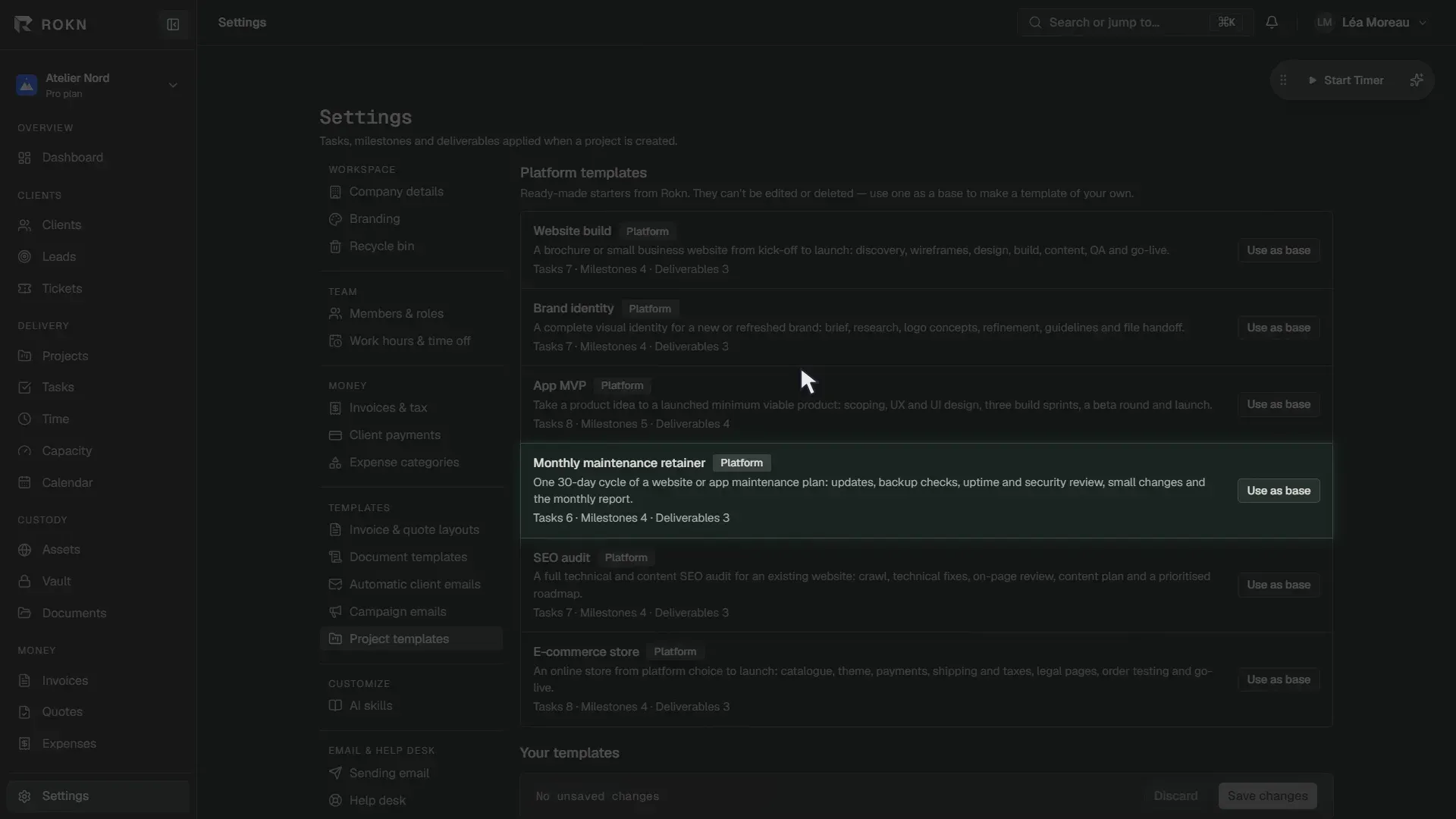
In Settings, open Project templates. Platform templates are listed at the top, and Your templates are below.
Pick a starter as your base
Rokn's starters are a good base. Pick the one closest to how you work, and click Use as base.
Rename it
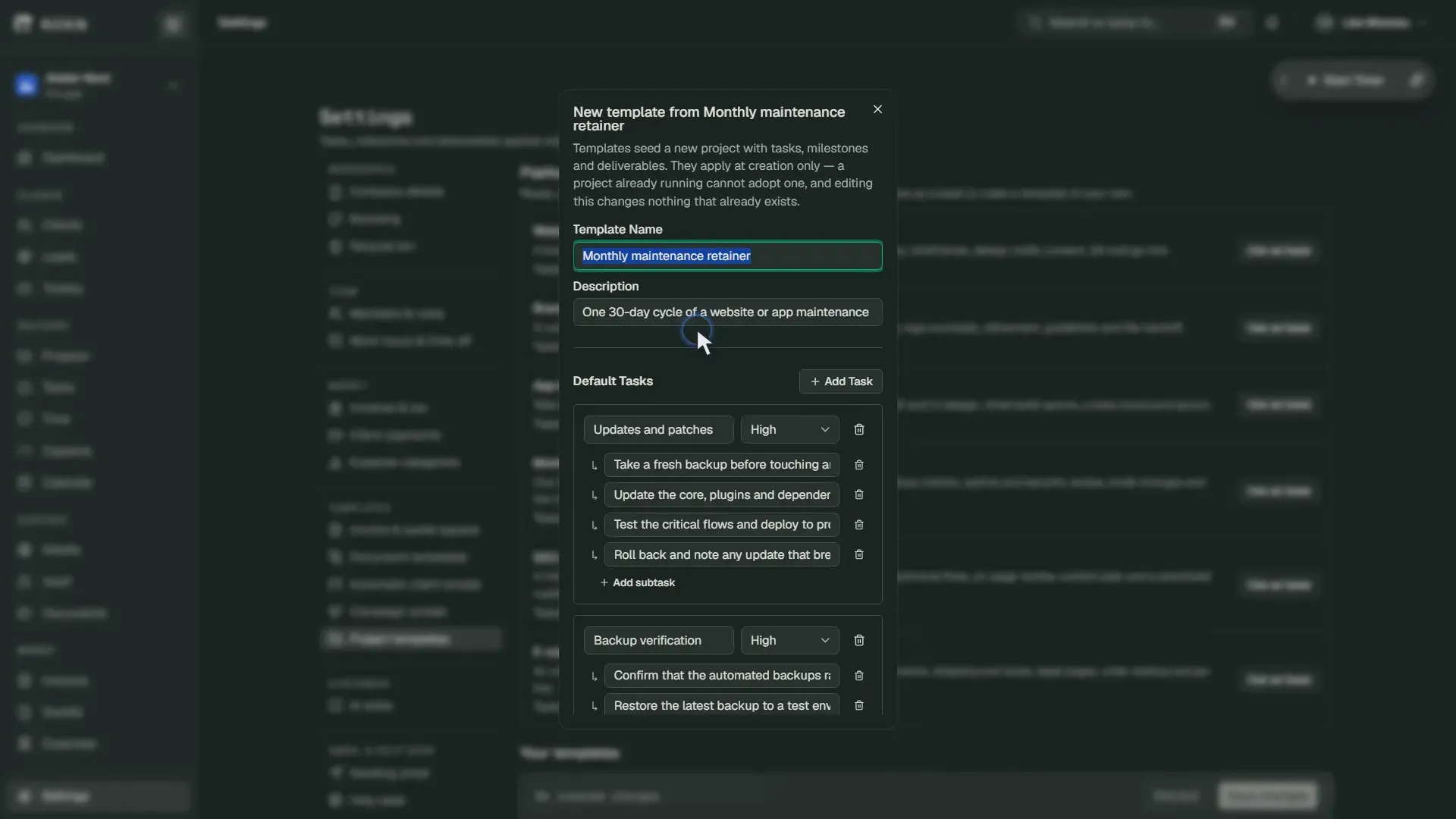
It is now your copy. Give it a name and a short description.
Change the tasks
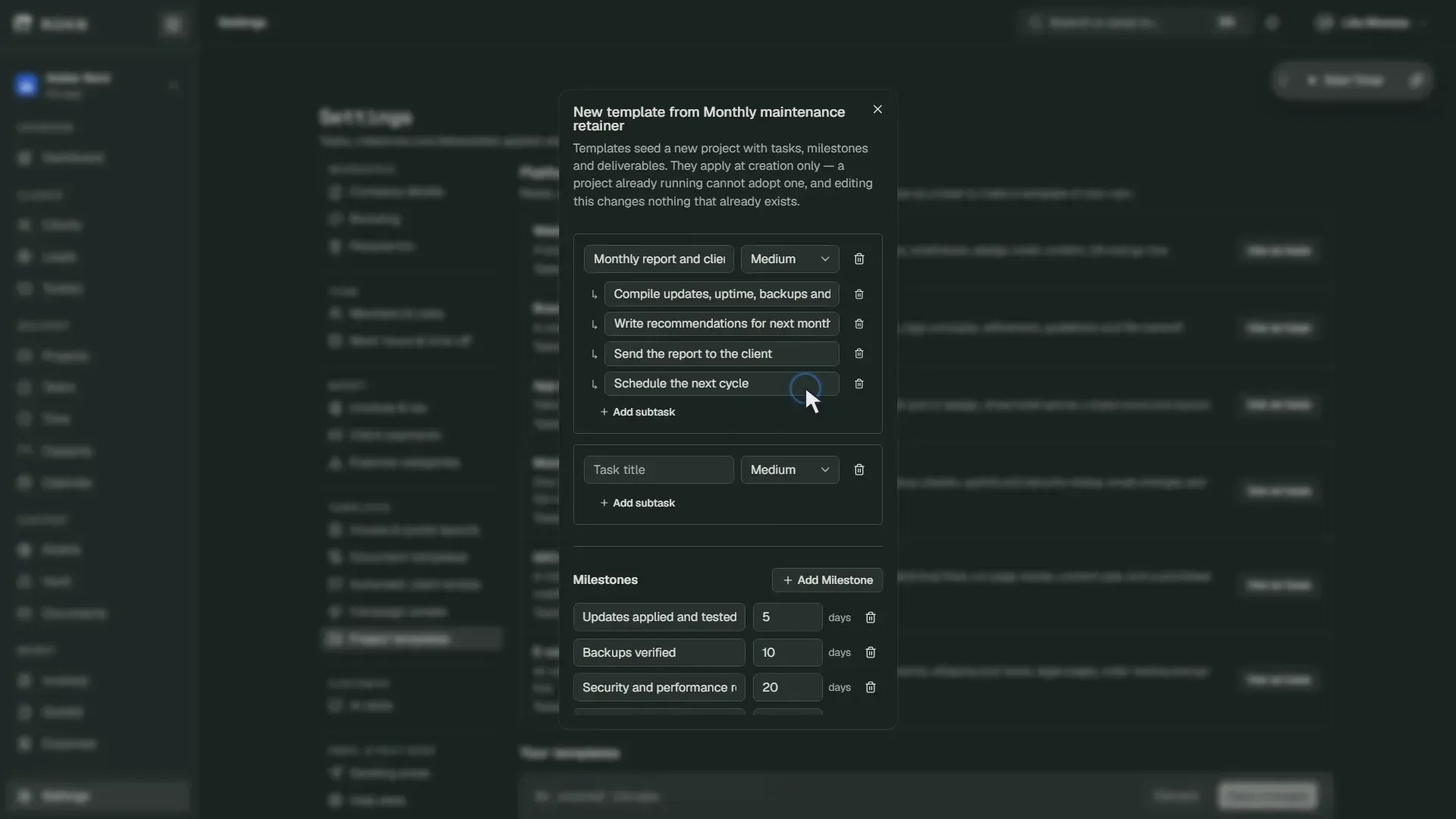
Change the tasks to match your work. Here, one more check that every client asks for is added, with its own subtasks.
You can also edit the milestones and deliverables further down.
Save it and use it
Save it, and it is in Your templates. Choose it whenever you start a new project.
Good to know
- A template only applies when a project is created. A project already running does not change if you edit the template later.
November 10, 2026
Suggest an improvement