CRM for freelancers
and small agencies.

Good relationships, a better beginning. Keep every client, lead, quote and contract in one record, and turn a won deal into a project without retyping a thing.

Start free
The leads pipeline

Every client and lead, in one record.

Stop rebuilding the same client in five tools. One record carries the conversation, the work and the money.

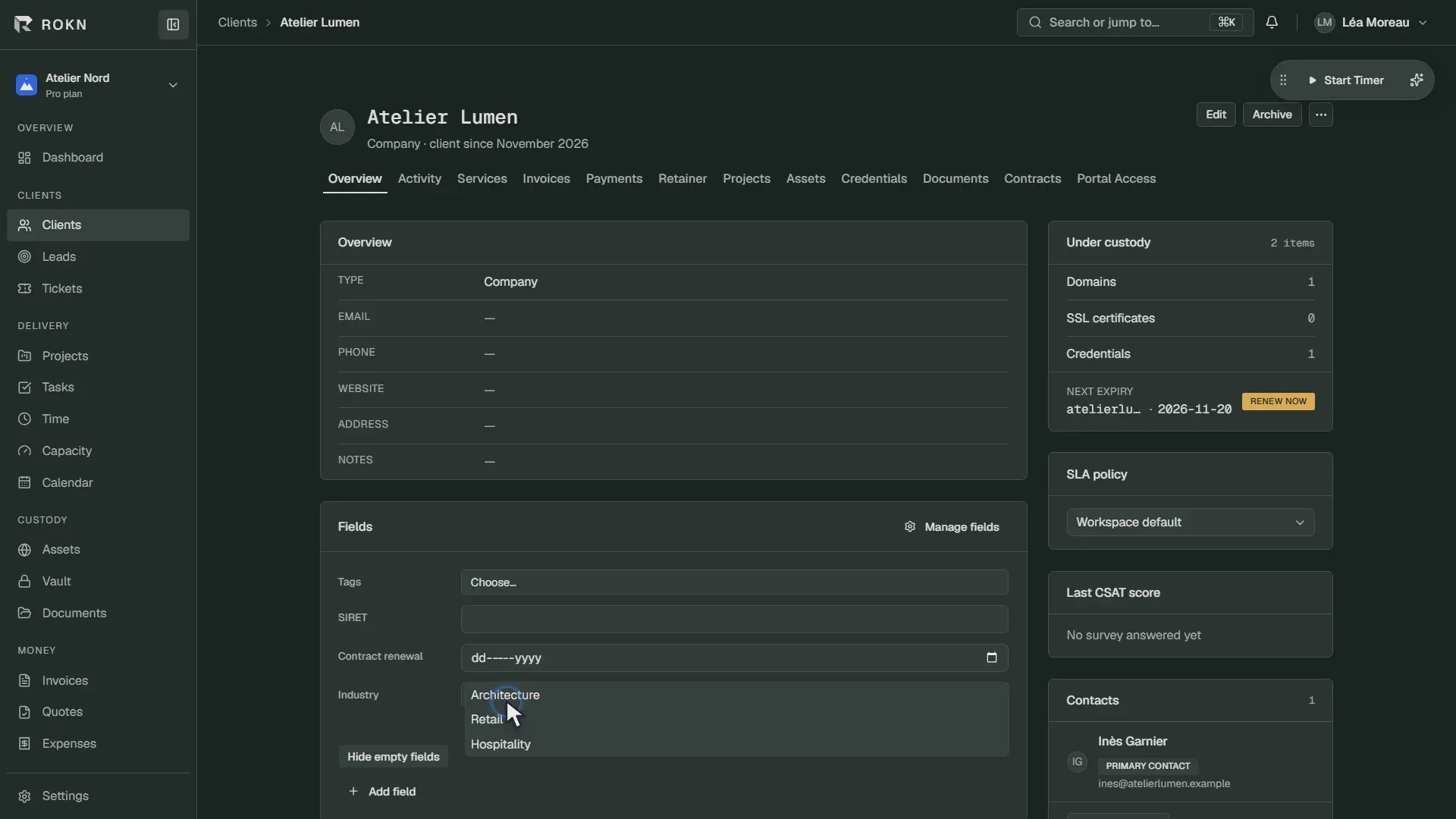
A client page with the Industry field open, offering the choices Architecture, Retail and Hospitality.
Step-by-step: Add your own fields

Client records

Contacts, company details, VAT ID, currency, language and default rate on one client, with every project, invoice, file and ticket linked to it. Moving from a spreadsheet? Import your clients from a CSV file. Archive, delete or update many records at once from any list.

Leads & sales pipelinePro and Business

Move leads through your own stages on a board, with value, probability and a weighted total. Run several pipelines, give each lead an owner and a checklist, and price a quote before the lead is even a client.

Communication history

Log calls, meetings, emails and notes on the client's timeline, pin what matters, and see the activity Rokn records next to it.

Your own fields

Add the fields your business needs to clients, contacts, leads, projects and tasks. Use them as columns and filters, and get a reminder before a date field comes due, such as a contract renewal.

Lead statistics and saved viewsPro and Business

See your win rate, the value won and how long leads stay in each stage. Save the filters you use as private or shared views, and work through open leads by their next date.


Send a quote they can accept from a link.

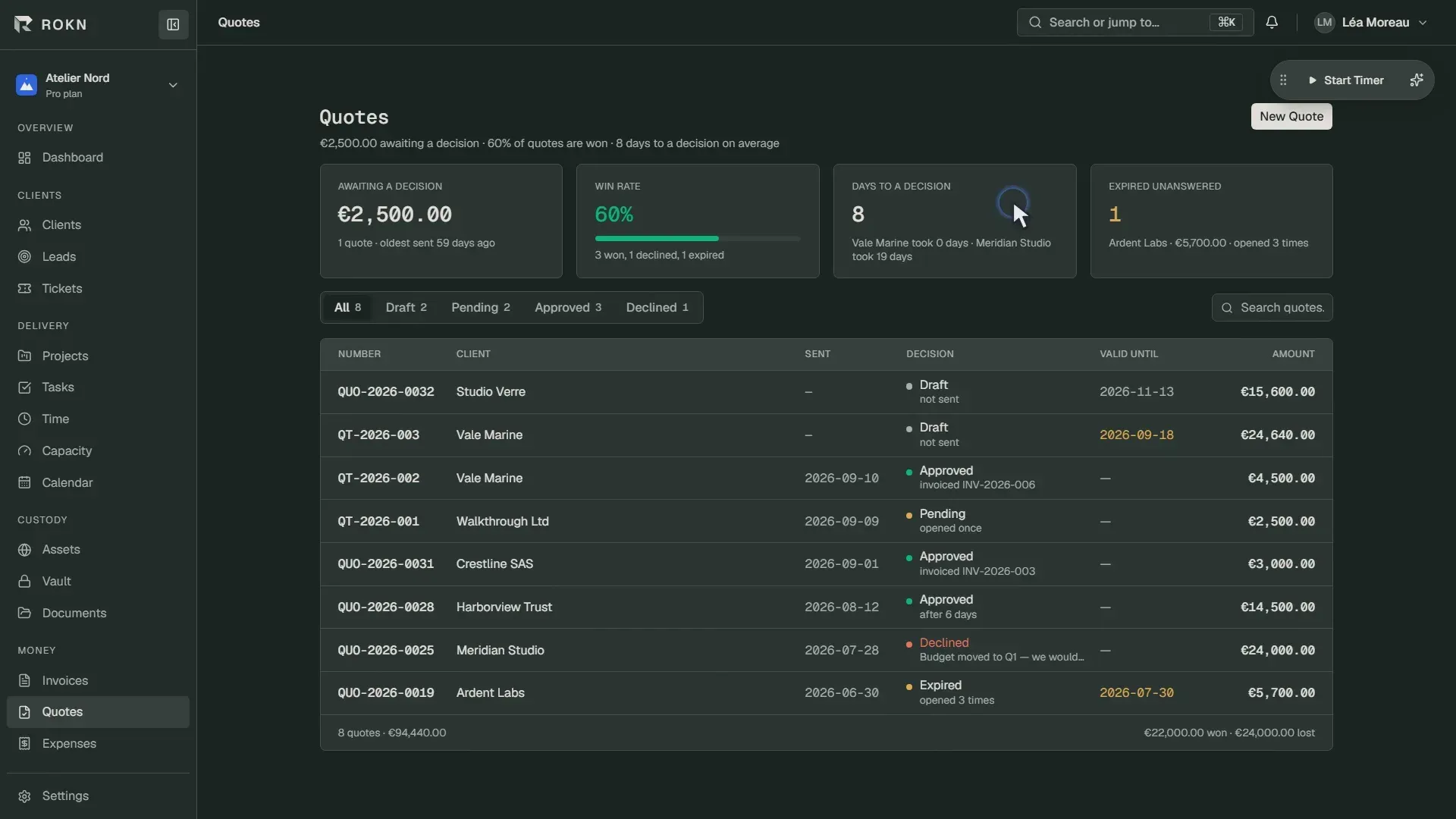
Build the offer from your own services, send it, and see when the client opened it.

The Quotes page with its summary figures, win rate and the list of quotes.
Step-by-step: Create a quote and get it approved

Services & packages

Keep hourly and fixed-price services with their rates, and bundle them into packages. A quote starts from your catalogue instead of a blank page.

Quotes & proposals

The client opens a link, types their name to accept, or declines with a reason, with no account to create. You see when it was opened. An accepted quote becomes an invoice in one step.

Contracts & e-signaturesPro and Business

Start a contract from a template or a PDF, add several signers and send it. Each signer confirms their email with a one-time code, Rokn reminds those who haven't signed, and you keep the signed PDF with its evidence. Each contract also carries its value and renewal date. NDA, service agreement and proposal templates are included.

Make the next conversation easier.

Meetings, campaigns and quiet deals stay with the relationship they belong to.

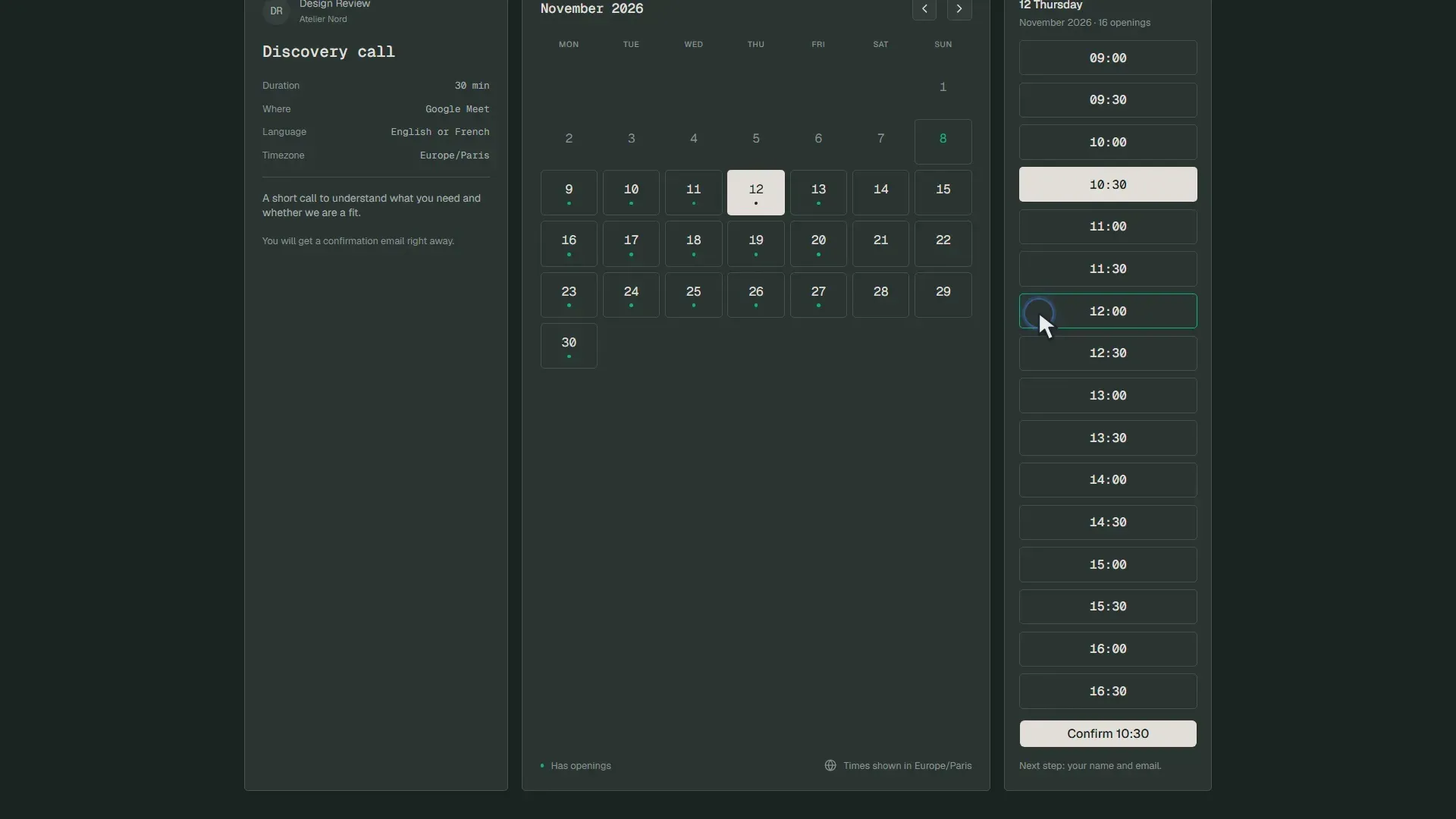
The public booking page with a month calendar and a list of free times.
Step-by-step: Calendar and booking links

Booking linksPro and Business

Share a booking page with your duration, buffer, questions and location. Clients only see times that are free in your working hours and your connected Google or Outlook calendar, get a confirmation email, and can cancel themselves.

Email campaigns

Send a campaign from a blank email, a starter or your own template, filtered by audience and client language, with merge fields. Every email carries your legal footer and an unsubscribe link. See opens, clicks and bounces; bounced addresses are left out of the next send.

Stalled leads flaggedPro and Business

Set how long a lead may stay in each stage. When one goes quiet past that, Rokn tells its owner once, so no deal fades out unnoticed.

Leads and campaigns, in the real app.

A pipeline from first contact to won, and a campaign sent to the right clients.

0:00 / 0:00
Track leads
0:00 / 0:00
Email campaigns

CRM questions

Can I bring my existing clients?

Yes. Import them from a CSV file: Rokn shows what it read from each column before anything is created. Leads, projects and invoices can follow later, at your pace.

Does my client need an account to accept a quote or sign a contract?

No. Quotes, contracts and booking pages open from a link. Signers confirm their email address with a one-time code before they sign.

Can I run more than one sales process?

Yes. Create several pipelines, each with its own stages, and move a lead from one to another. Saved views keep the filters you use most.

What changes when the CRM is part of Rokn?

The client you win is the client you work with. The same record carries the quote, the project, the hours, the invoice and the support tickets, so nothing is retyped as the work moves on.

From approved quote
to project plan.

When the client accepts, the project starts from the quote: same client, same scope, nothing retyped.

See project management

Send your next quote
from Rokn.

Import your clients, add your services and send a quote your client can accept from a link.

Start free