Rokn holds your clients, invoices, contracts and logins. This page says in plain words what protects them, and what we do not claim.
Rokn has no security certifications or audit badges to show you, so what follows are mechanisms you can ask us about.
Each number is a check on the way in, linked to the chapter that explains it.
10Servers and database · EU · Germany
Your browserapp.rokn.dev
1Address/atelier-nord/…member? else 404
2Rokn appNo key, no start
3Database rolerokn_appnot the owner, can’t turn RLS off
4PostgreSQL · Row-level securitythis workspacethis workspaceevery other workspace
5AWS KMS key · Paris
Platform keyWorkspace keySealed valuebound to workspace, field and row
6Audit logappend-only
9Link to one file…/brief-v3.pdf?X-Amz-…
7Private bucketEU or US, or your own S3
8Virus scan
1Address/atelier-nord/…member? else 404
The address picks the workspace Rokn reads the workspace from the web address and checks you are a member. A workspace that does not exist and one you do not belong to give the same answer.
2Rokn appNo key, no start
No key, no start If Rokn cannot reach its keys at start-up, it refuses to run instead of storing anything unprotected.
3Database rolerokn_appnot the owner, can’t turn RLS off
A role that cannot switch it off The app connects to the database with a role that owns no table and cannot turn row-level security off.
4PostgreSQL · Row-level securitythis workspacethis workspaceevery other workspace
One workspace per query Every query runs pinned to one workspace, and PostgreSQL row-level security hides every other workspace’s rows.
5AWS KMS key · ParisPlatform keyWorkspace keySealed valuebound to workspace, field and row
Keys wrapped by keys A key in AWS KMS (Paris) seals the platform keys, which seal your workspace’s key. Each value is bound to its workspace, field and row.
6Audit logappend-only
A log the app cannot edit Every change is recorded with who made it and when.
7Private bucketEU or US, or your own S3
Private storage for each workspace In the EU or the US, chosen when the workspace is created, or your own S3-compatible storage.
8Virus scan
Scanned before it is shared Until the virus scanner’s verdict, only the person who uploaded a file can open it.
9Link to one file…/brief-v3.pdf?X-Amz-…
A link to one file Your browser gets a temporary link to the exact file it may open, never a key to the storage.
10Servers and databaseEU · Germany
Servers in the EU The servers and the database run in EU data centres in Germany.
Rokn · How a request reaches your data · Sheet 1/1
Rokn reads the workspace from the web address and checks you are a member. A workspace that does not exist and one you do not belong to give the same answer.
Every record belongs to one workspace. The database itself (PostgreSQL row-level security) lets a request see only the rows of the workspace it is working in, so a mistake in the application cannot show one customer’s data to another. The app connects with a database role that cannot switch this off.
The workspace comes from the address
Rokn decides which workspace you are in from the web address, then checks that you are a member. A workspace that does not exist and a workspace you do not belong to look exactly the same.
Roles limit what people see inside a workspace
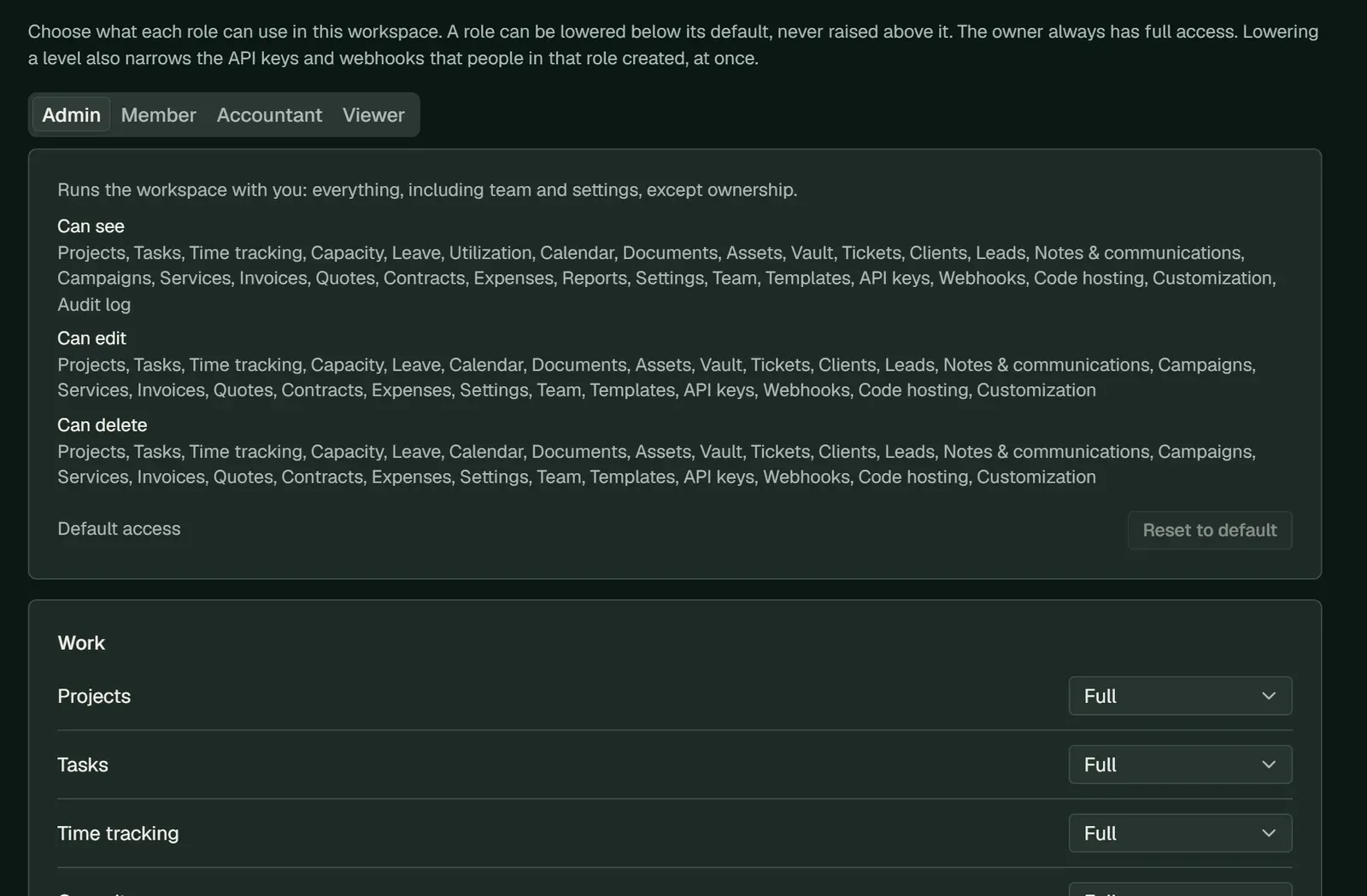
The owner can lower what each role can see, edit and delete, section by section. A role can be lowered, never raised, and API keys and webhooks created by people in that role are narrowed with it. Documents can be hidden from chosen roles.
2. Secrets
Logins and keys are encrypted, and opening one is recorded.
The vault and the keys behind your integrations are sealed before they are stored.
AES-256-GCM, with keys for each workspace
Vault credentials are encrypted with AES-256-GCM under a key that belongs to your workspace. Each value is bound to its own record, so a value copied to another workspace, field or row does not open.
Keys wrapped by keys
Workspace keys are themselves encrypted by platform keys, which are encrypted by a key held in a cloud key-management service (AWS KMS, in Paris). If Rokn cannot reach its keys at start-up, it refuses to run instead of storing anything unprotected.
The same protection for your integrations
Payment gateway keys, storage settings, email provider keys, webhook signing secrets, calendar tokens and the tokens inside signing, payment and share links are sealed the same way.
Unlock, reveal, log
The vault stays locked until you enter your password. It then opens for five minutes and locks itself again. Every reveal and copy is written to an access log with who did it and when, and access to a credential can be limited to chosen people.
Turn on an authenticator app for your account and keep one-time backup codes for the day you lose your phone. When you sign in with a password from a browser Rokn does not know, it emails you a six-digit code first. You choose whether to remember a device for 30 days.
A breached-password check
Rokn refuses a password that has appeared in a known data breach whenever one is set: sign-up, change and reset. Only the first five characters of a one-way fingerprint of the password leave Rokn for the check, never the password. If the breach-list service cannot be reached, Rokn accepts the password instead of blocking everyone from signing up.
A human check and rate limits
Sign-up and password reset ask you to confirm you are human. Signing in asks only after repeated failures, and never locks the account. Sign-in attempts are also rate limited.
You control your sessions
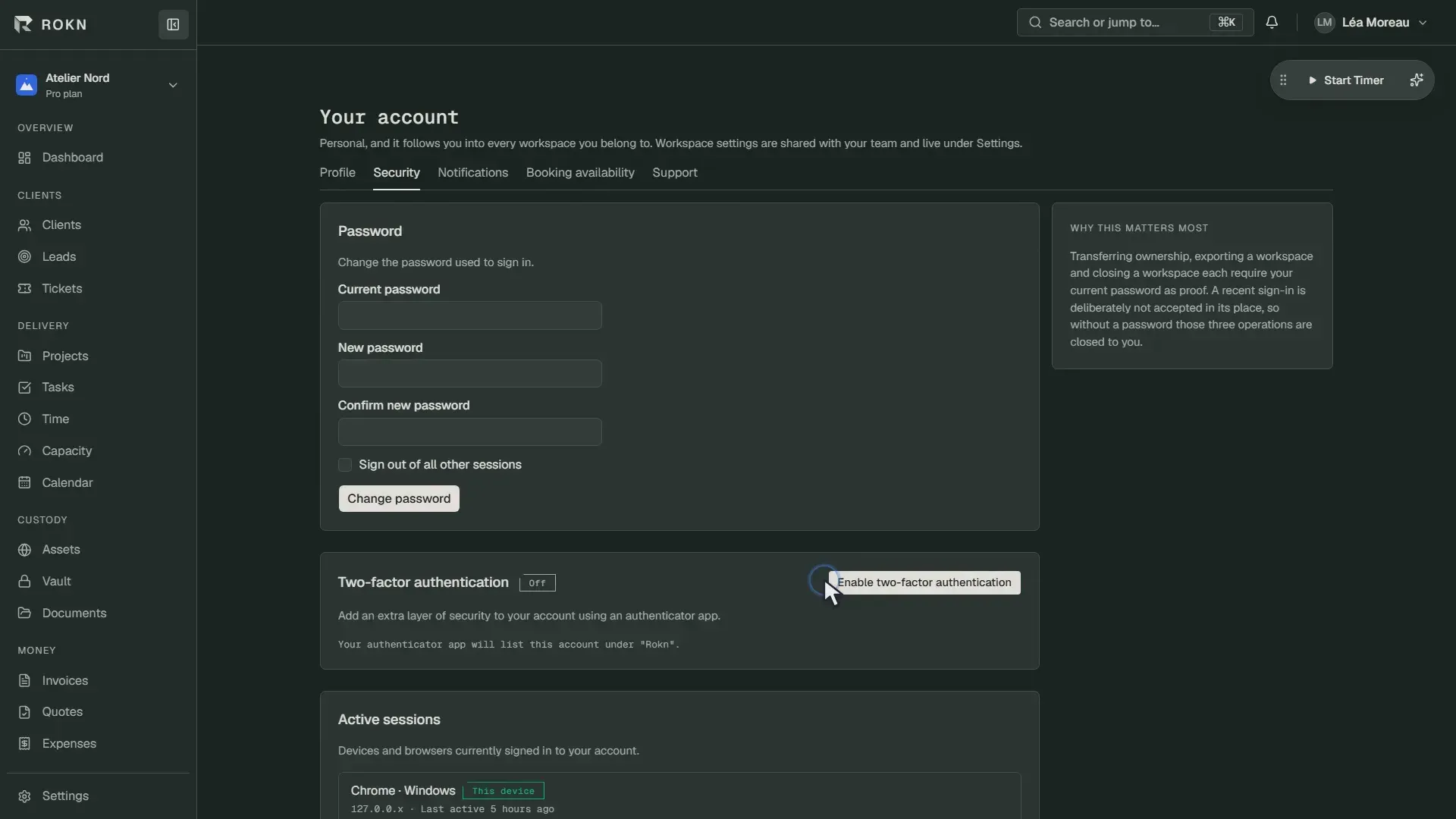
Your account’s Security tab lists your active sessions, and changing your password can sign out all the others.
4. Files
Every upload is scanned before anyone else can open it.
Client files are the easiest way into a business, so they are checked first.
brief-v3.pdfA client, through the portal
UploadedOnly the person who uploaded it
ScanningOnly the person who uploaded it
Scanner verdict
CleanEveryone the record allows
InfectedDeleted. The uploader, the owners and admins are told
Virus-scanned uploads
Files are scanned with ClamAV. Until the check finishes, only the person who uploaded the file can open it. A file with malware is deleted and its uploader and the workspace’s admins are told. A file that cannot be checked stays private to its uploader, and owners and admins decide whether to delete it. Nothing is deleted without a verdict.
The real type, not the extension
Rokn reads the type of a file from its contents, so renaming a file does not change how it is treated.
Email attachments too
Attachments on emails that become help desk tickets are scanned before they are stored, and files attached in the AI assistant are scanned as soon as they are uploaded, before the assistant reads them. If the scanner is unavailable, Rokn refuses the attachment rather than storing it unchecked.
Private by default
Files sit in private storage. Your browser receives a temporary link to the exact file it is allowed to open, never a key to the storage.
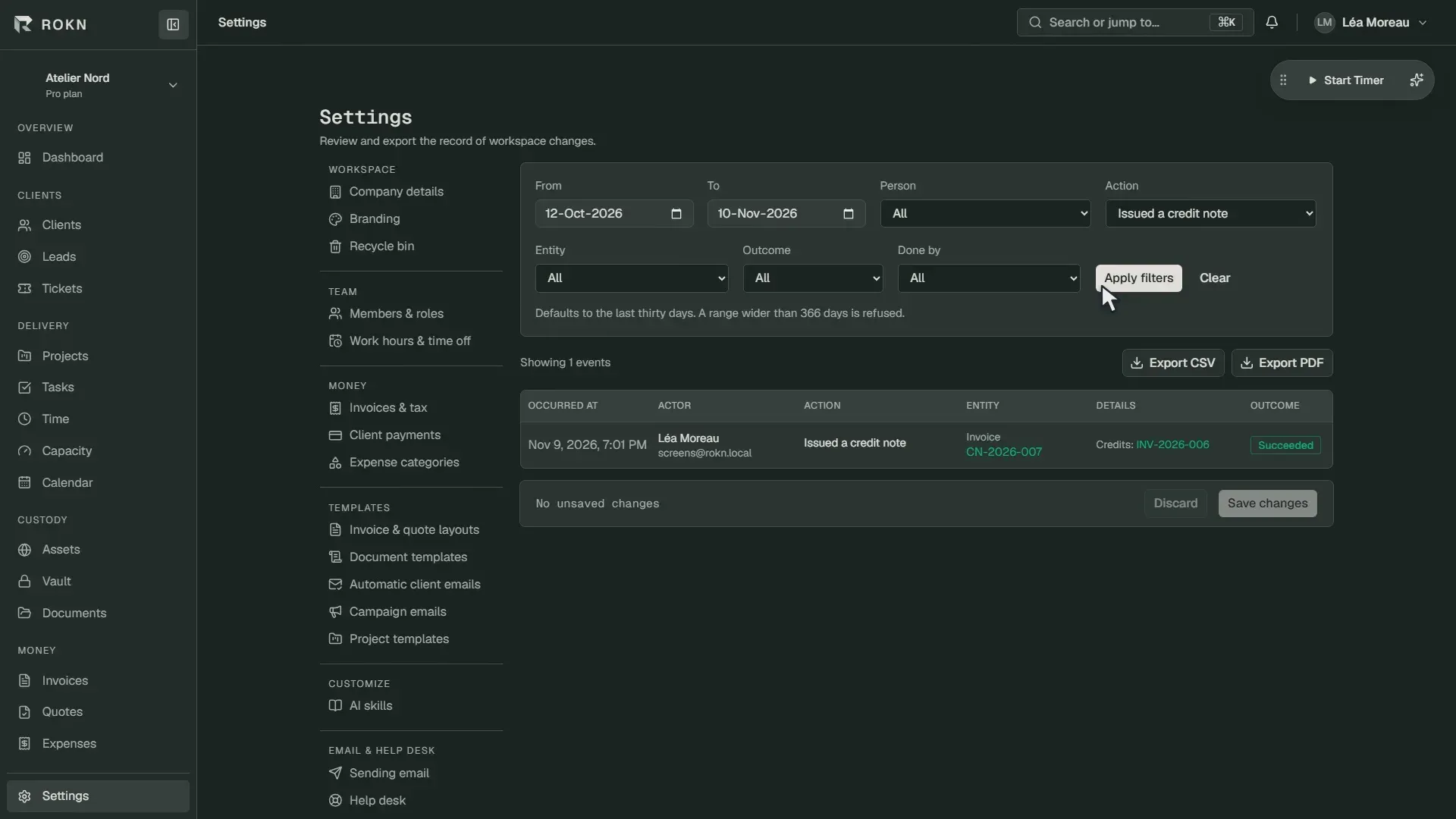
Every change in your workspace is recorded with who made it and when, whether a team member, an API key, a client in the portal or the AI assistant. The application cannot edit or delete entries. You can filter the log and export it as a spreadsheet or a PDF. How long entries are kept depends on your plan.
Support access is labelled
When Rokn staff act inside a workspace to help you, the entries they write are shown in your audit log as written by Rokn support, for your workspace.
Evidence on signed contracts
A contract that is signed keeps who signed it, when, and their consent, and you can download the signed PDF and the original as it was sent.
Rokn’s servers and database run in EU data centres in Germany. Files go to a region you choose when you create the workspace, the EU or the US, or to your own S3-compatible storage. The privacy policy and the data processing agreement list every processor.
Export everything, any time
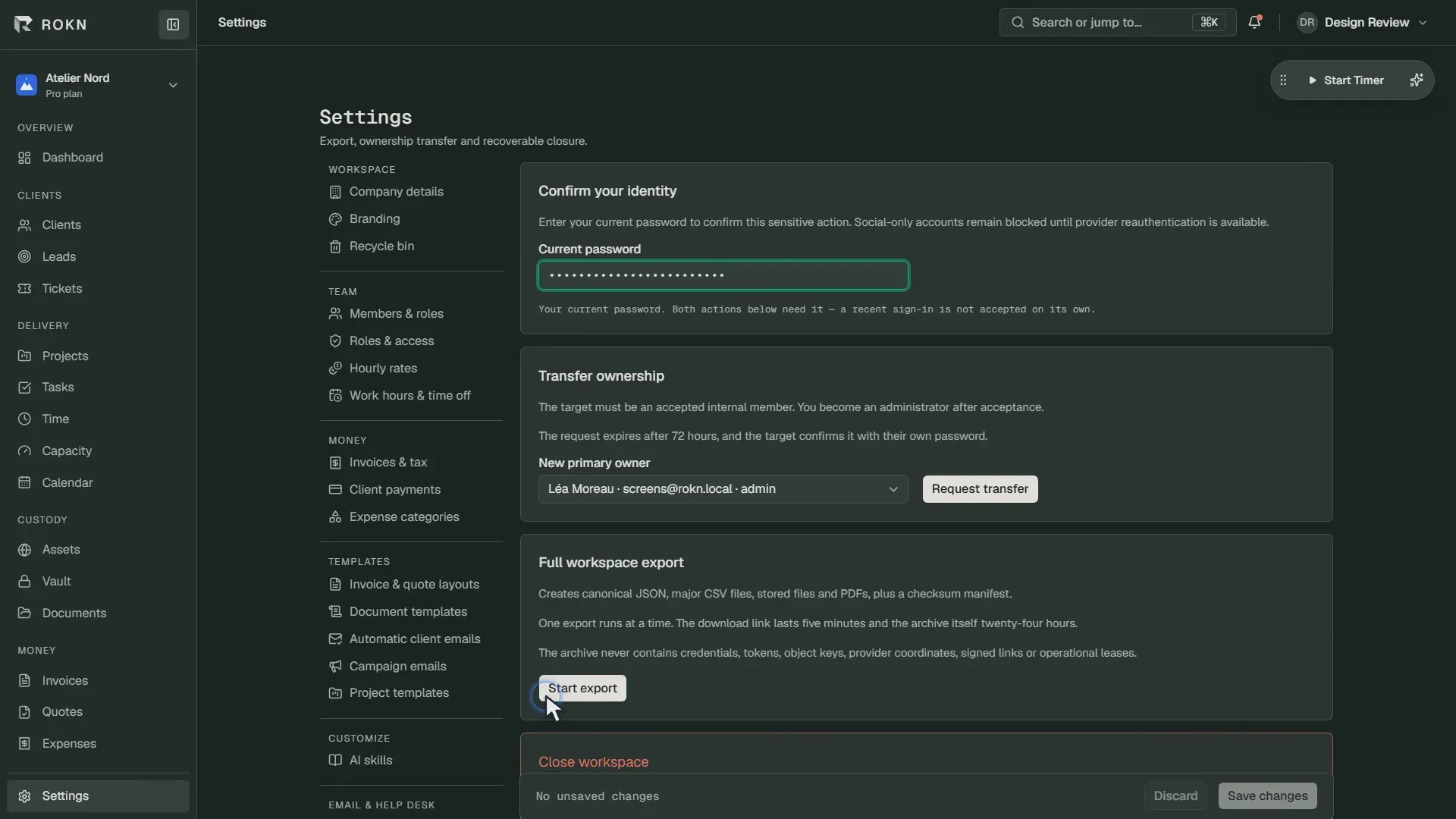
The workspace owner can export the records as spreadsheets and data, plus the files and the PDFs, whenever they like, after confirming with their password.
Closing a workspace
Closing locks access straight away. For 30 days the owner can still recover it. After that, everything is deleted for good, so export first.
Your own account
You can delete your own account, and download your personal data across all your workspaces.
See the controls in the app.
Your account’s security settings, the audit log, and the full export.
0:00 / 0:00
Your account
0:00 / 0:00
Audit log
0:00 / 0:00
Export and closing
Straight answers.
Does Rokn have security certifications?
No. Rokn has no SOC 2, ISO 27001 or similar certificates, and shows no badges. This page describes how the product works so you can judge it, and you can ask us about any of it.
Is the vault end-to-end encrypted?
No. Vault values are encrypted at rest with keys Rokn manages, and Rokn decrypts a value so it can show it to you after you unlock the vault. It is not a zero-knowledge vault, so choose what you store in it accordingly.
Where is my data stored?
The servers and database are in EU data centres. Your files are in the EU or the US region you chose, or in your own S3-compatible storage.
Can I get my data out?
Yes. The owner can export the whole workspace at any time, as spreadsheets and data, files and PDFs. You can also read it through the REST API.
How do I ask a security question?
Send it through the contact form. A person at Rokn reads it.