

Member rates
Set a default hourly rate, give each team member their own billing rate, and record what their hour costs you, privately.
Use Hourly rates in Settings to decide what an hour bills at, and what it costs you. The internal cost stays private.
Start with the default rate
In Settings, open Hourly rates. At the top is your workspace's default hourly rate: what an hour bills at when nothing more specific applies.
Below it, Member rates lists each member of your team.
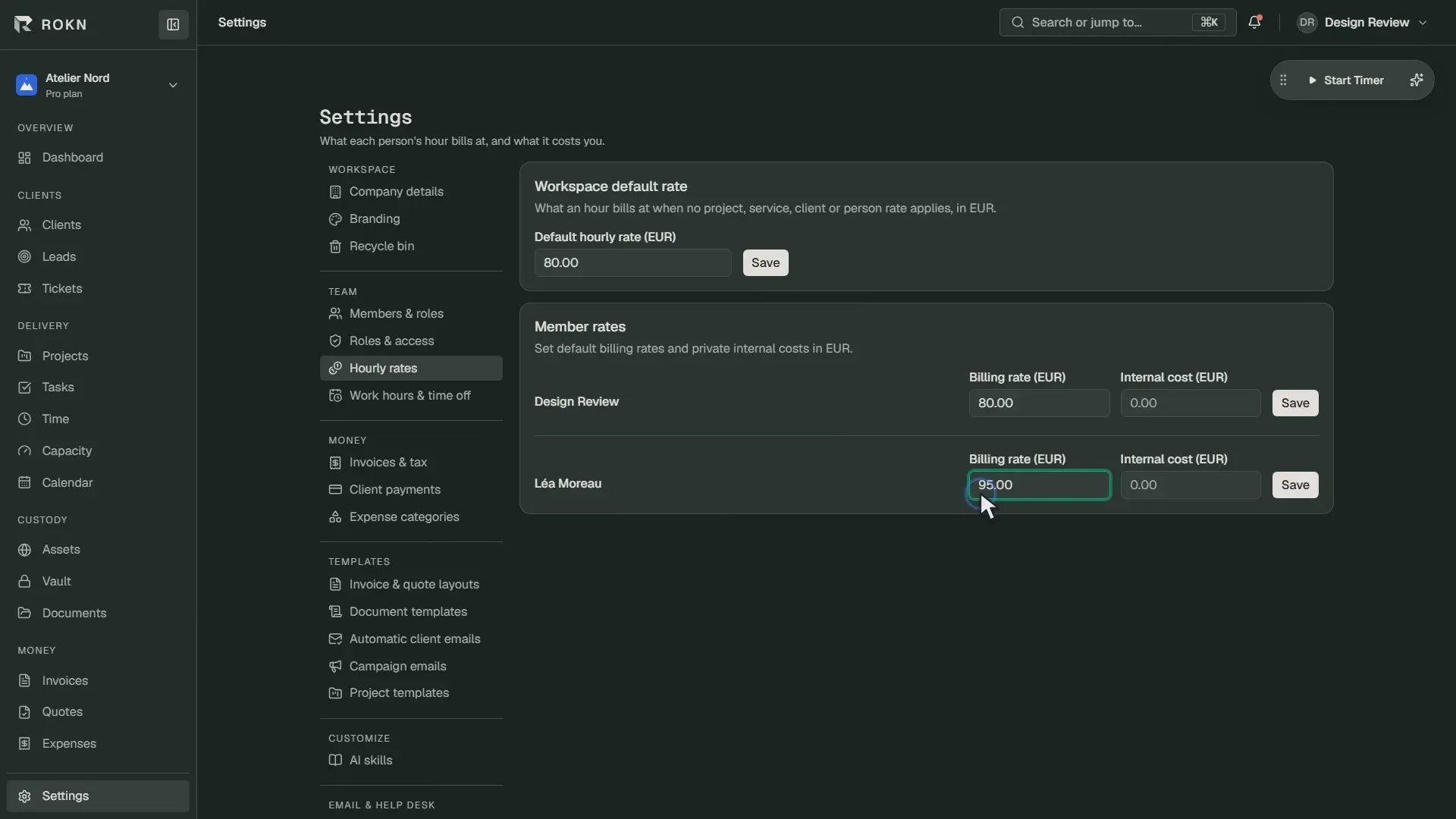
Set a member's billing rate
Each member can have their own billing rate. Enter it in the Billing rate field on their row. Here, Léa's hours now bill at 95 euros.
Add their internal cost
In Internal cost, add what an hour of theirs costs you. The internal cost stays private and is never shown to clients.
Click Save on the member's row.
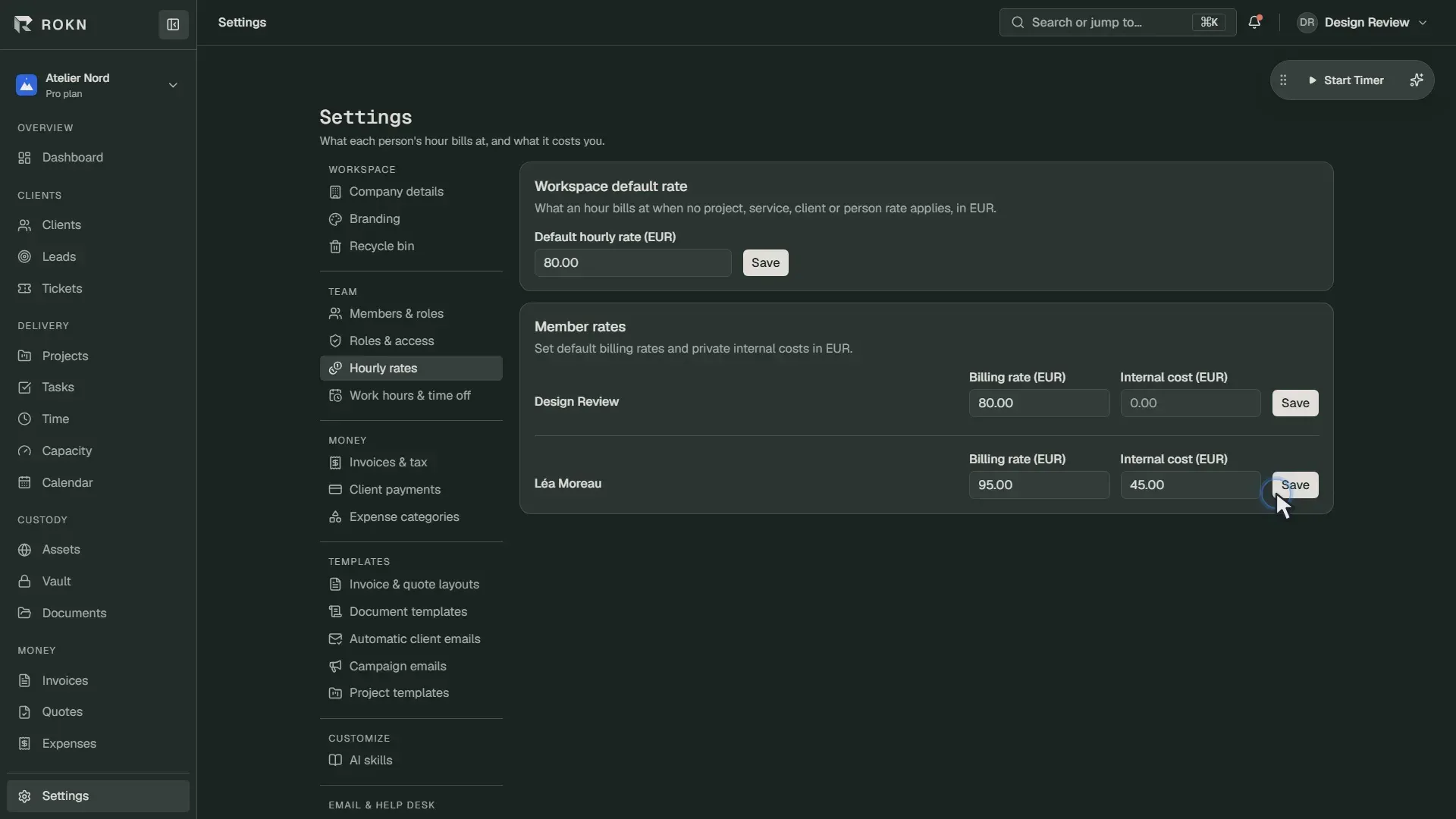
See what projects earn
Reports then show what each project really earns, after the team's time.
Good to know
- A member without their own billing rate uses the workspace default.
November 10, 2026
Suggest an improvement