

Assets
Keep track of clients' domains, hosting, certificates and licences, and see what is expiring, what has expired and what it all costs.
Assets is the register of what you look after for clients: domains, hosting, certificates and licences. Use it so nothing expires without you noticing.
See what you look after
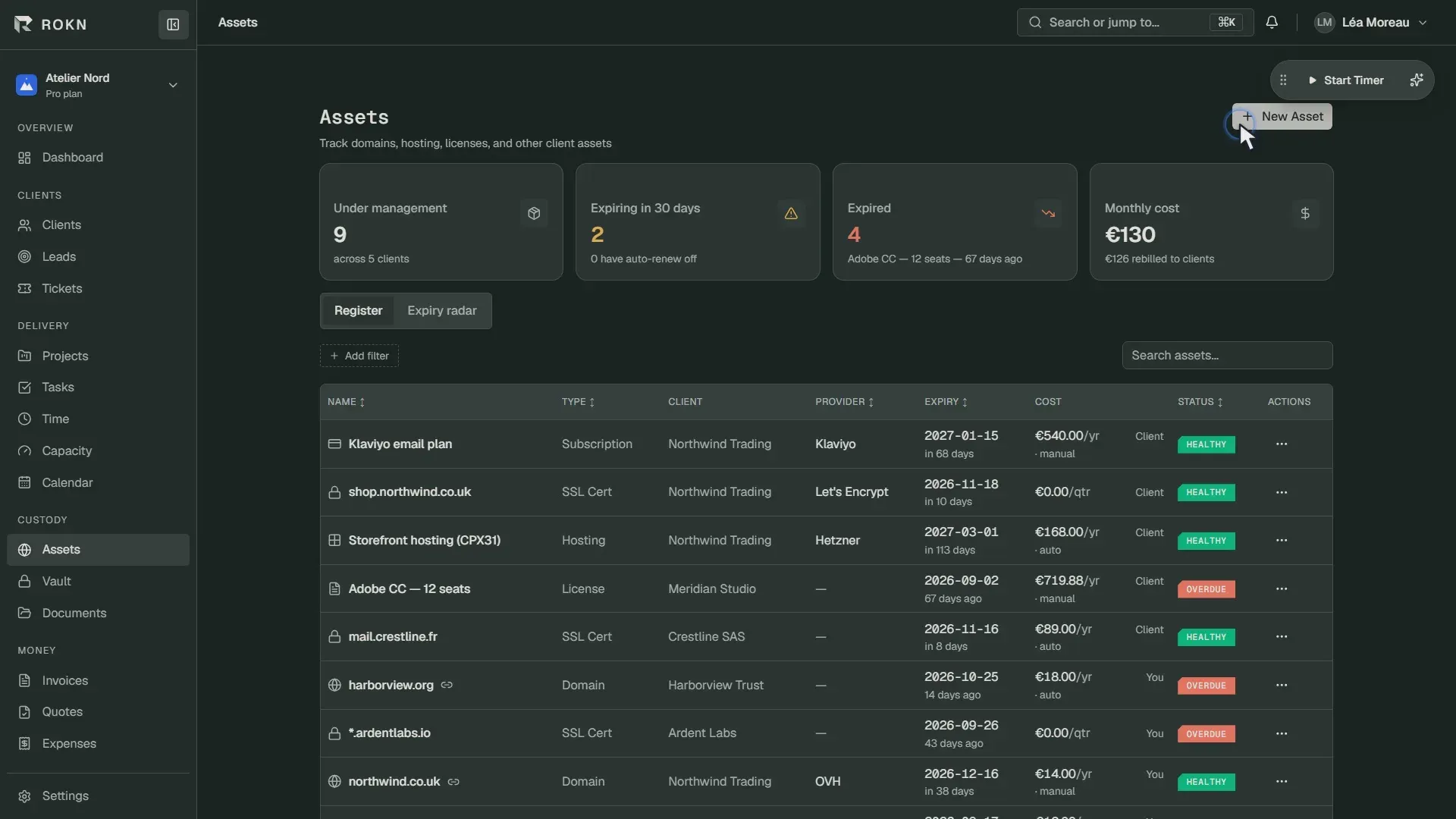
Open Assets. The top figures show what is under management, what expires in 30 days, what has already expired, and the monthly cost. Below, the register lists each asset with its type, client, provider, expiry date, cost and status.
Add an asset
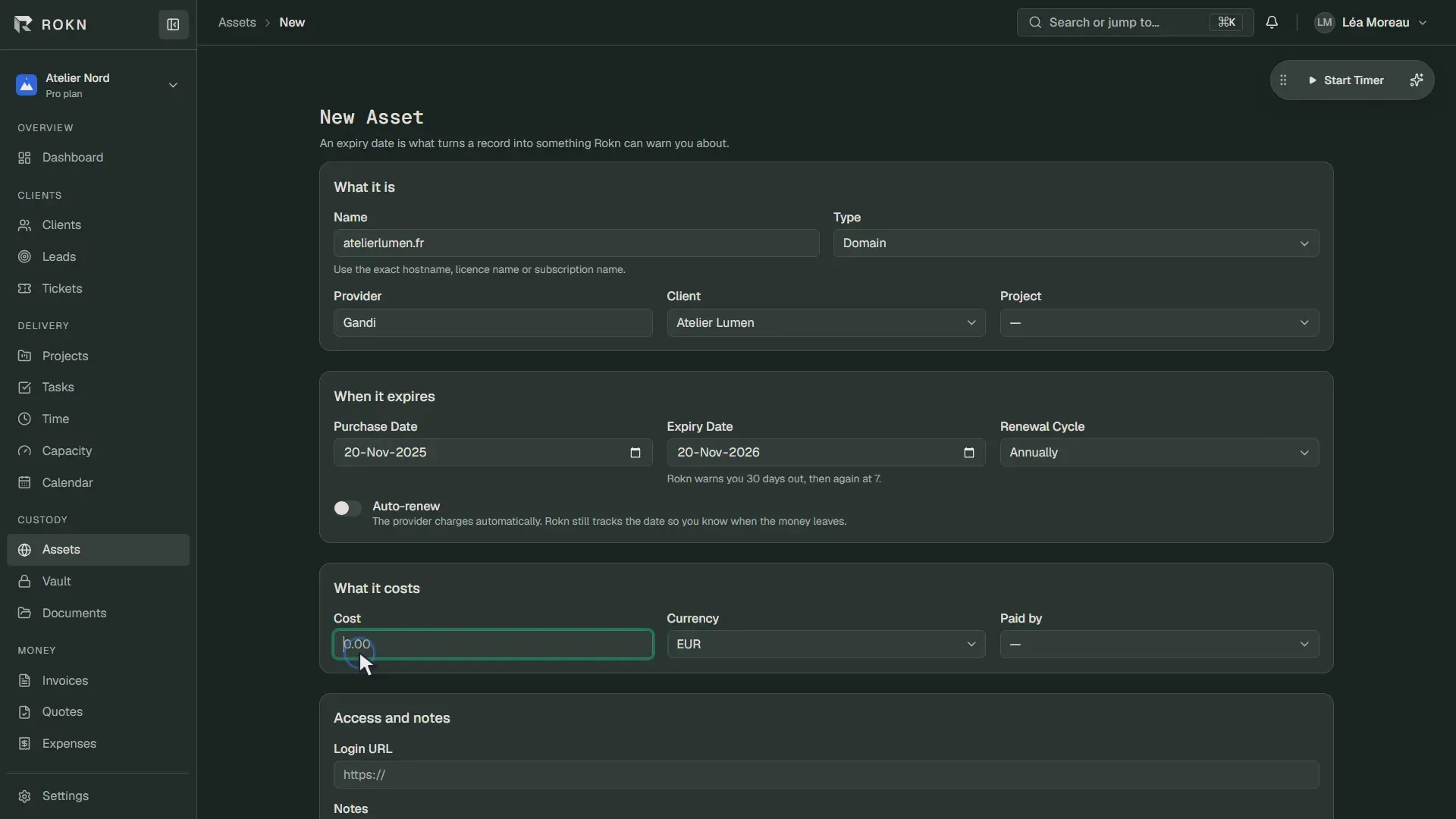
Click New Asset. Give it its exact name, for example the domain name, then choose its type, the provider, and the client it belongs to. You can also add one from a project's Assets tab with New asset: the project is already chosen.
Set the expiry date
The expiry date is what matters. Enter the purchase date and the expiry date, and choose the renewal cycle. Rokn warns you thirty days before the expiry, then again at seven.
Add the cost and who pays
Enter what the asset costs and the currency, and say who pays: you, or the client.
Check the expiry radar
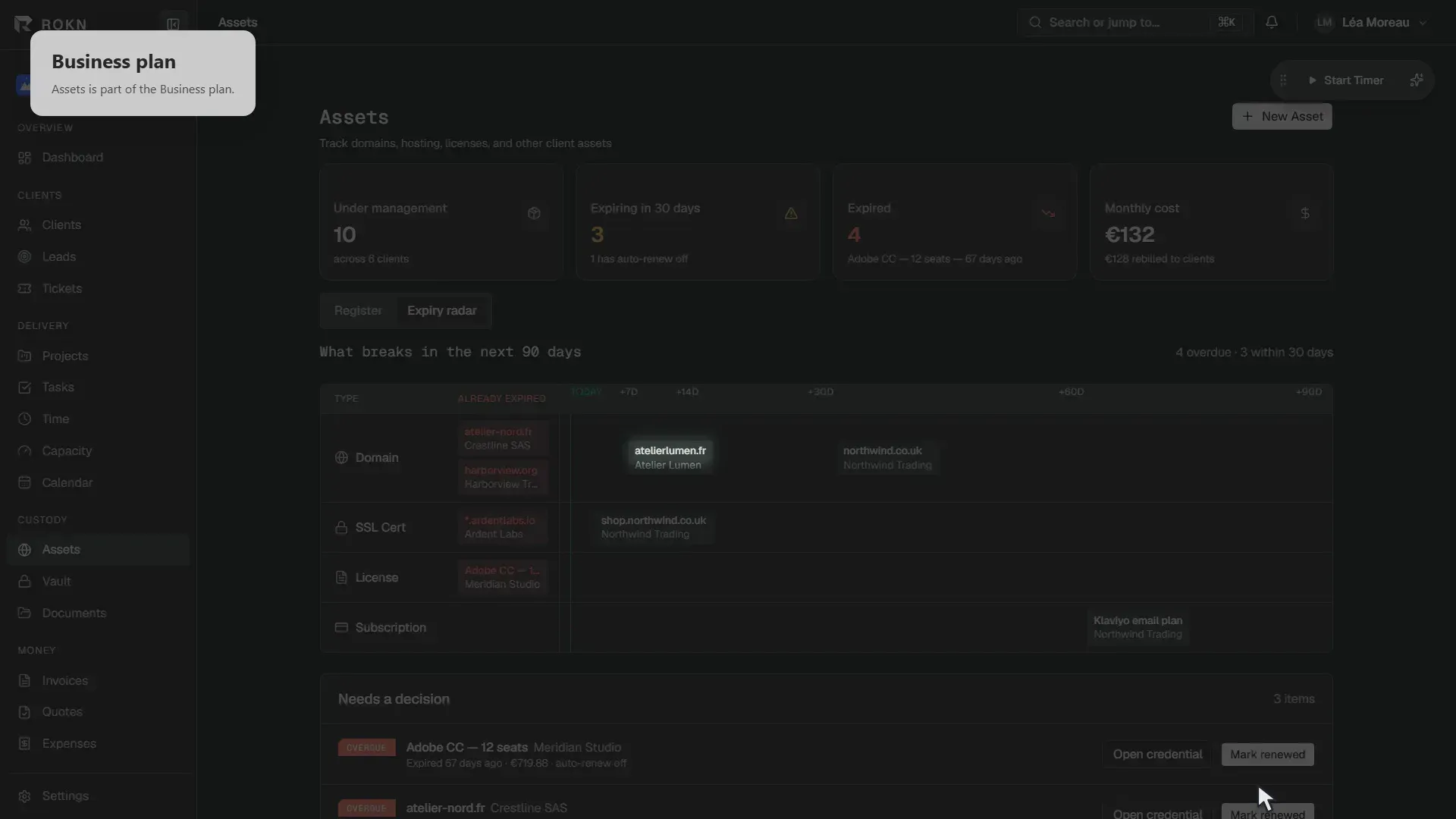
Save the asset. Then open Expiry radar: it lines up every renewal by how soon it is due, so you can see what breaks in the next 90 days.
Let the client approve the renewal
If the client has Assets switched on in their portal, they see the domains, certificates and hosting you hold for them, and Approve renewals records their agreement and tells your team before you renew. Nothing is renewed and no payment is taken by approving.
Good to know
- Assets is part of the Business plan.
Next step: store the logins for these services in the vault. To show the client what you hold, invite them to the portal.
November 10, 2026
Suggest an improvement