

API keys and webhooks
Create an API key with only the access it needs, copy it once, and add a webhook so Rokn tells your other systems when something happens.
Use API keys when a script or service needs to read and change your workspace. Use webhooks when you want Rokn to call your system, for example when an invoice is paid.
Open API keys
In Settings, open API keys. A key lets a script or service read and change your workspace, and the documentation is one click away.
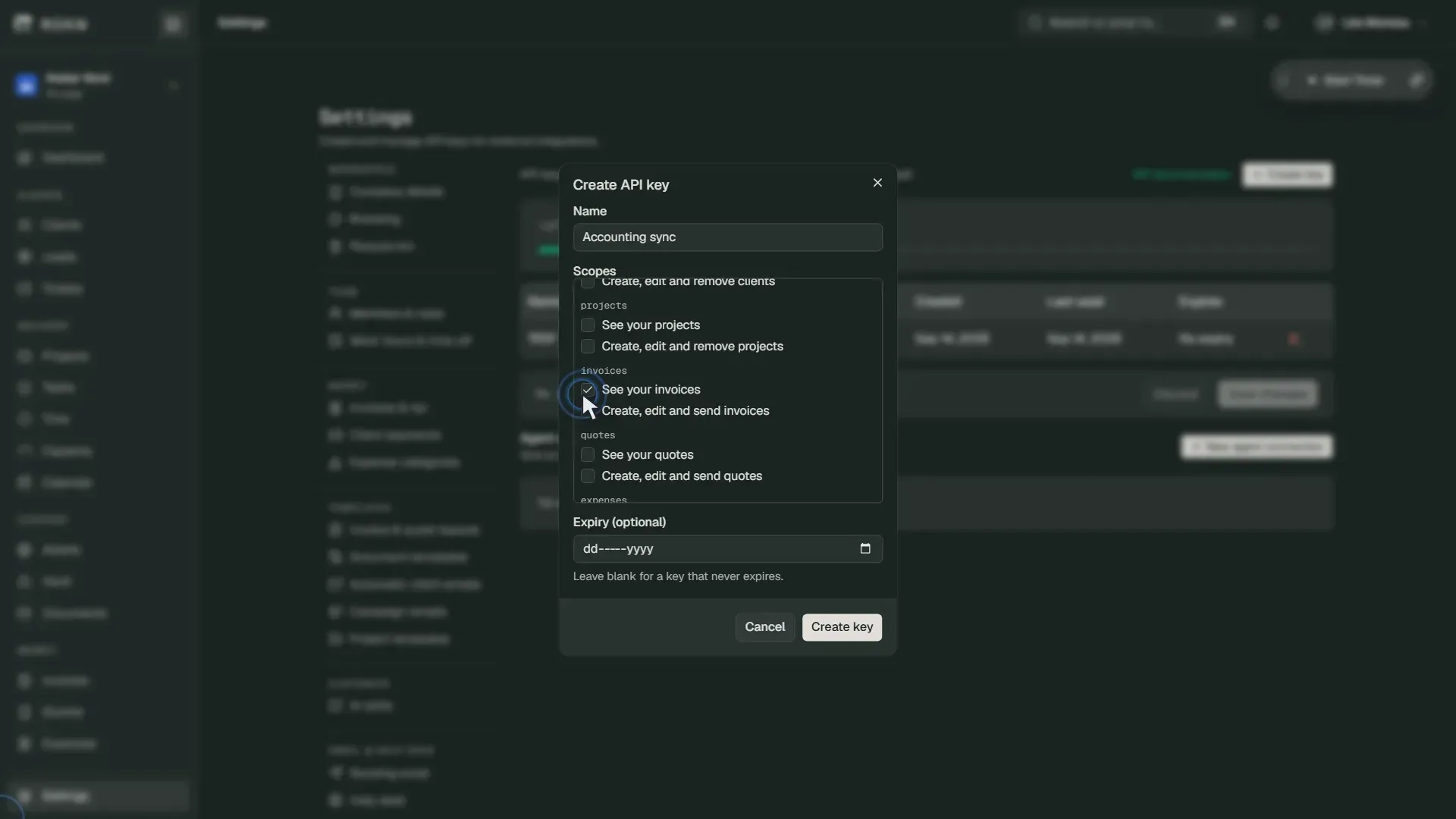
Create a key and choose its scopes
Click Create key. Name it after what will use it, for example Accounting sync. Tick only what it needs. Here, See your invoices and See your clients and their contacts.
Copy the key now
Click Create key, then copy the key. Rokn shows it only once, so store it somewhere safe before you close the dialog.
Add a webhook
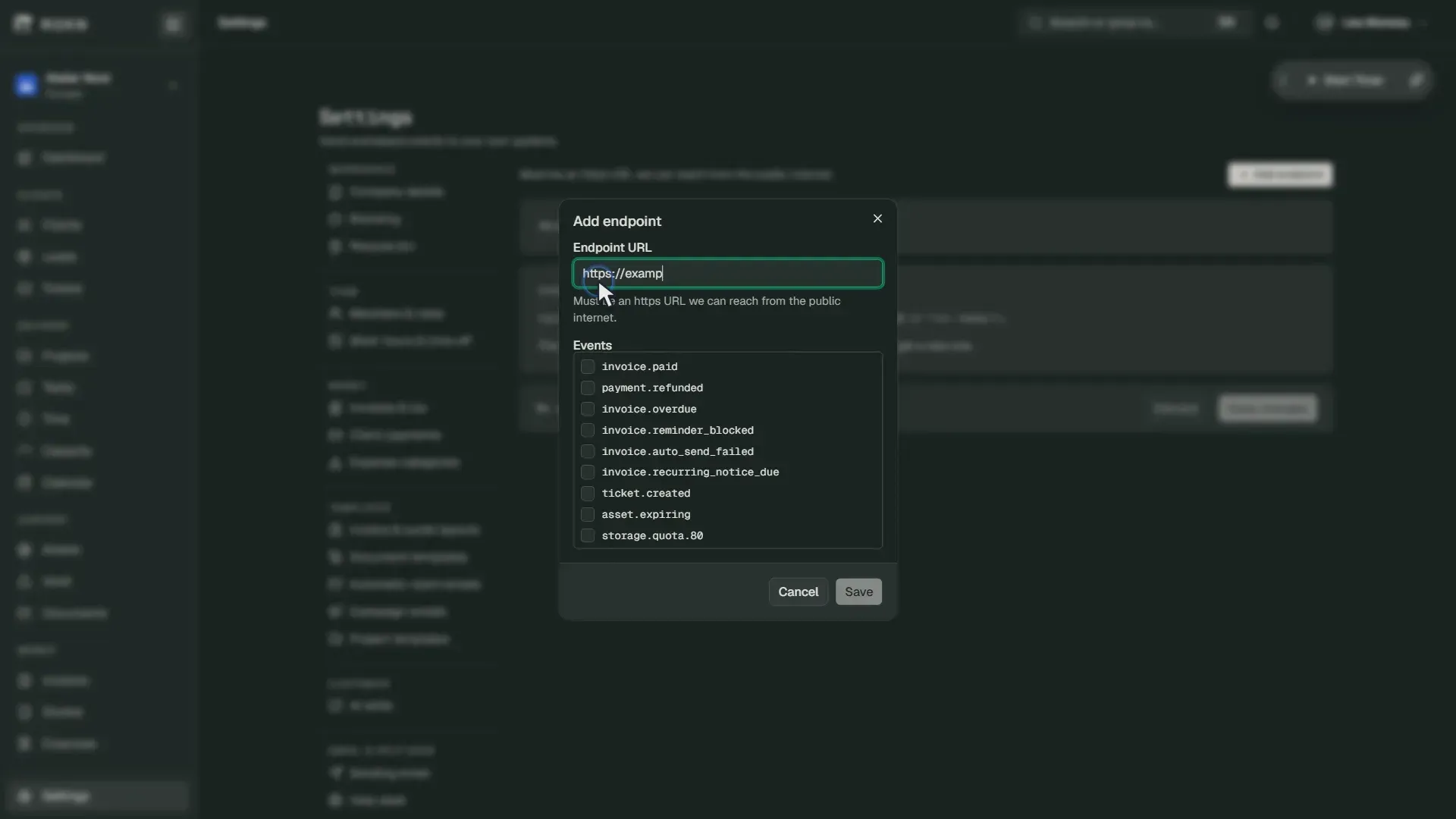
Webhooks work the other way round: Rokn calls your system when something happens, like an invoice being paid. In Webhooks, click Add endpoint, enter your endpoint's address and choose the events you want. Then save.
Check the signature
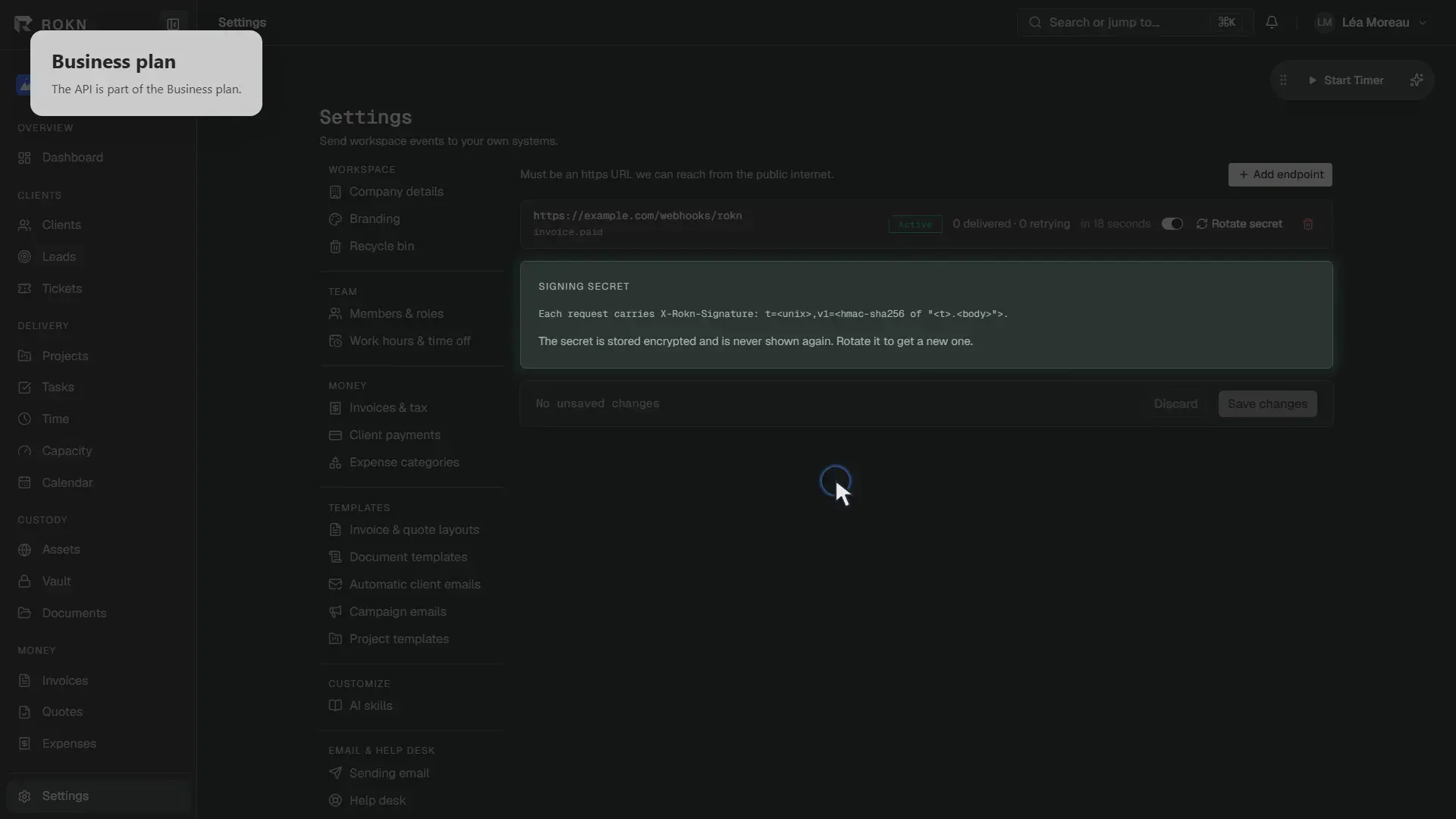
Every call is signed, so your system can check that it really came from Rokn. The signing secret is stored encrypted and is never shown again. Rotate it to get a new one.
Good to know
- A key is shown only once. If you lose it, create a new one.
- API keys and webhooks need a plan that includes them. Plan and billing shows what your plan includes, and the number of requests per minute your keys may make depends on it.
Next step: make your first call with the API quickstart, then check how to verify a webhook.
November 10, 2026
Suggest an improvement