

Client satisfaction surveys
Turn on satisfaction surveys so clients rate your support after a ticket is resolved, and see every score on the ticket.
Satisfaction surveys ask your clients how their support request went. You see the answer on the ticket, so you know how every request ended.
Find Customer satisfaction
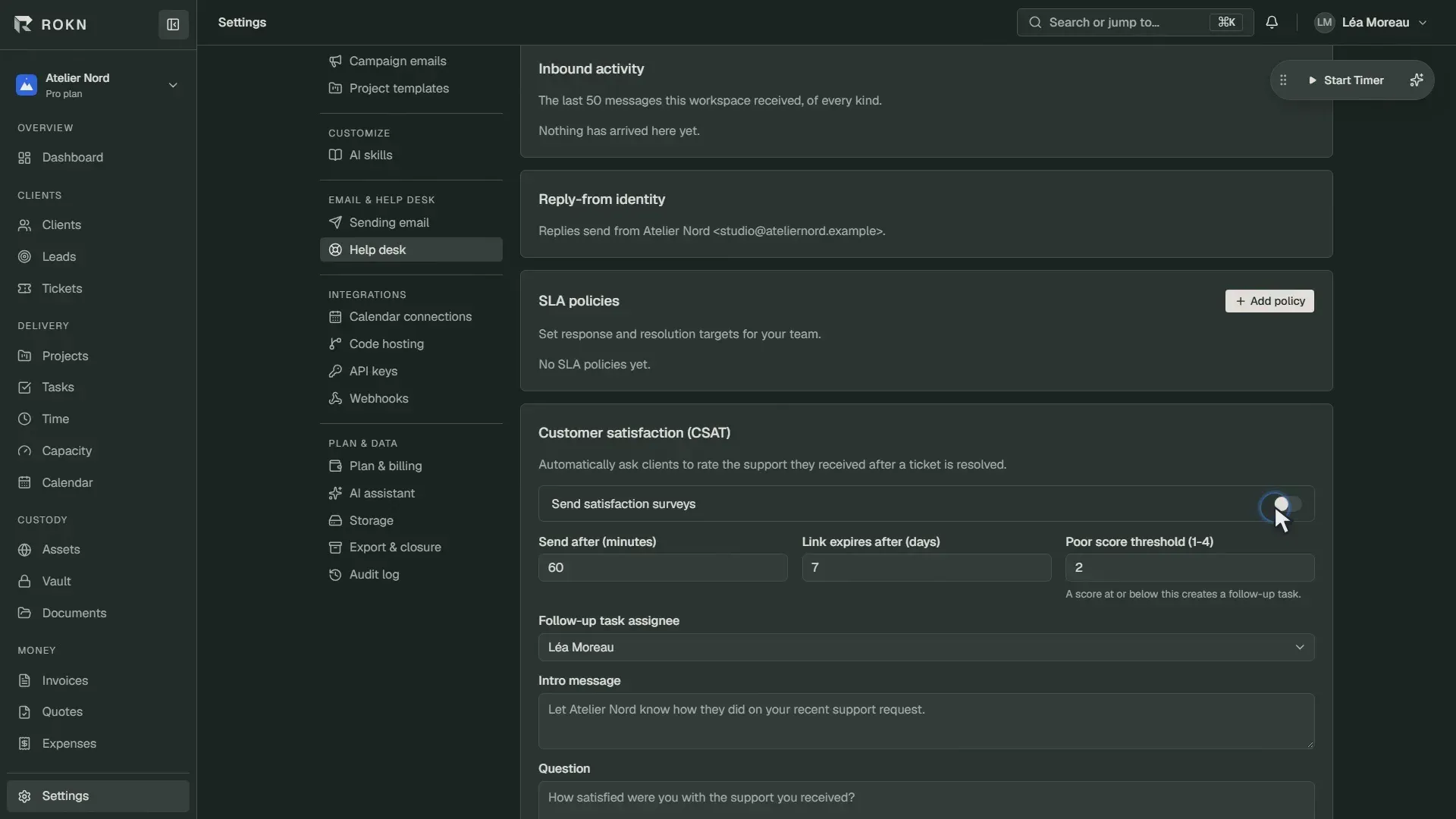
In Settings, open Help desk, and find Customer satisfaction (CSAT).
Turn on surveys
Turn on Send satisfaction surveys. Rokn sends one a little while after a ticket is resolved. A poor score can create a follow-up task for someone on your team, whom you choose in Follow-up task assignee.
Send a survey yourself
On a resolved ticket, you can also click Send survey now to send the survey straight away, or choose not to send it with Don't send.
Your client answers
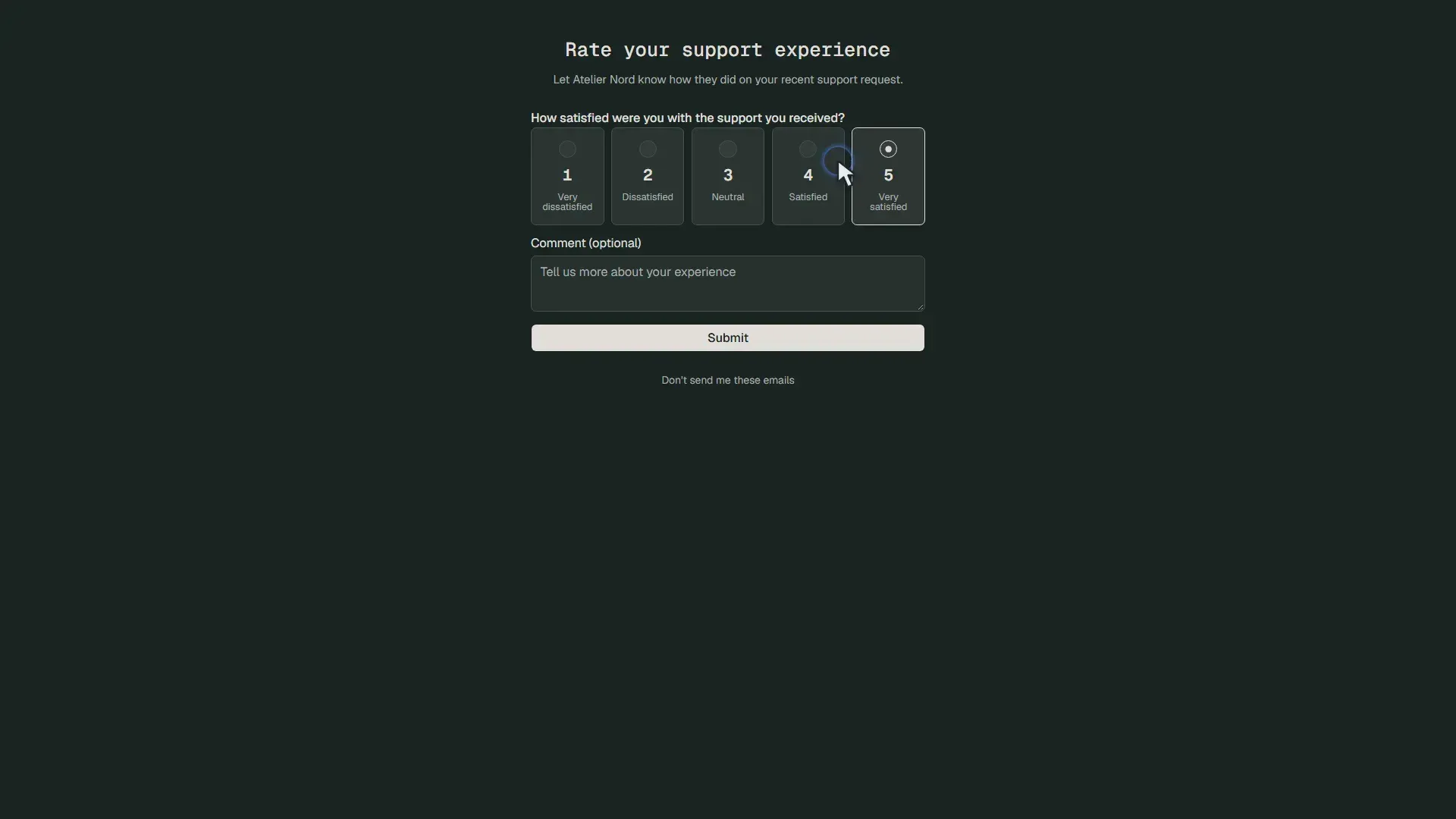
Your client gets an email with one question. They pick a score from 1 to 5, and can add a comment.
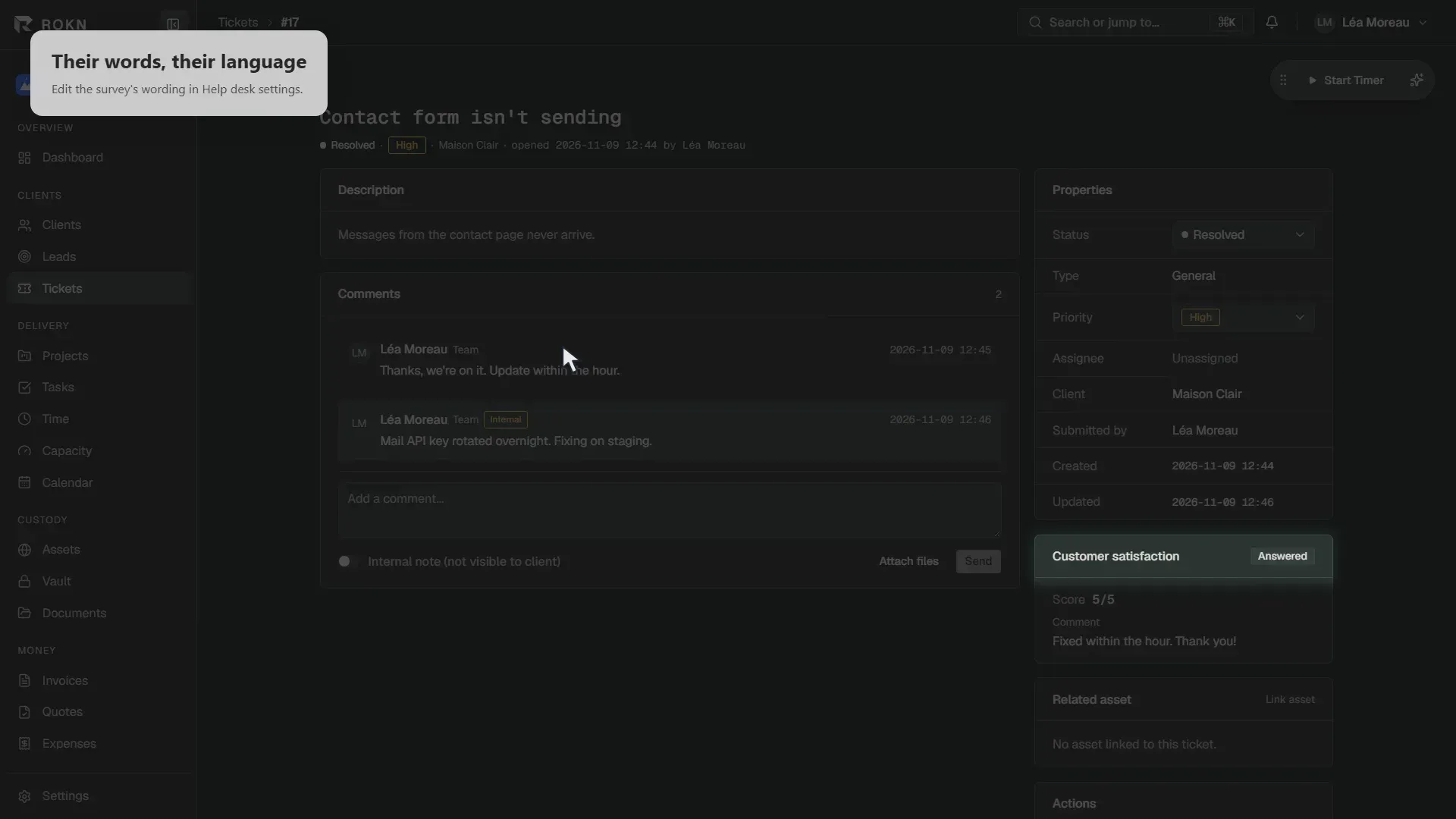
See the answer on the ticket
The answer comes back to the ticket, in its Customer satisfaction card, so you see how every request ended.
Good to know
- A poor score can create a follow-up task for the person you choose.
November 10, 2026
Suggest an improvement