

Automatic client emails
Put your own words in the emails Rokn sends your clients, such as invoices, quotes and reminders, and preview them before you save.
Rokn sends emails to your clients for you: invoices, quotes, reminders and more. Use Automatic client emails to change their wording so they sound like you.
Find the email you want to change
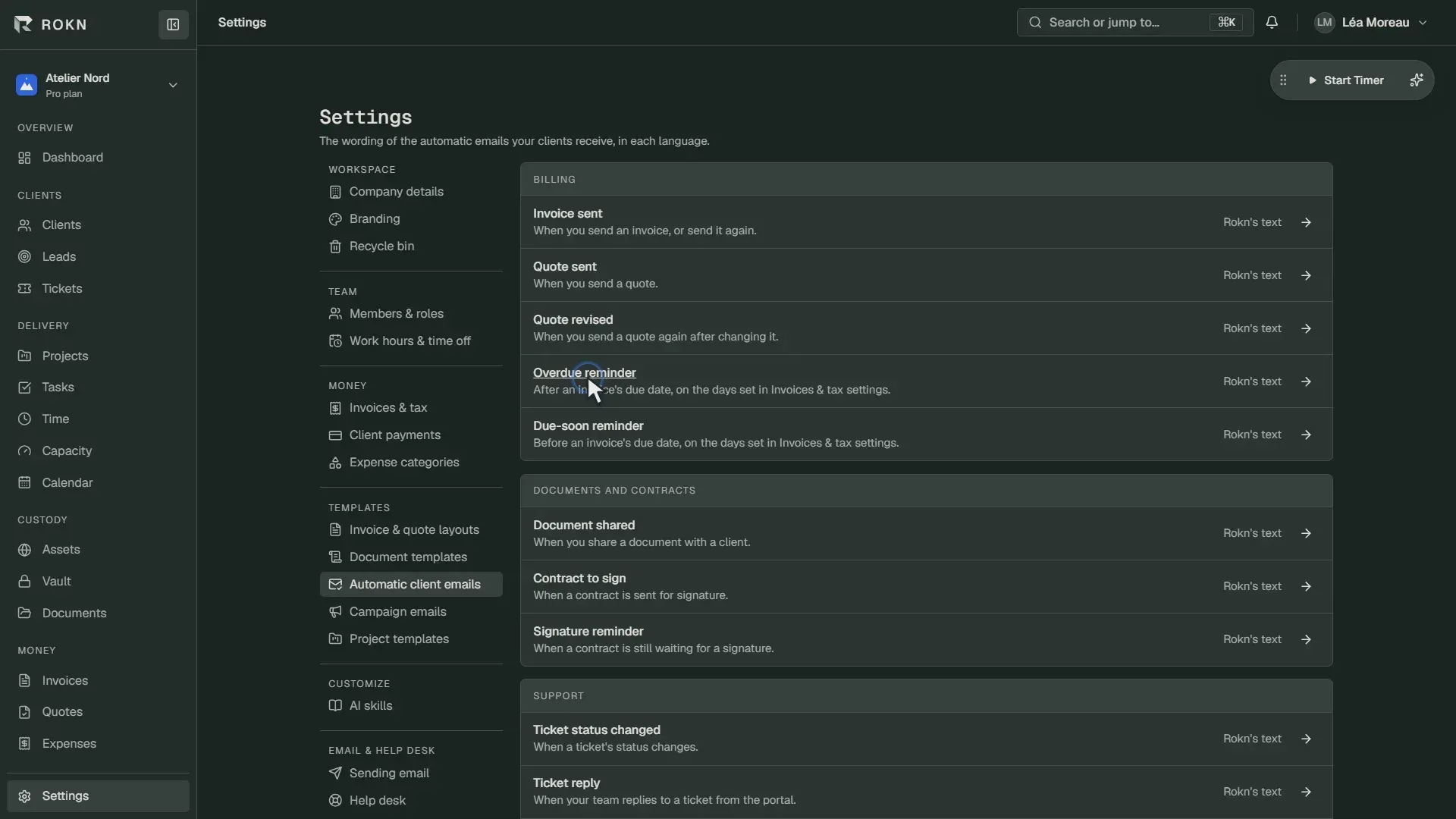
In Settings, open Automatic client emails. The list groups the emails by what they are for: billing, documents and contracts, and support.
Each one shows when it is sent, and whether it uses Rokn's text or your own.
Open it and edit the message
Open one, like the overdue reminder. Until you change it, it uses Rokn's text.
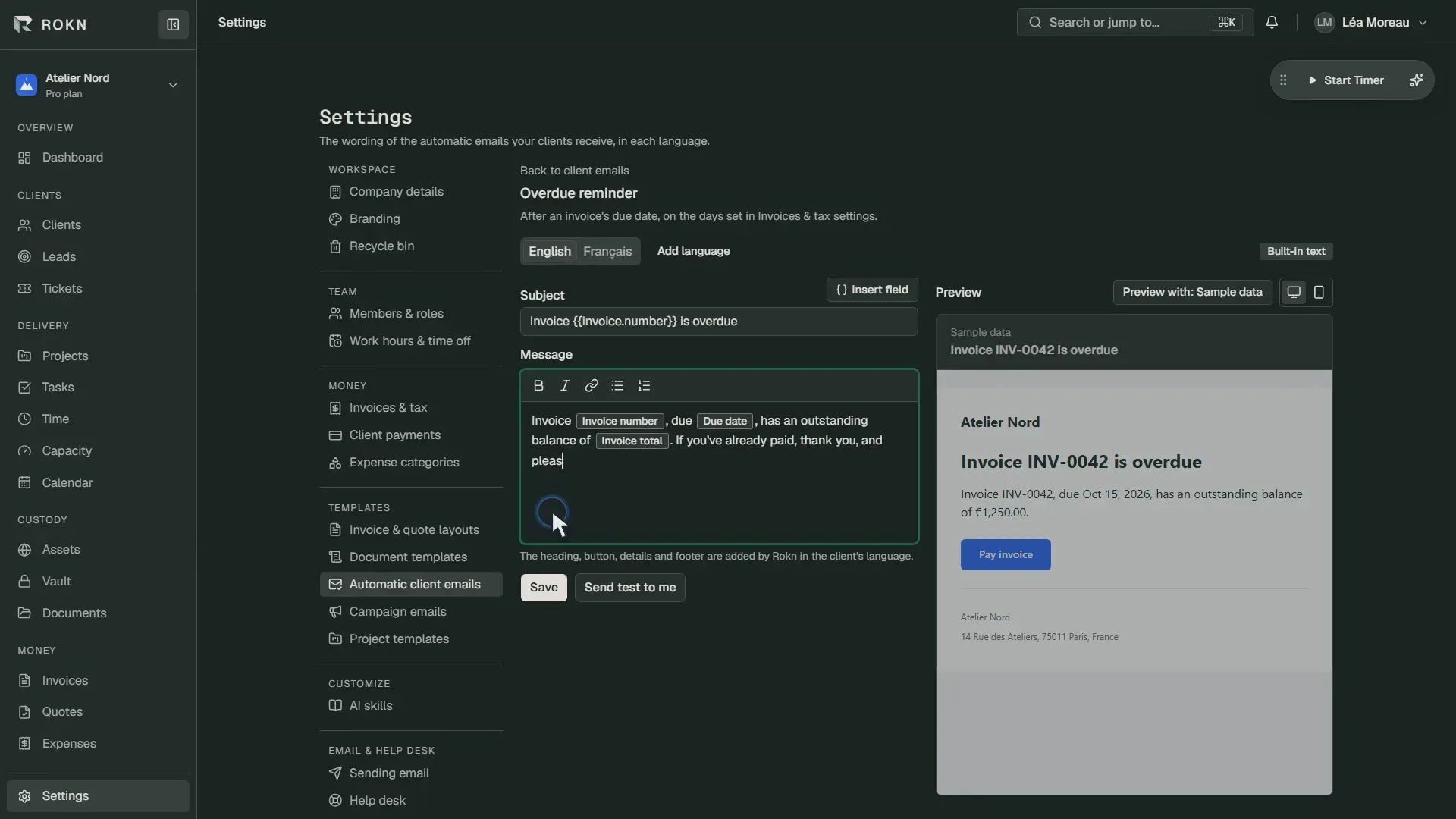
Edit the message as you would write it. The grey chips are fields, filled in for each client, such as the invoice number and the balance.
Preview it with a real invoice
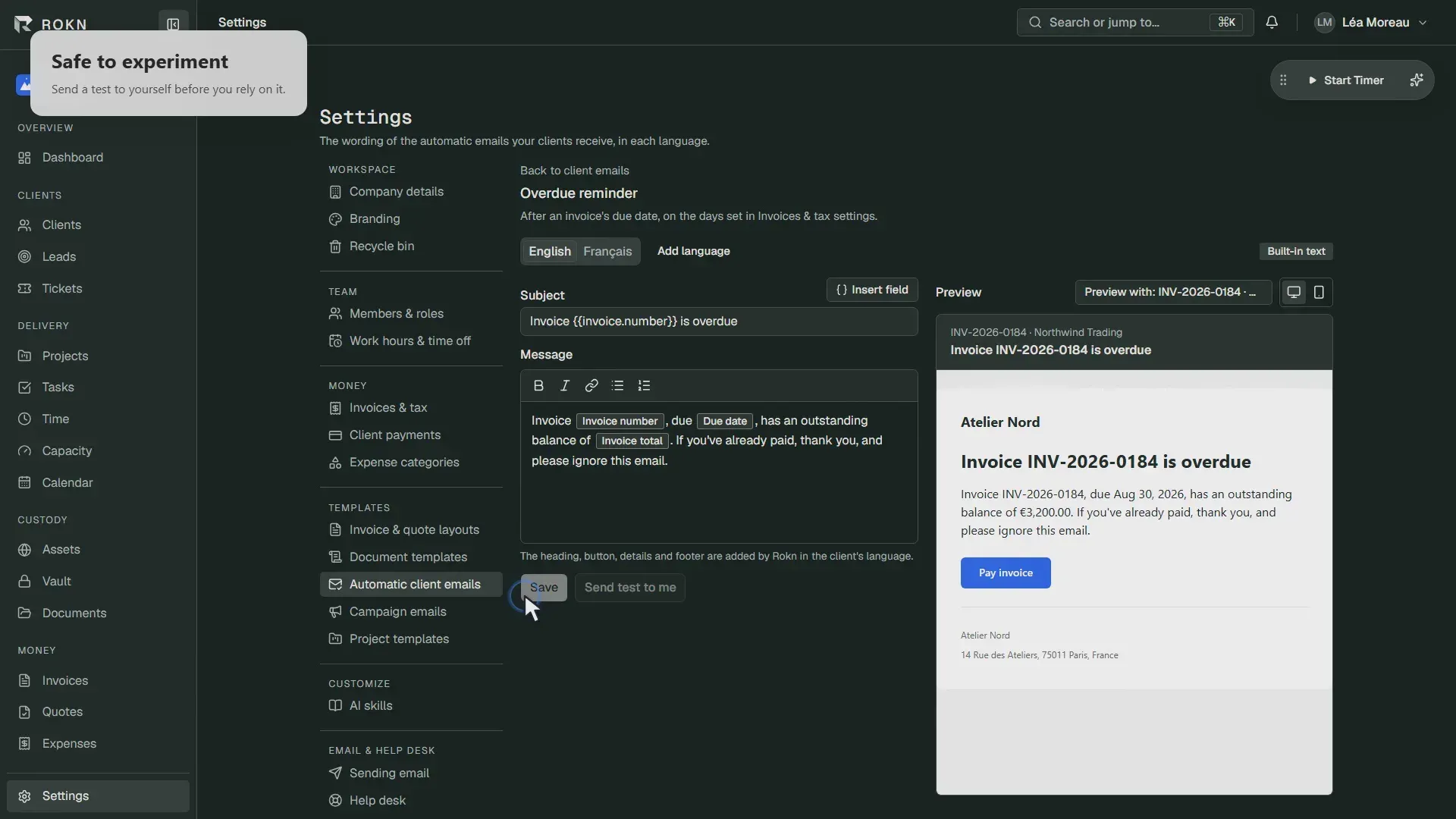
The preview on the right shows the real email. Use Preview with to pick one of your own invoices and check that the details are right.
Save, one language at a time
Click Save. Each language has its own text, so your French clients get French. Use the language buttons above the editor to switch between them.
Good to know
- The heading, the button, the details and the footer are added by Rokn in the client's language.
- Use Send test to me to try an email on yourself before clients see it.
November 10, 2026
Suggest an improvement