Client invitations & portal
Invite the people at your client to their own portal: projects and progress, invoices and receipts, documents, tickets, and the assets and credentials you choose to share.


Your client, in the loop. Give each client one place to follow progress, find files, pay invoices and ask for help, and answer their requests from a help desk with response targets.
Start free
Answer “where are we at?” before they have to ask.
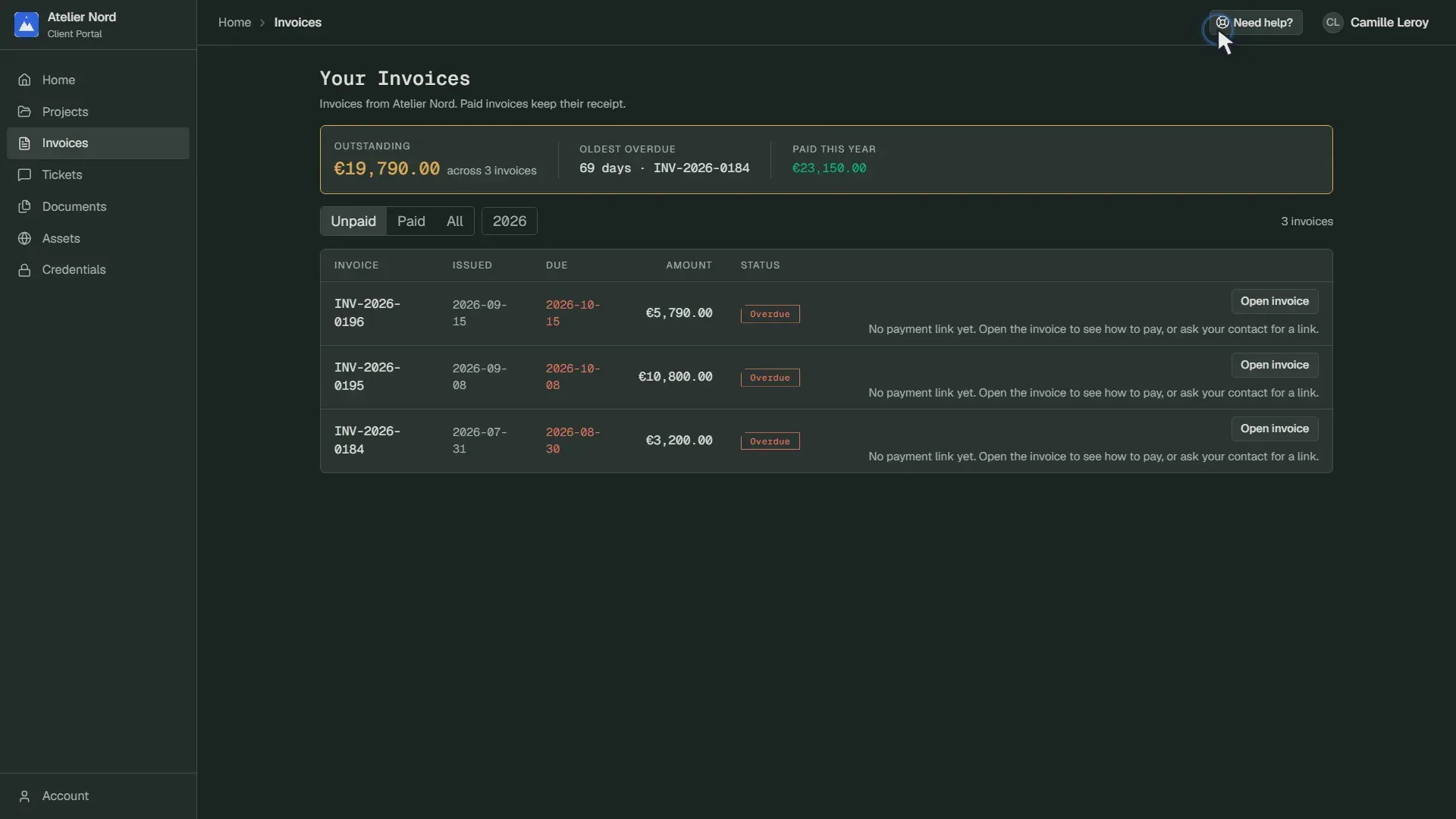
Invite the people at your client to their own portal: projects and progress, invoices and receipts, documents, tickets, and the assets and credentials you choose to share.
Clients upload content, edit the documents you allow, sign documents, pay invoices and confirm upcoming renewals from the portal. Quotes, contracts and payment links also work from a link, without a portal account. Signing contracts is on Pro and Business.
Switch each portal section on or off per client, and choose individual records within it. Internal work stays separate from the view you share.
Every automatic email to a client goes out in that client's language. Edit each one, per language, with merge fields and a live preview.
Support requests stop arriving by email, chat and text message, scattered across inboxes.
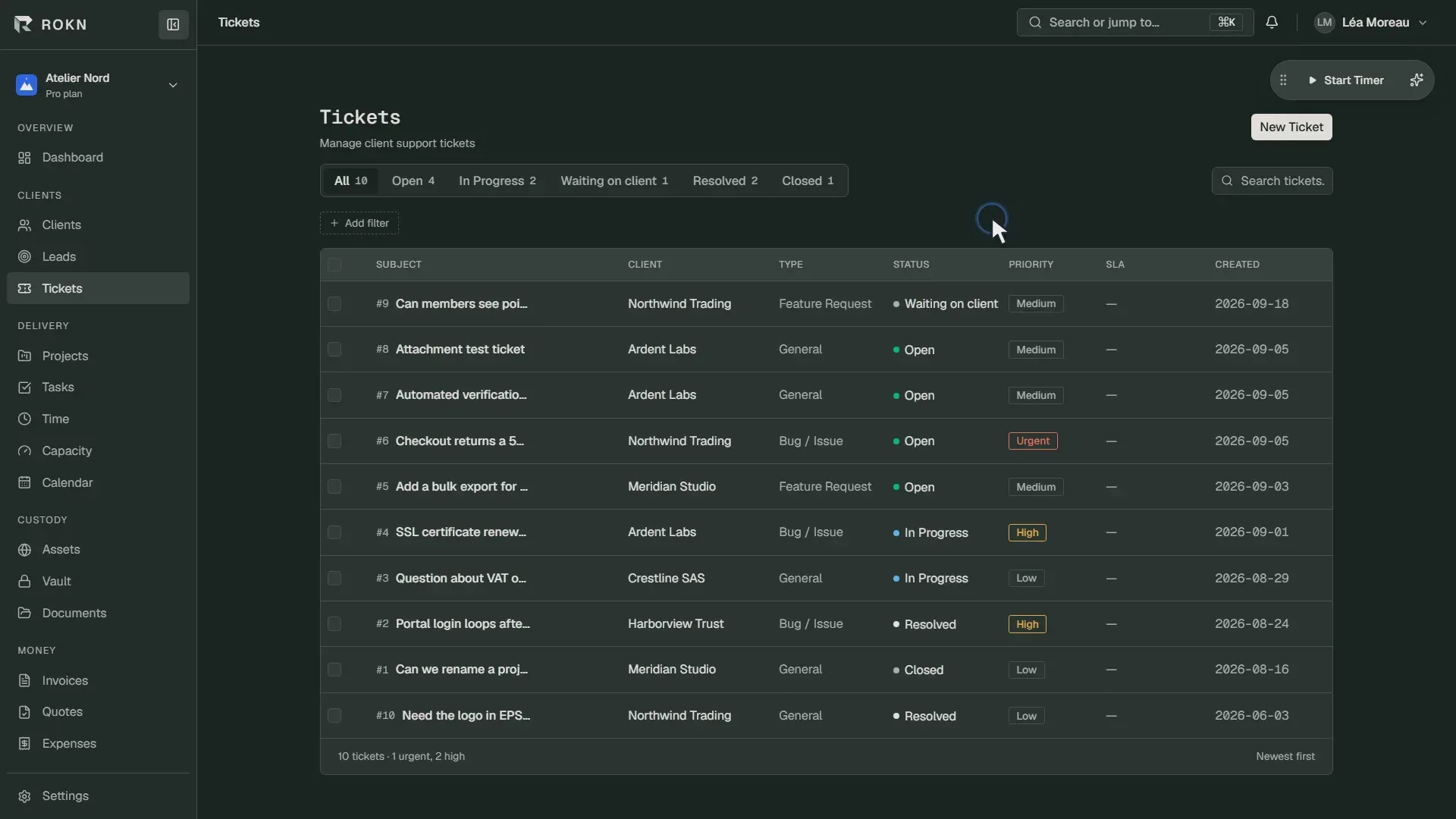
Clients raise tickets from the portal. Track type, priority, status and the whole conversation next to the client, and add internal notes the client never sees.
Give clients an address to write to: each email becomes a ticket, and their replies land in the same thread. Messages from unknown senders wait in a review queue.
Turn a ticket into a task for the team when the fix needs real work. Email attachments are virus-scanned before they are stored.
Set expectations for response and resolution, then see the requests that need attention first.
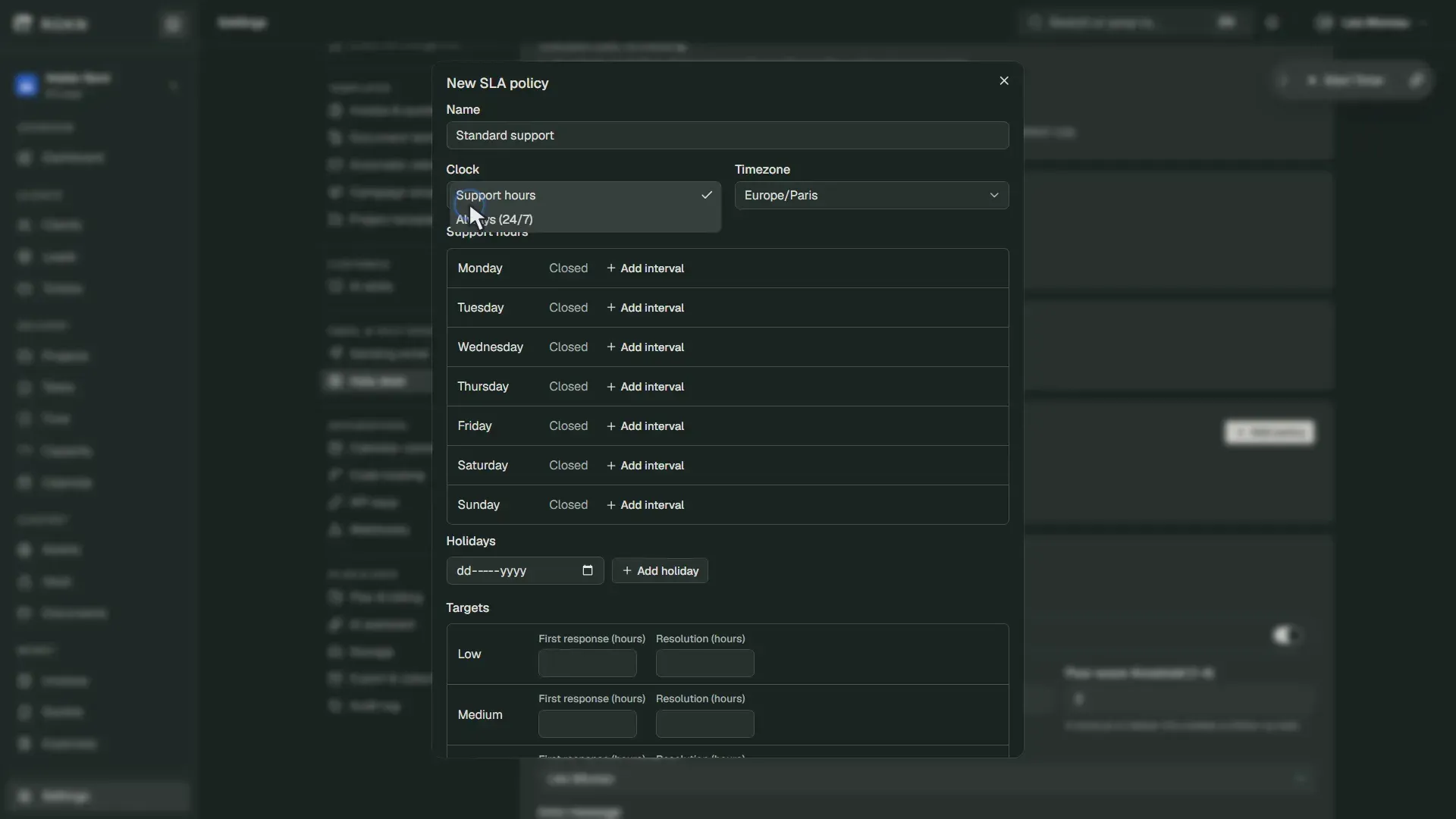
Set first-response and resolution targets per client and priority. Rokn warns the team before a target is missed and alerts you on a breach.
Count only your support hours, in your timezone and minus holidays, and pause the clock while you wait for the client.
After a ticket is resolved, the client gets a short satisfaction survey. A poor score can create a follow-up task for the person you choose, and the support report shows how the team is doing.
Invite a client, choose what they see, and follow what they do there.
For the portal, you invite them by email. To accept a quote, sign a contract, pay an invoice or book a call, they need no account at all: each opens from a link.
Only what you switch on: each portal section per client, and the individual records within it. Your internal notes, other clients and the team's work stay hidden.
Yes. Email-to-ticket turns their emails into tickets, and your replies reach them by email.
Yes. Choose individual credentials from the vault to show in their portal. Everything else stays encrypted and inside your team.
Domains, SSL certificates and renewals belong to the same client, and can show in their portal.
See domain & SSL monitoringInvite a client, switch on the sections they should see, and send them the link.