

Recurring invoices
Bill a client on a schedule, such as a monthly hosting fee, by turning on Recurring invoice and choosing how often it repeats.
Use a recurring invoice to bill a client on a schedule, like a monthly hosting fee. You set it up once, on the first invoice.
Start a new invoice
Start a new invoice as usual, from the Invoices page.
Fill it in as usual
Choose the client, set the tax rate, and add what you charge each time, for example website hosting and maintenance.
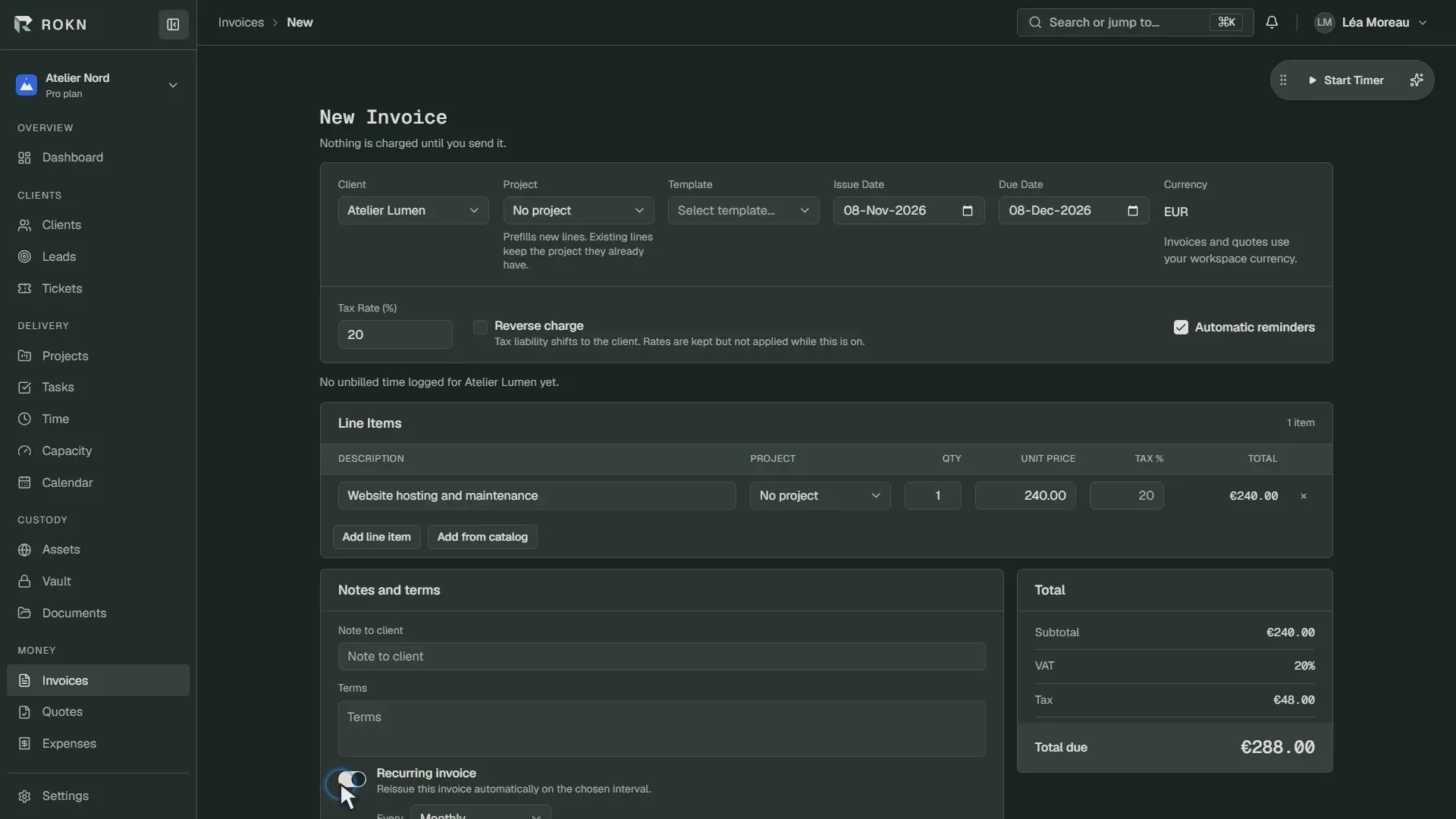
Turn on Recurring invoice
Turn on Recurring invoice, then use Every to choose how often: every week, month, quarter or year.
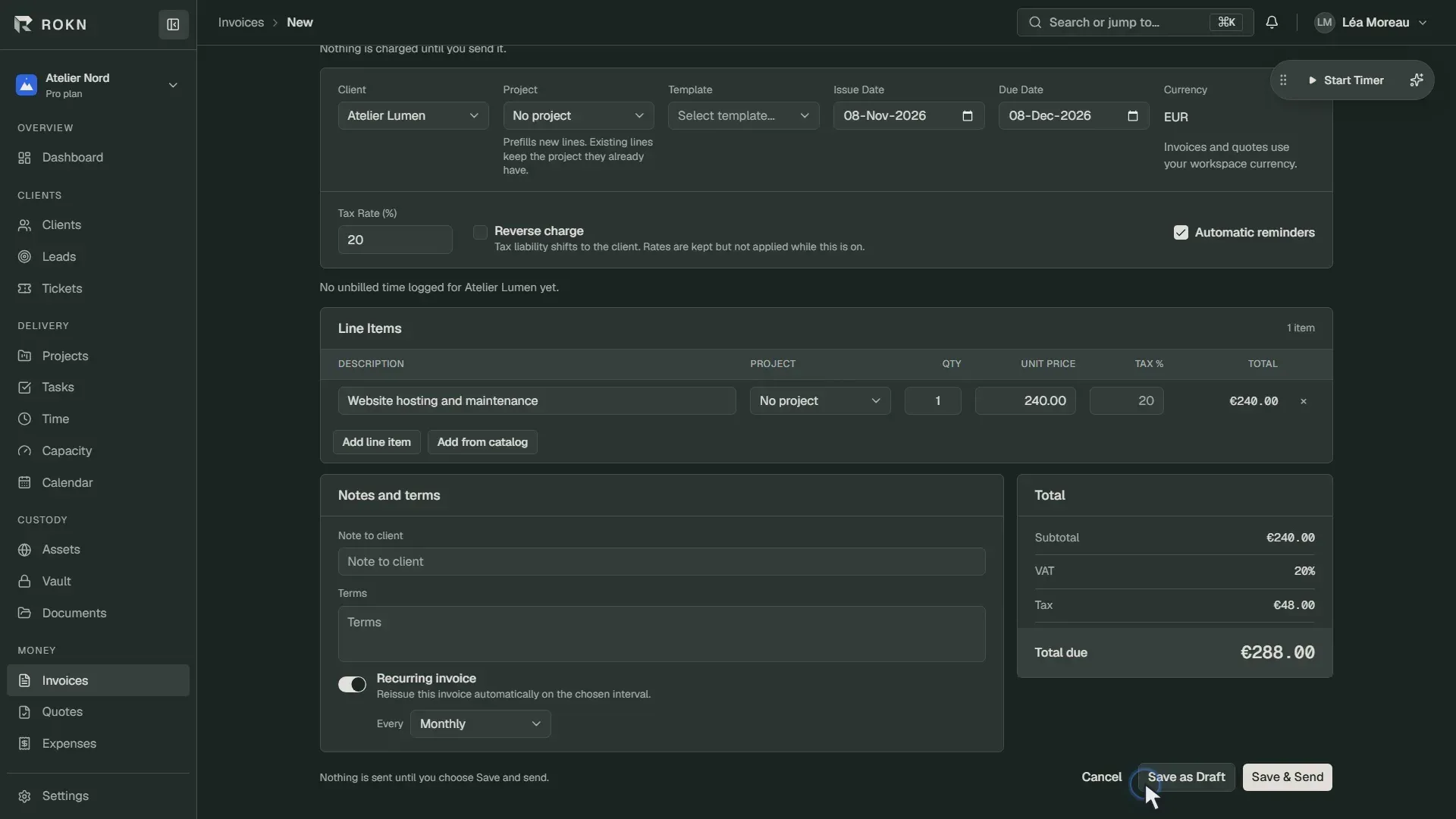
Save and send the first invoice
Save it. When you send this first invoice, the series starts.
Let Rokn issue the rest
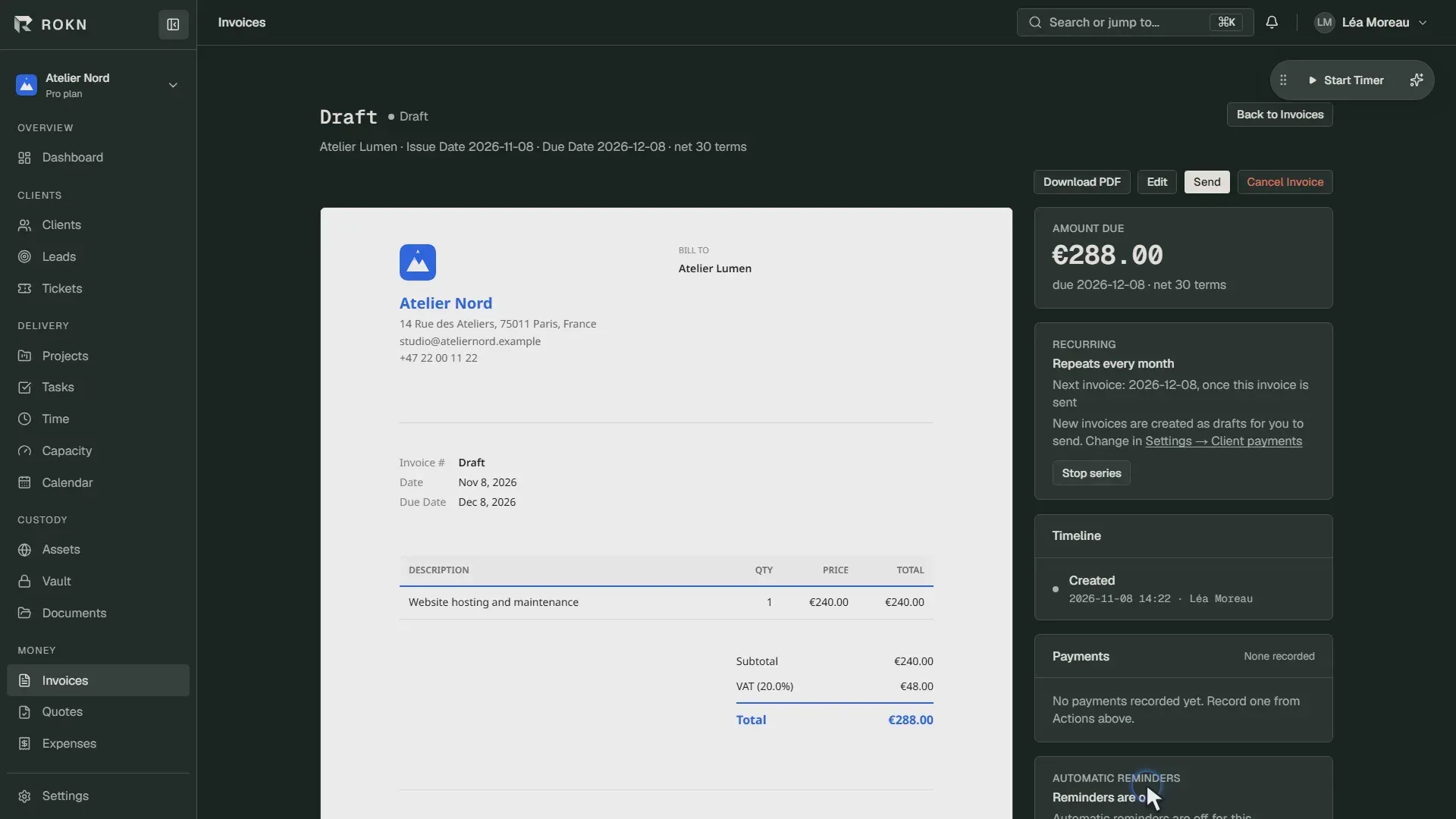
From then on, Rokn issues the next invoice on schedule, each with its own due date. They wait as drafts for you to check, unless you turn on auto-send, which sends each one to the client by itself.
Warn the client before a renewal
For yearly services such as a domain or hosting, the Recurring panel can send a renewal notice a number of months before each renewal, so the invoice never surprises the client.
Good to know
- Use Stop series on the invoice to end the schedule.
Next step: bill a fixed monthly amount that work draws down with a retainer.
November 10, 2026
Suggest an improvement