Encrypted credentials vault
Store passwords, API keys and other secrets per client and project. Each value is encrypted with AES-256-GCM using keys that belong to your workspace.


Client access belongs with client work. Keep hosting, registrar and CMS logins encrypted in one vault, reveal them only after confirming your password, and see who looked at what.
Start free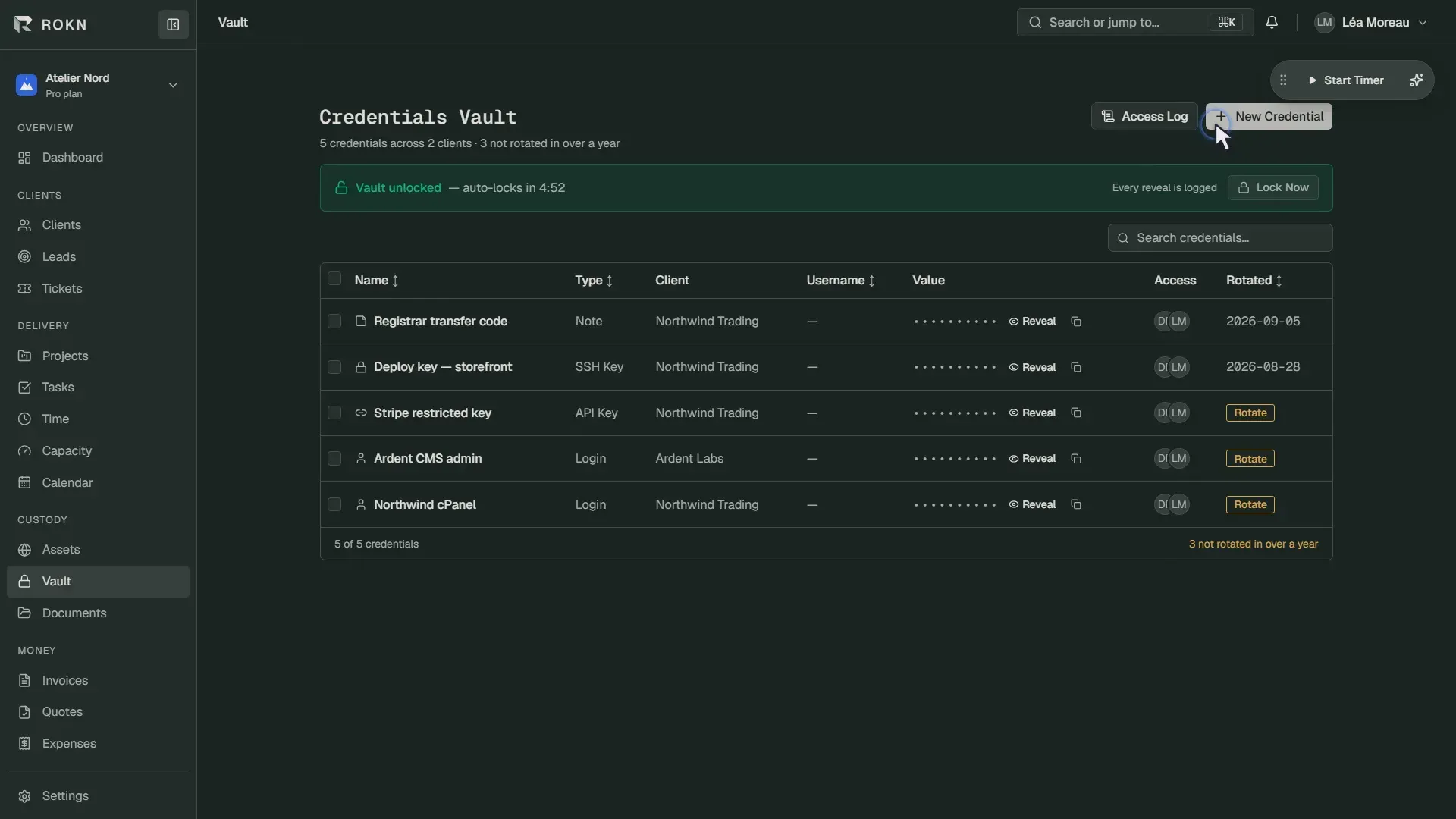
Not in a chat message from two years ago, a notes app or a spreadsheet.
Access log
Store passwords, API keys and other secrets per client and project. Each value is encrypted with AES-256-GCM using keys that belong to your workspace.
Revealing or copying a secret asks for your password first. The vault then stays unlocked for five minutes and locks itself again.
Every reveal and copy is recorded with the person, the time and the client, so “who saw this?” has an answer.
Handing over access is part of the job. Doing it by email shouldn't be.
Choose individual credentials to show in a client's portal, such as the CMS login you hand over at launch. Nothing else in the vault is visible to them.
Decide which roles can open the vault. Your accountant can see the money without ever seeing a client password.
See when each credential was last changed and which ones haven't been rotated in over a year.
A credential added, revealed after the password check, and the access log.
Each secret is encrypted with AES-256-GCM before it is stored, using keys specific to your workspace. Revealing one asks for your password and is written to the access log.
Only if their role is allowed into the vault. Owners can hide or lower vault access for each role in Roles & access.
Yes. Pick the credentials to share and they appear in that client's portal. Everything else stays inside your team.
It's for the client access your business looks after, kept with the client and the project. Your personal passwords can stay where they are.
At launch, share the logins your client needs in their portal instead of an email that lives forever.
See the client portalAdd your first client's logins to the vault and decide who on the team can see them.