

The vault
Store your clients' logins, keys and codes encrypted, unlock the vault with your password, reveal a secret when you need it, and see who accessed it.
The vault is where you keep your clients' logins, keys and codes. It stays locked until you need it, and every time a secret is shown or copied, Rokn writes it down.
Find the vault locked
Open Vault. It stays locked until you need it, so nobody sees a secret by accident.
Unlock it with your password
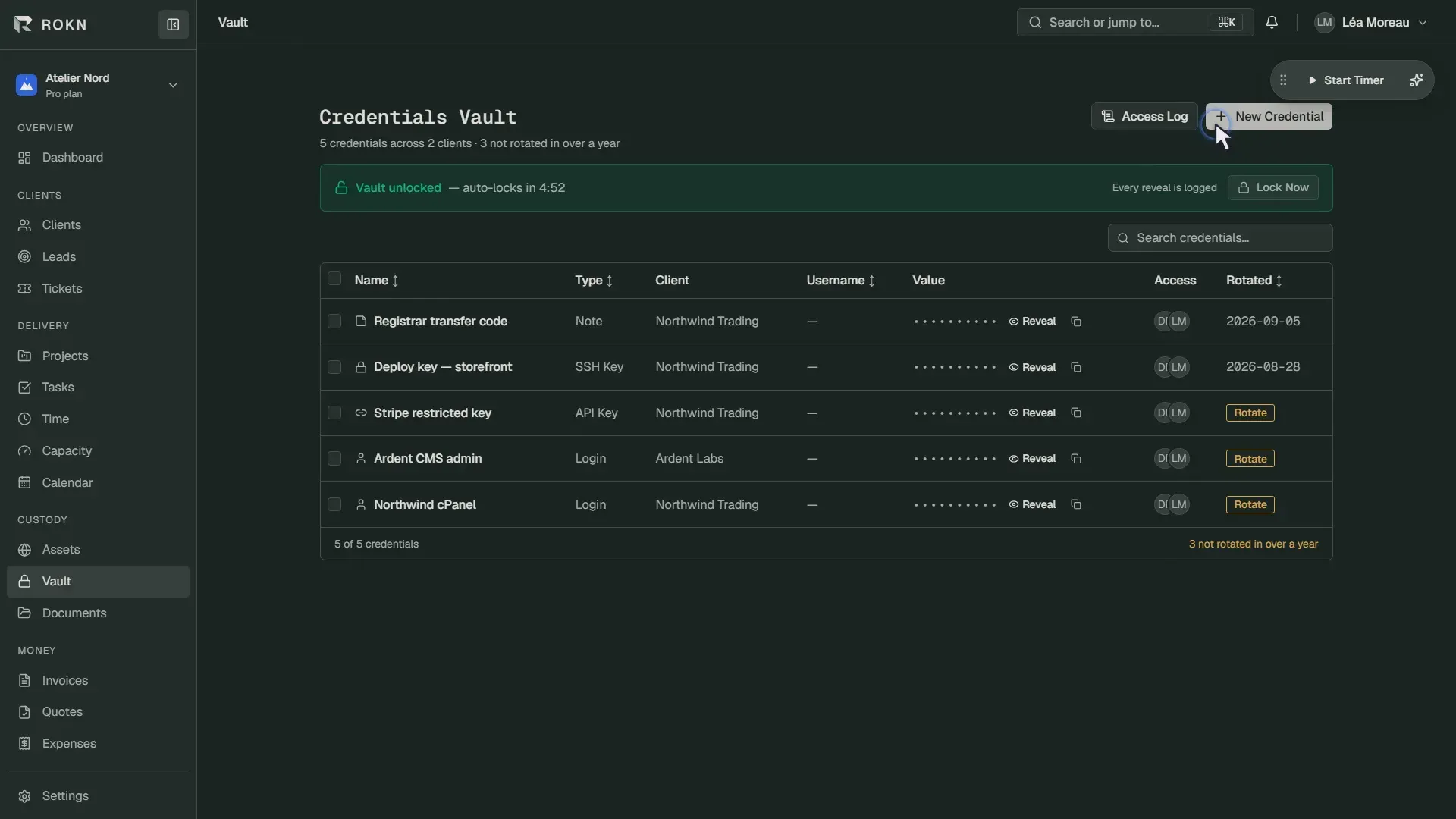
Click Unlock Vault and enter your password. It opens for five minutes, then locks itself again. You can also lock it yourself with Lock Now.
Store a login
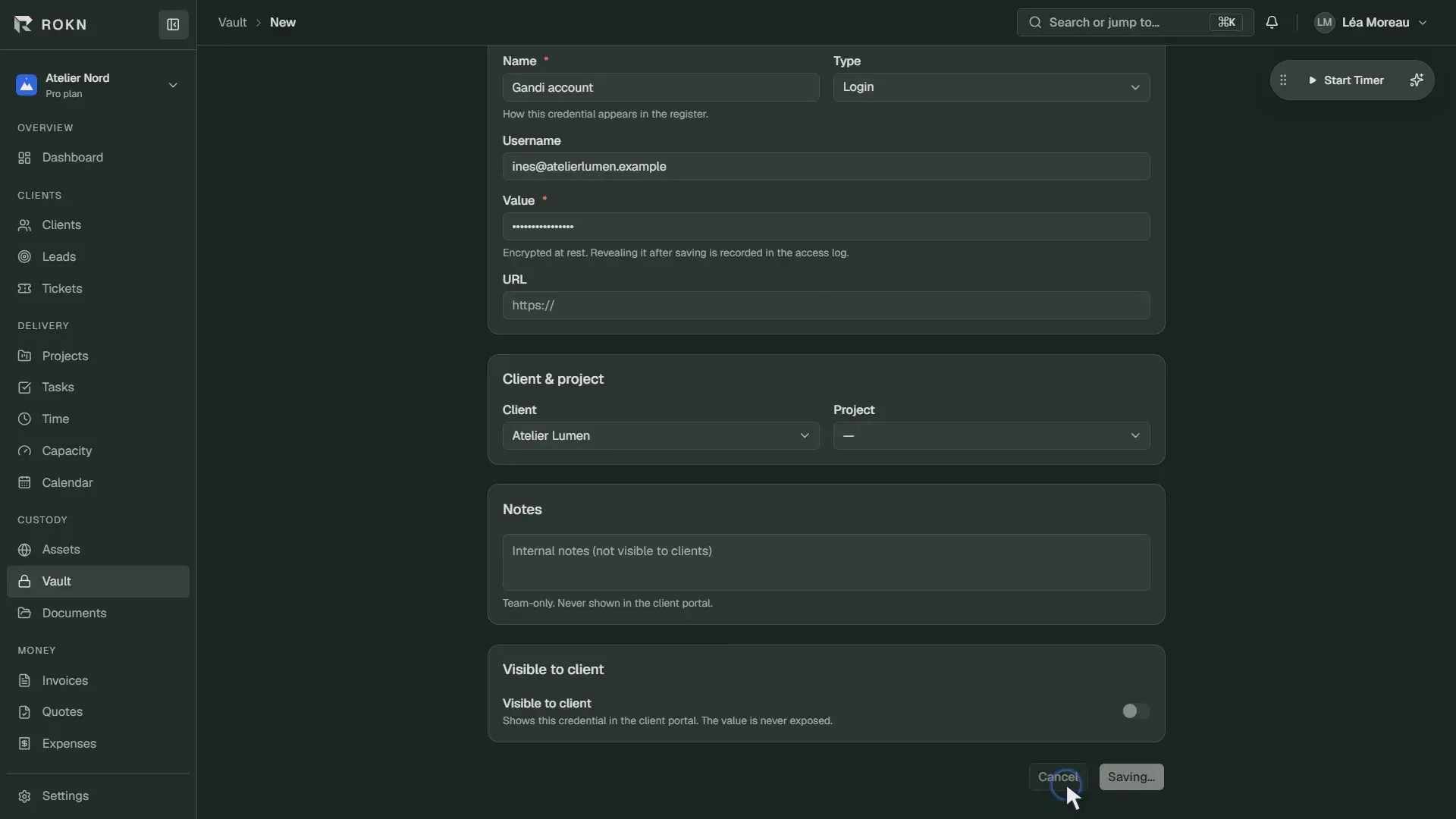
To store a login, click New Credential. Name it, add the username and the secret, and link it to the client. You can also add one from a project's Credentials tab, with the project already chosen.
Save it
Click save. The secret is encrypted, and hidden in the list.
Reveal or copy it
When you need it, open the credential and click Reveal, or copy it straight to the clipboard.
Check the access log
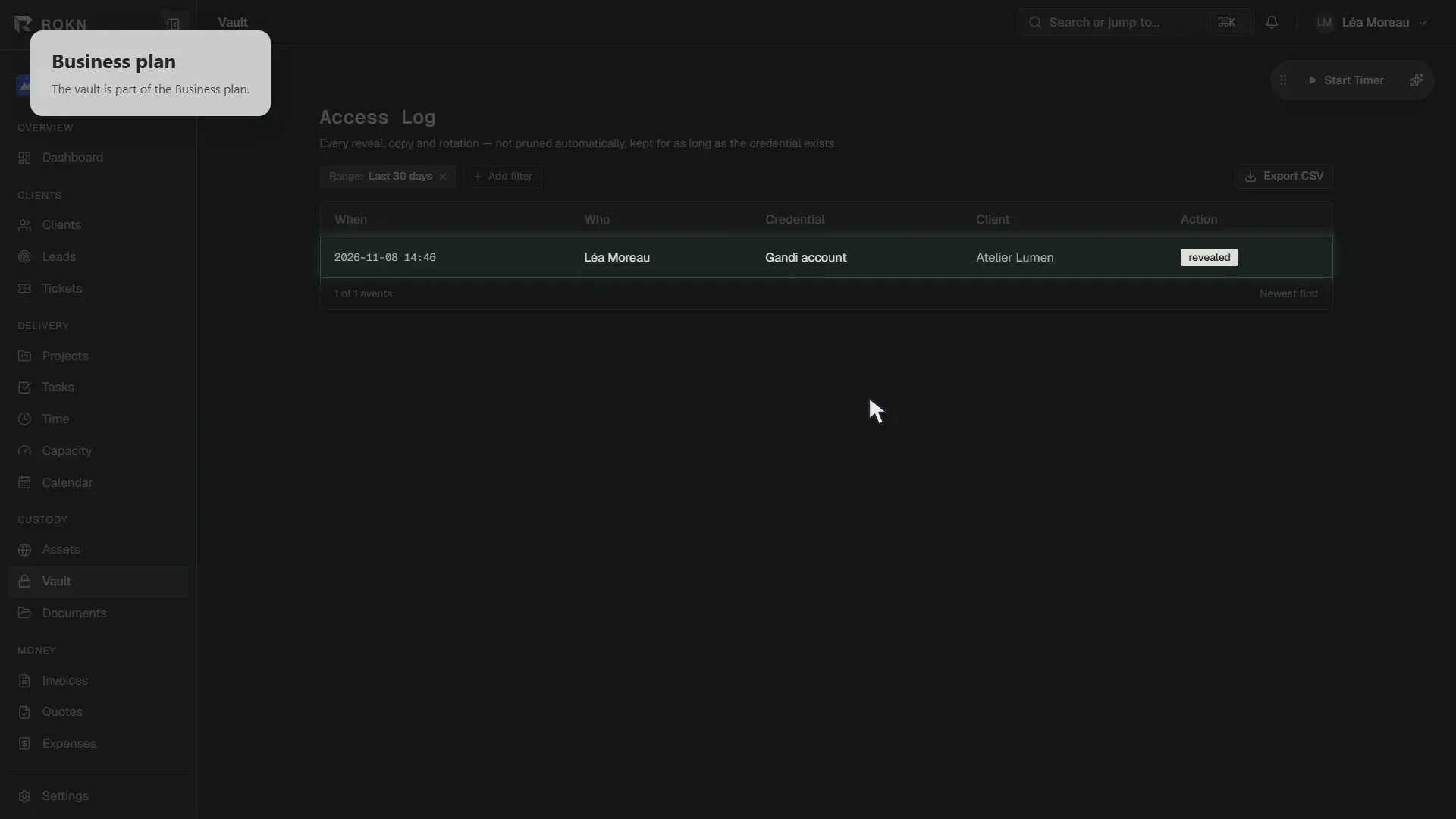
Every reveal, copy and rotation is written to the access log, with who did it and when. Open Access Log to read it.
Keep secrets fresh
The list shows when each credential was last rotated, and flags the ones not rotated in over a year with Rotate. Change the password on the service, then update the credential here.
Good to know
- The vault is part of the Business plan.
- Rokn never stores your password in the browser.
- A client sees only the credentials you mark Visible to client, and unlocks them with their own password.
Next step: keep track of the domains and hosting these logins belong to in Assets.
November 10, 2026
Suggest an improvement