

Turn a lead into a client
Mark a lead as won and convert it into a client in one step, with the contact and an optional project created from the lead.
When a lead says yes, you don't retype anything. Convert it, and Rokn creates the client and the contact from what you already know.
Open the lead and mark it won
Go to Leads and open the lead, for example Inès at Atelier Lumen, who has just said yes. Click Mark Won.
Convert to Client
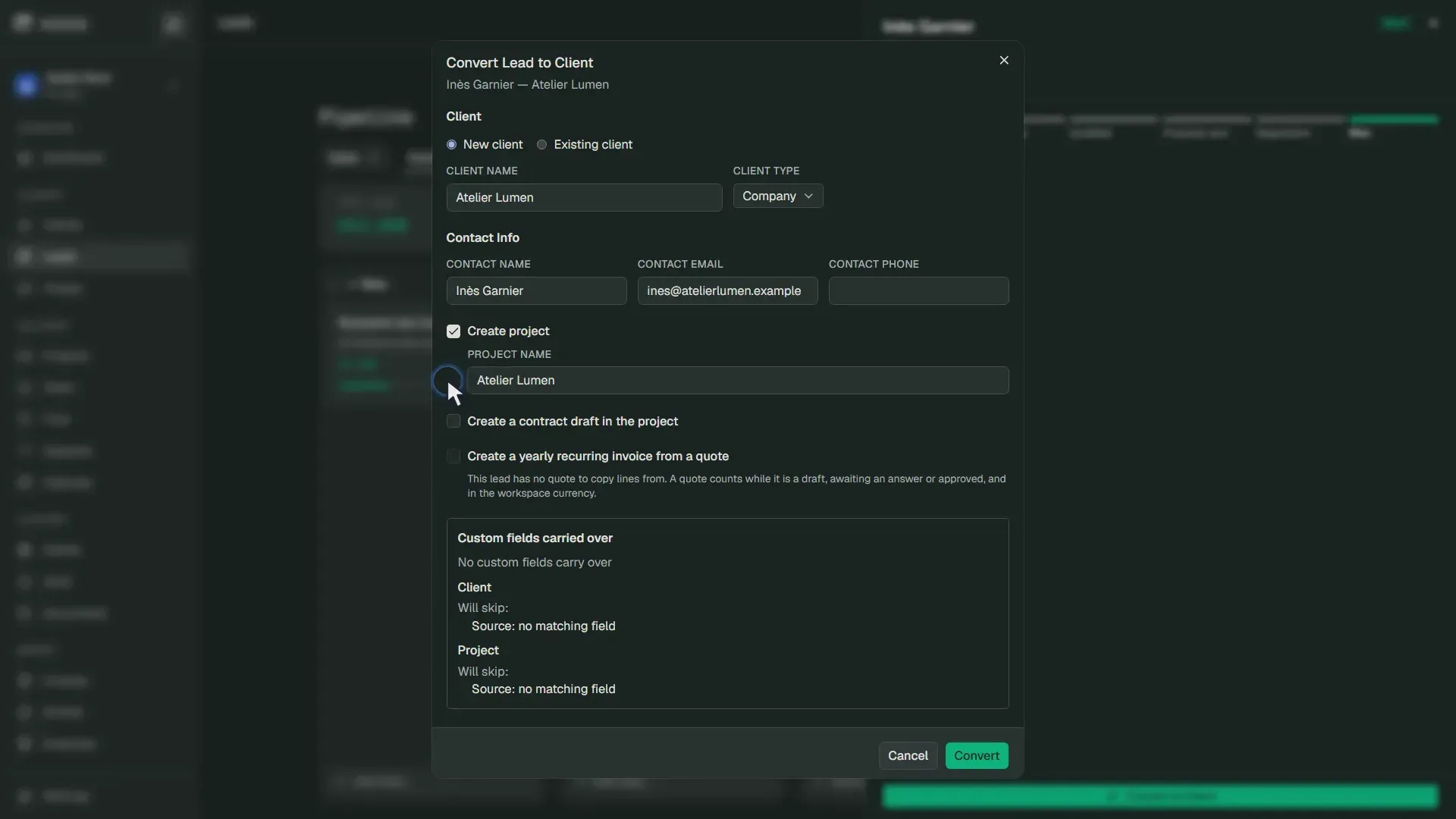
Click Convert to Client. Rokn fills in the client and the contact from the lead, so there's nothing to type again.
Start the project at the same time
The same dialog can start a project for the new client by ticking Create project. You can also tick Create a contract draft in the project to have a contract drafted inside it.
Convert and land on the client
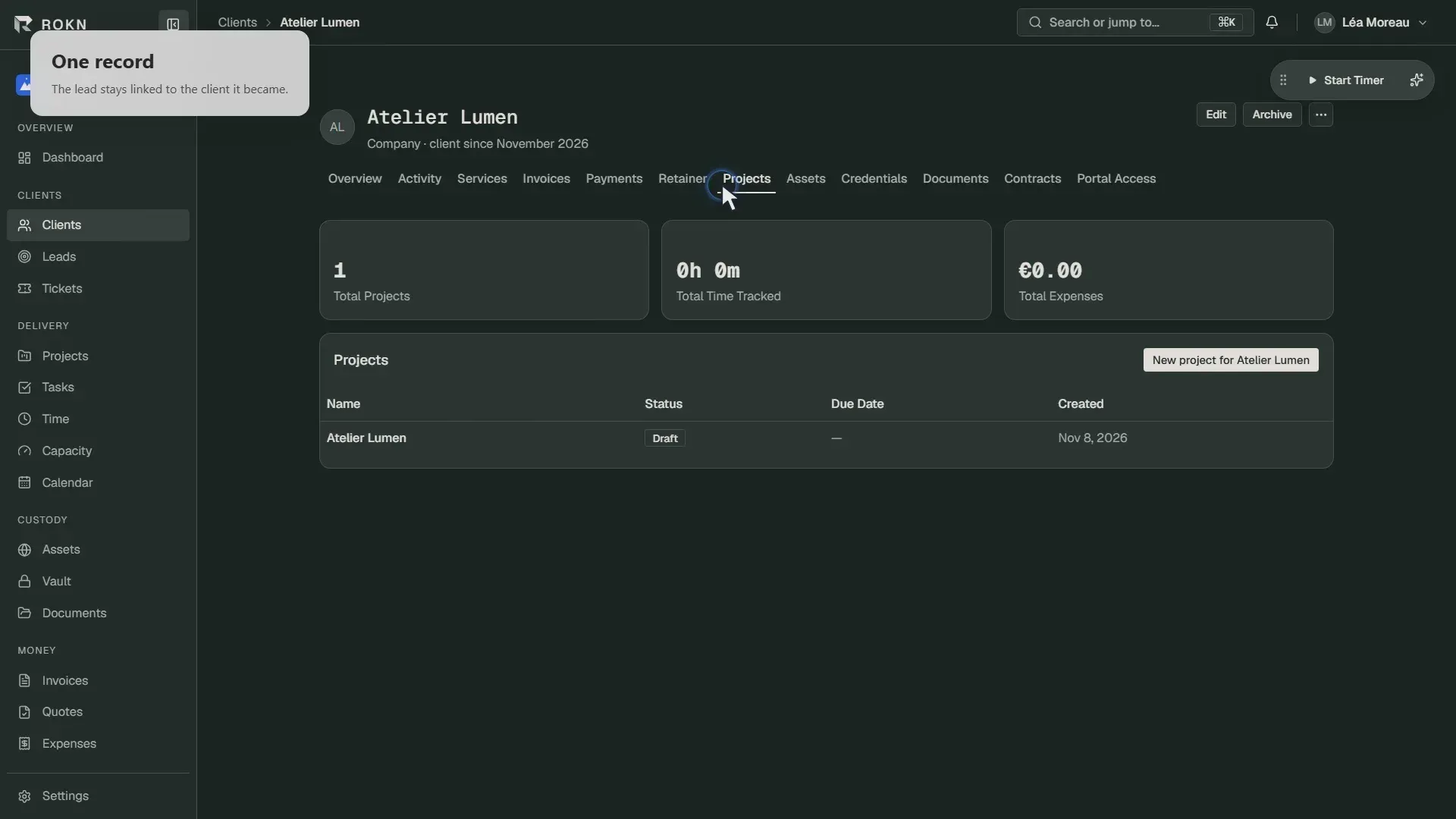
Click Convert. You land on the new client, with Inès as its contact and the project ready to plan.
Good to know
- The project and the contract draft are optional. Leave them unticked if you only want the client.
November 10, 2026
Suggest an improvement