

Campaign templates
Create a reusable email template for your campaigns: pick a starter, write the subject, check the preview and save it.
Settings, Campaign emails, keeps your reusable campaign templates. Write one once and start every campaign from it.
Start a new template
Open Settings, then Campaign emails. The page lists your reusable email templates with their subject line and the date they were last edited.
Click New template.
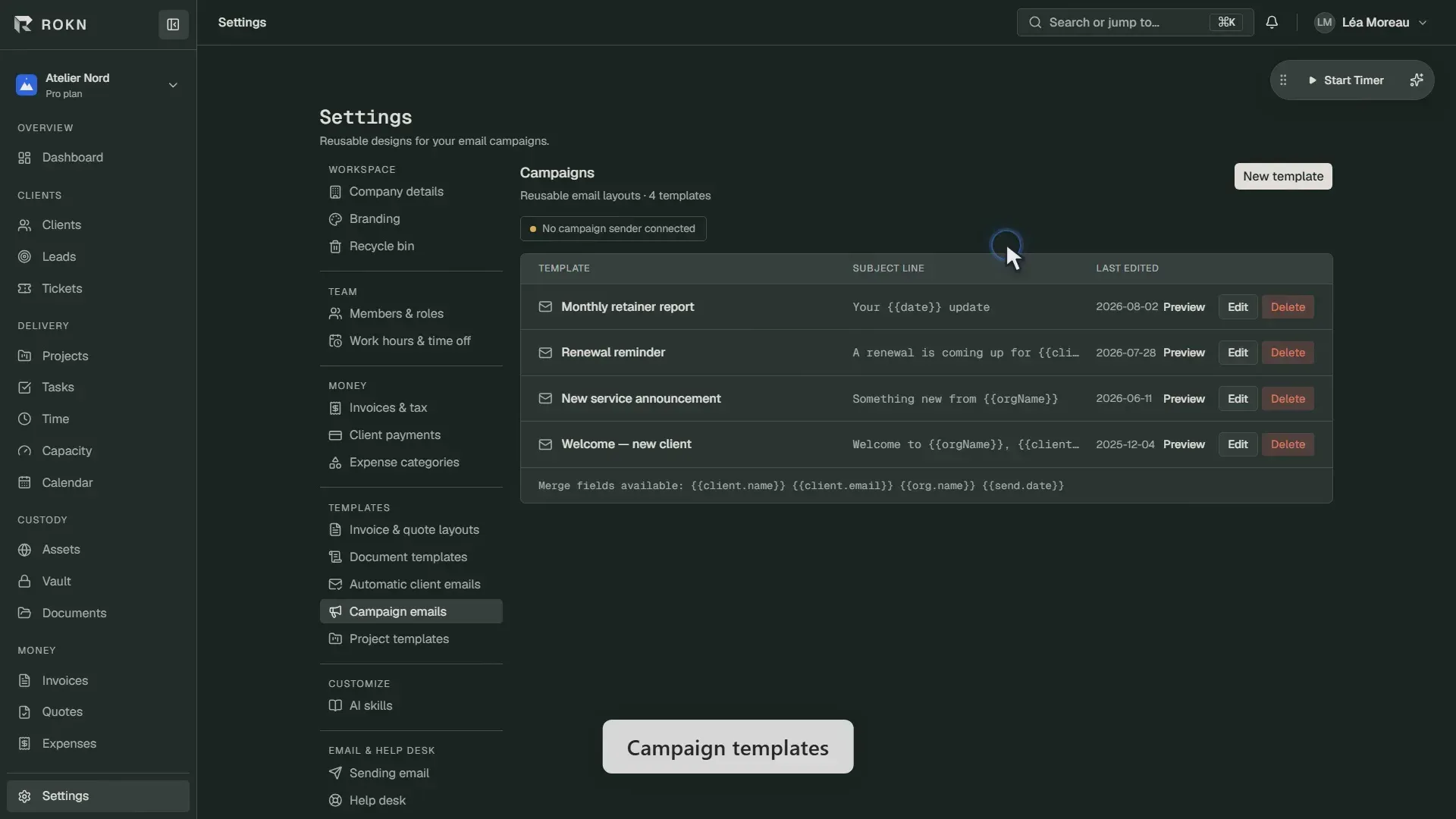
Choose a starting point
Begin from a blank email or from a starter, in the language you want. Your logo, colour and font are added for you.
In the video, the starter is the newsletter.
Name the template and write its subject
Enter a Template name, then a Subject. Merge fields, such as your company's name, are available as buttons under the Subject field and fill in when a campaign is sent.
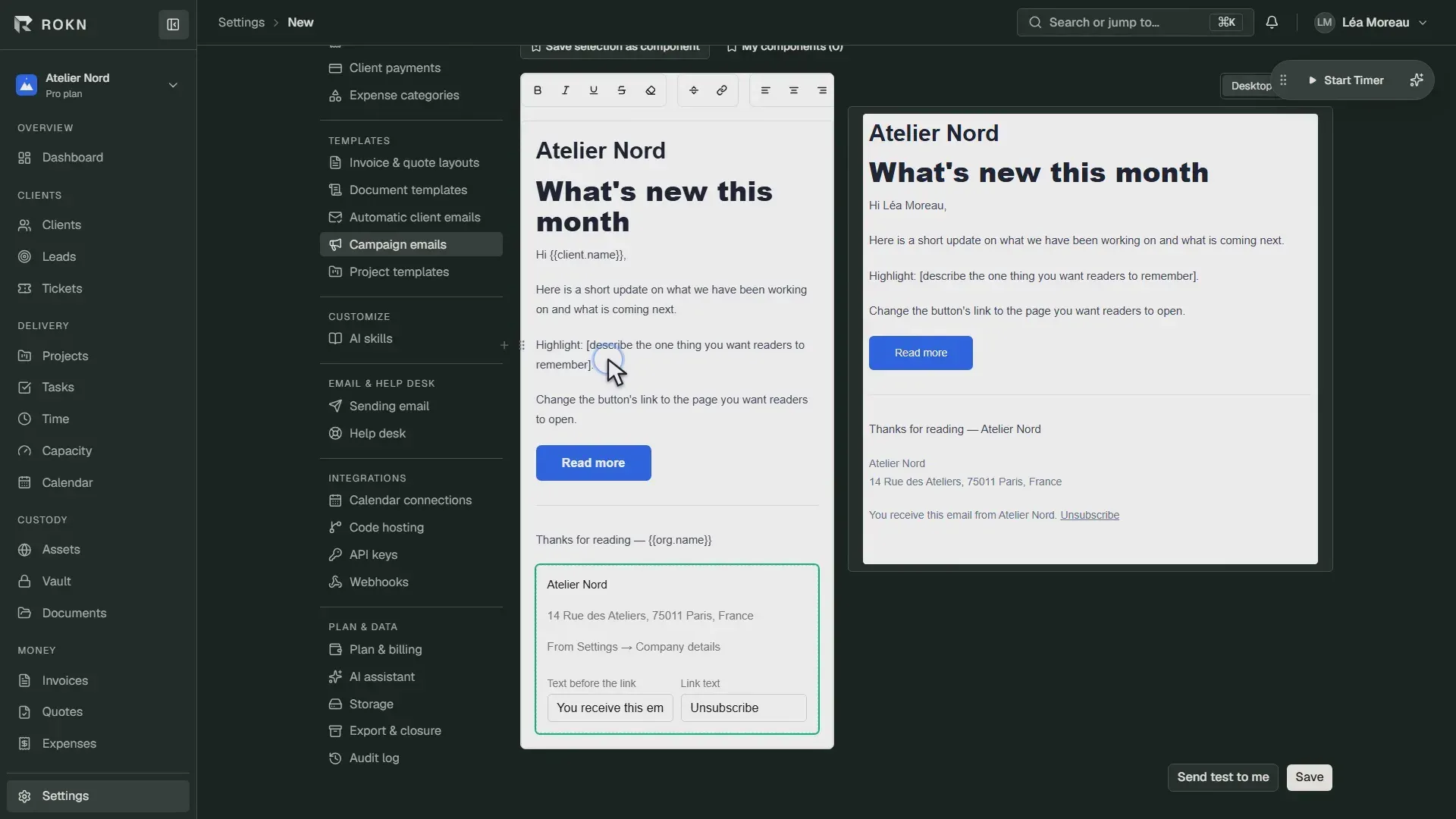
Edit the email and check the preview
Edit the email on the left. The preview on the right shows it as clients will see it, on desktop or on a phone.
Use the Desktop and Mobile switch above the preview to compare.
Save the template
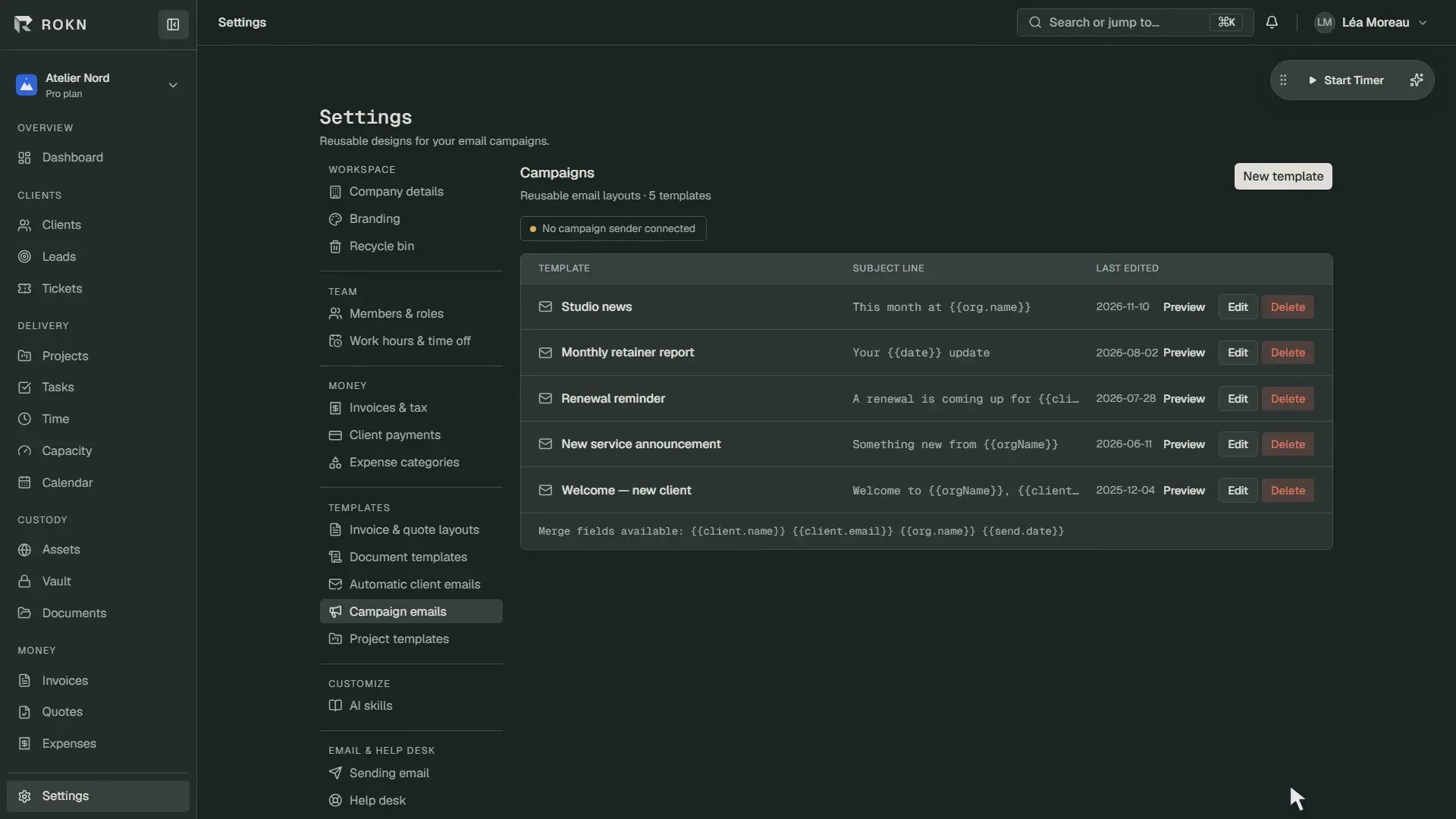
Click Save. The template appears in your list, ready to use.
Start a campaign from it whenever you like.
Good to know
- A campaign gets its own copy of the template, so editing the template later never changes a campaign you've already sent.
November 10, 2026
Suggest an improvement