

Record a payment
Record a client's payment on an invoice with its method and reference, so the invoice is marked paid and what you are owed stays accurate.
When a client pays you, record the payment in Rokn so that what you are owed stays accurate. This works for a bank transfer, or any payment that did not come through a pay link.
Open the invoice that was paid
On the Invoices page, show the invoices you have sent and open the one that was paid.
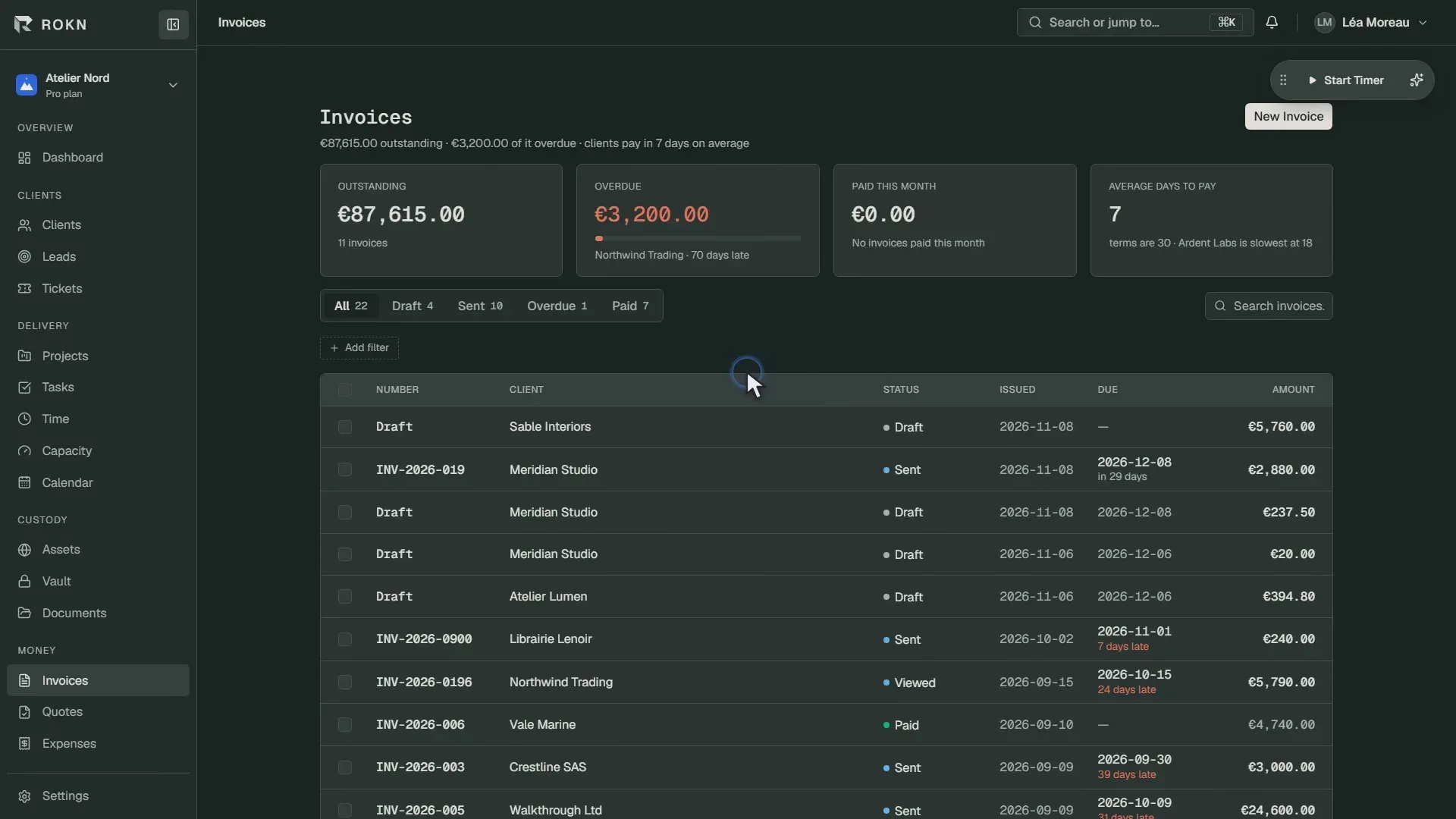
Click Record Payment
Click Record Payment. Rokn fills in the amount still due. For a partial payment, just change the amount.
Choose the method and add a reference
Pick how they paid, for example Bank Transfer, and check the payment date.
Add a reference, like the transfer or purchase order number.
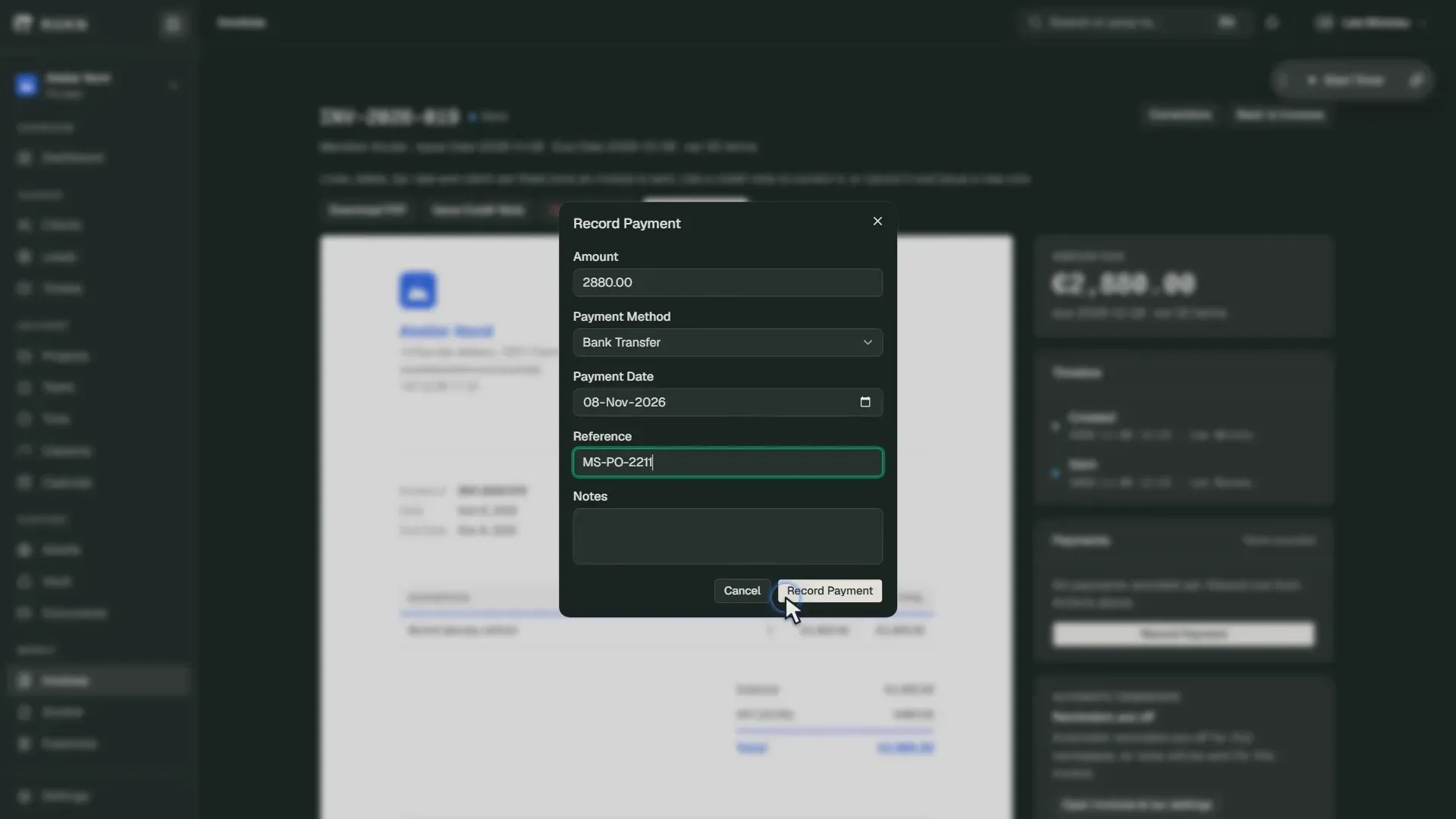
Record it
Click Record Payment in the dialog to save it.
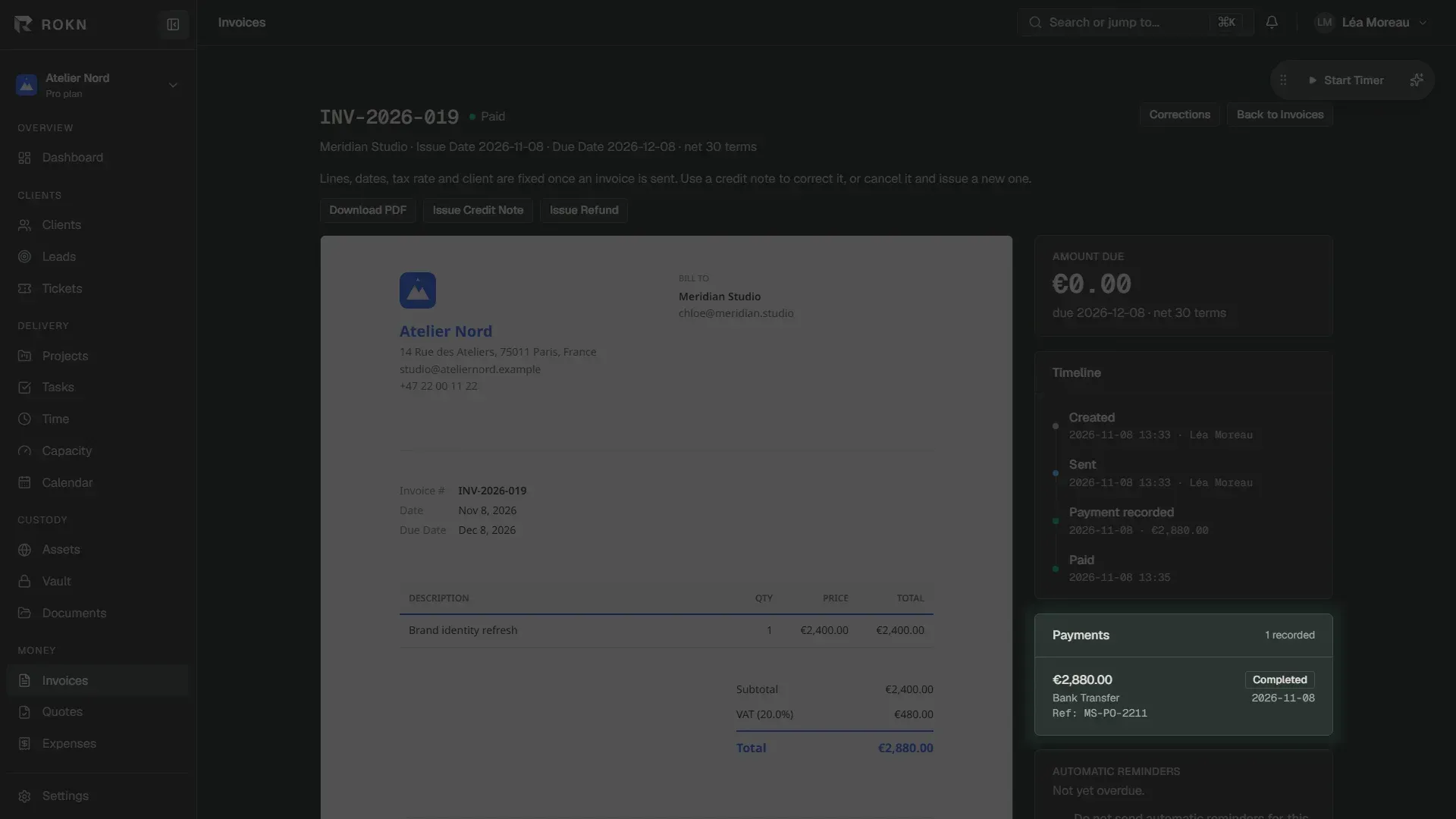
Check the invoice
The invoice is now marked Paid, the amount due drops to zero, and the payment is listed with its reference.
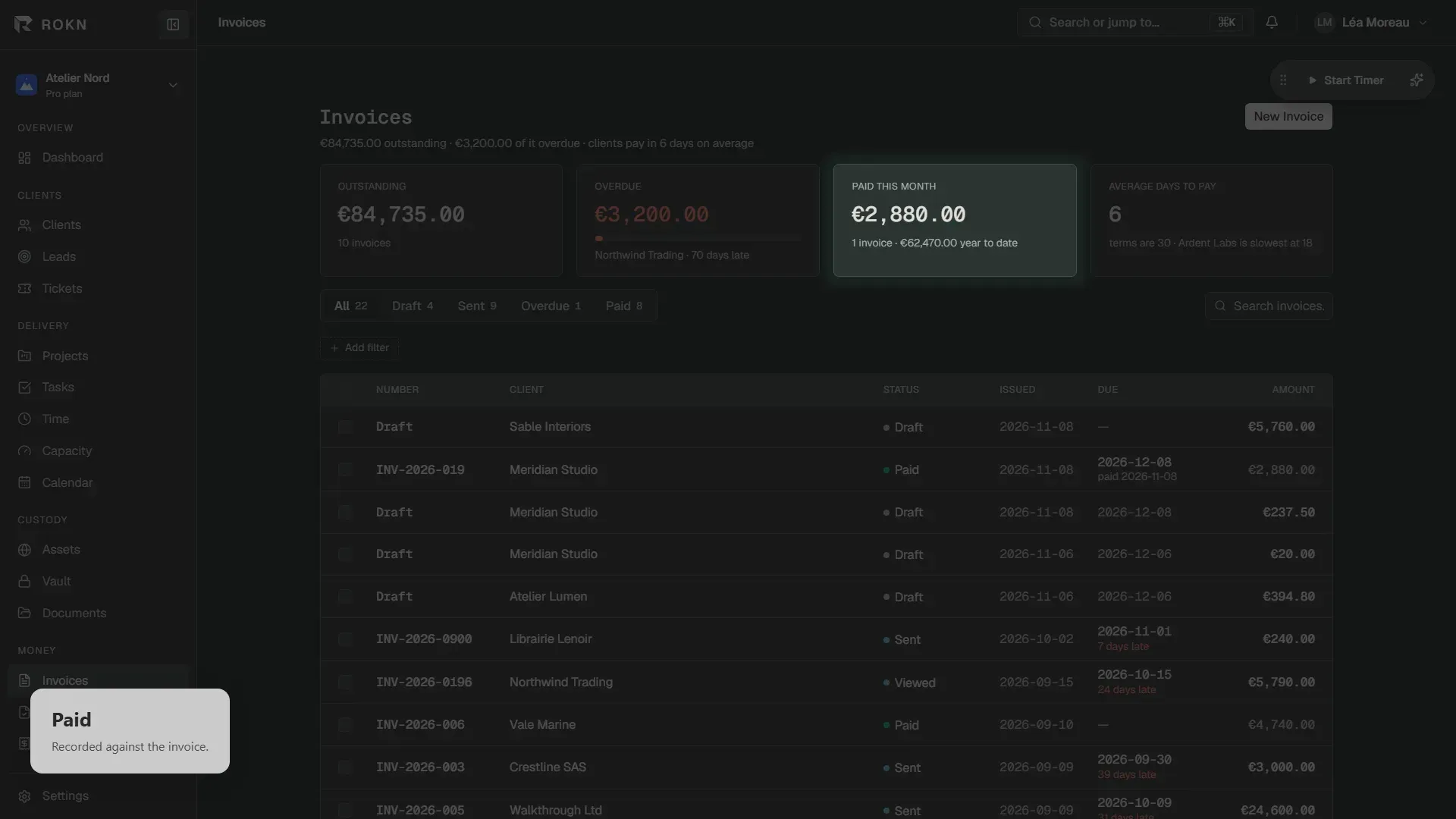
See it on the Invoices page
Back on the Invoices page, the invoice now counts toward Paid this month, and no longer toward what you are owed.
Good to know
- If a client pays by card through the pay link, Rokn records the payment for you.
November 10, 2026
Suggest an improvement