

Integrations

What Rokn connects to,
and what it does not.

Rokn is one workspace, so most of what you need is already inside it. For the rest, here is every connection that exists today, and a plain list of the ones that do not.

Every connection

What connects, which way,
and on which plan.

Who connects each one, what flows which way, and the plan it needs. The ones struck through are not connected today.

No.ConnectionWhat flowsWho connects itPlanGuide
Code and calendar
01GitHubRepositories on a project with CI and deploy status; issue title, state and assignee kept in step both ways.issues ↔ tasks, CI and deploysThe workspace, onceEvery planConnect GitHub
02Google CalendarEvents from the calendar you choose show in Rokn, and the Rokn events you choose appear there.events both waysEach personPro and BusinessCalendar connections
03Microsoft 365 / OutlookThe same two-way sync, through Microsoft’s own sign-in.events both waysEach personPro and BusinessCalendar connections
04ICS calendar linkA private link any calendar app can subscribe to. Regenerate it or turn it off at any time.your events, read-onlyEach personEvery planCalendar connections
05Google or GitHub sign-inUse your Google or GitHub account instead of a password.sign-in onlyEach personEvery planYour account
Money
06StripeYour own account: clients pay by card, the money goes straight to you, and Rokn adds no fee.card payments, paid status backThe workspace, onceEvery planGet paid online
07PayPalYour own business account: clients pay with PayPal, the money goes straight to you, and refunds and disputes come back to the invoice.PayPal payments, refunds and disputesThe workspace, onceEvery planTake payments with PayPal
Files and email
08S3-compatible storageYour own bucket from any S3-compatible provider, checked for read, write and delete first.your filesThe workspace, onceEvery planStorage
09Resend or SMTPClient email from your own address, with your SPF, DKIM and DMARC records checked.invoices, quotes, remindersThe workspace, onceEvery planSend email from your own address
10Email to ticketForward client emails to your support address: each one becomes a ticket, or a reply on one.emails become ticketsThe workspace, oncePro and BusinessHelp desk settings
Build on Rokn
11Claude and MCP clientsAn agent connection limited to the sections you tick. Claude has a ready-made option.the tools you allowEach personBusiness planConnect an AI agent
12REST APIScoped API keys or OAuth; the reference is generated from the app’s own definitions.read and writeThe workspace, onceBusiness planAPI keys and webhooks
13WebhooksRokn calls your system when something happens, signs every call and retries failures.signed eventsThe workspace, onceBusiness planAPI keys and webhooks
Not connected today
14Slack · Not connectedUse webhooks, the REST API or MCP.
15Zapier · Not connectedUse webhooks, the REST API or MCP.
16QuickBooks and Xero · Not connectedExport your records as spreadsheets for your accountant.
17GitLab and Bitbucket · Not connectedGitHub is the only code host.
18Other payment gateways · Not connectedRecord payments that arrive another way by hand.

Names and marks belong to their owners. Rokn is not affiliated with them.

AI and developers

Let an agent or your own code work in Rokn.

The same permissions apply however something connects.

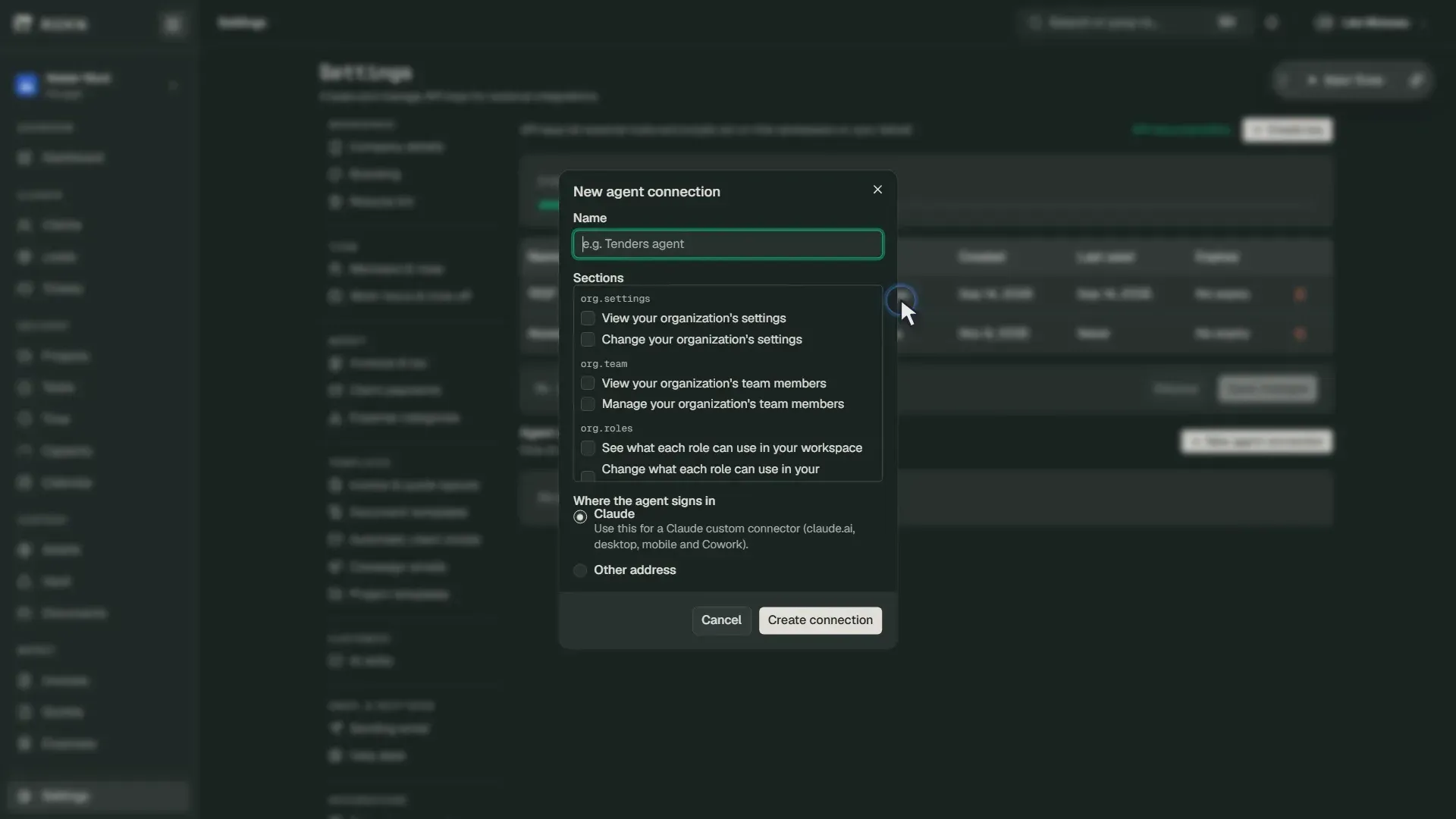
The New agent connection dialog with the Claude and Other address options at the bottom.
Step-by-step: Connect an AI agent

Claude and other AI clients, through MCPBusiness plan

Rokn runs an MCP server with more than 150 tools. In Settings, create an agent connection, choose the sections it may use, and connect it. Claude custom connectors have a ready-made option, and any other MCP client that supports OAuth can connect with its own address. The agent can do only what you allow, and you can remove the connection at any time.
REST APIBusiness plan

Read and change your workspace with scoped API keys or OAuth. The reference is generated from the same definitions the app uses.

WebhooksBusiness plan

Rokn calls your system when something happens, such as an invoice being paid. Every call is signed so you can check it came from Rokn, and failed deliveries are retried.

Storage

Your storage.

Files can live in a bucket you already pay for.

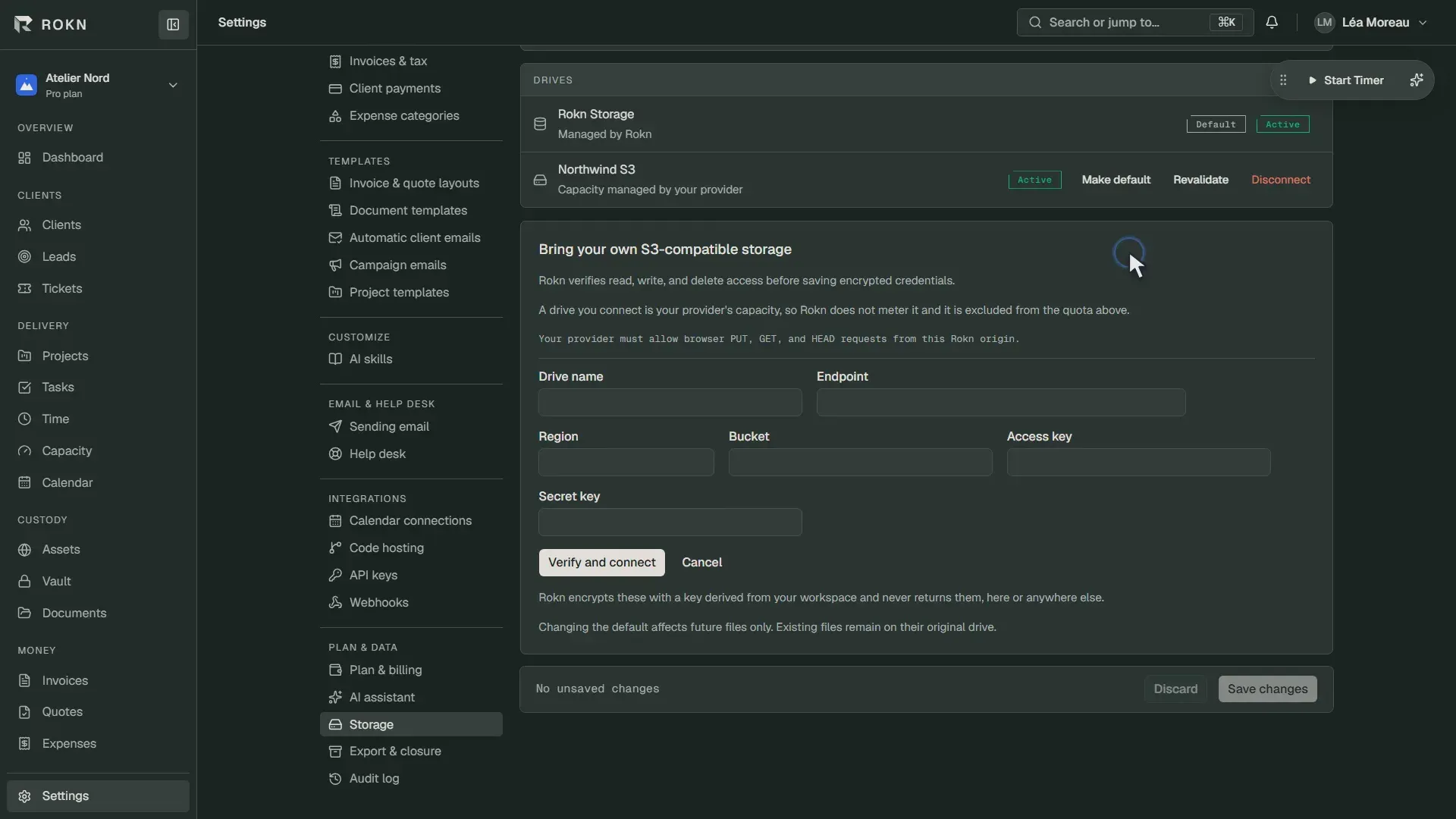
The form for connecting S3 storage, with fields for drive name, endpoint, region, bucket, access key and secret key.
Step-by-step: Storage

S3-compatible storage

Connect your own bucket from any S3-compatible provider. Rokn checks that it can read, write and delete before it saves anything. Files on your own drive do not count against your Rokn storage. Your provider must allow browser PUT, GET and HEAD requests from Rokn.

Email

Your address.

Mail to clients leaves from your domain, and mail from clients lands in the help desk.

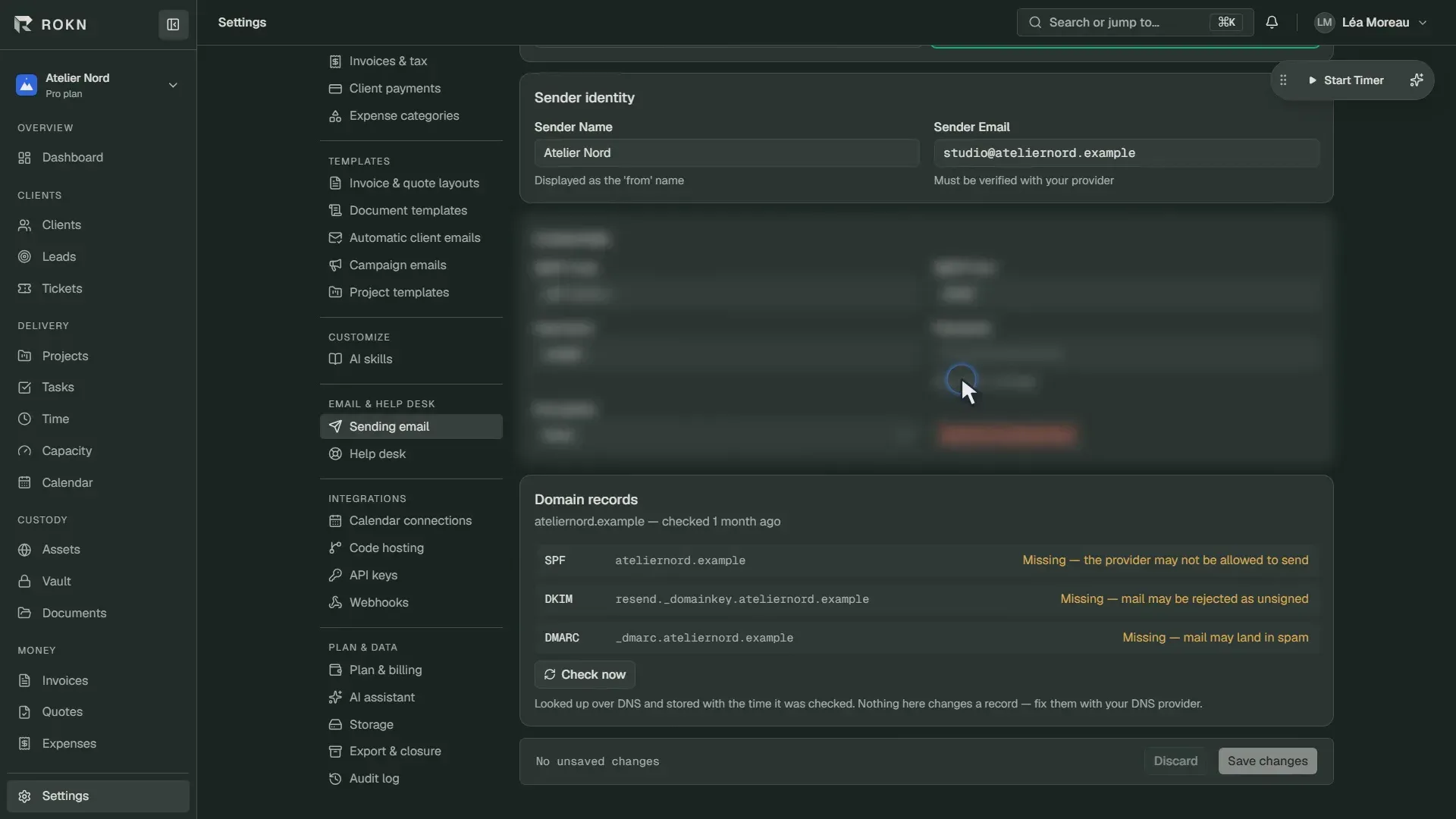
The Domain records section listing SPF, DKIM and DMARC records with a status for each and a Check now button.
Step-by-step: Send email from your own address

Your own email domain

Send invoices, quotes and reminders from your own address through Resend (an API key) or any SMTP server. Rokn checks your SPF, DKIM and DMARC records and shows which ones are missing, so you can add them with your DNS provider.

Email into the help deskPro and Business

Forward client emails from Gmail, Microsoft 365 or any provider to your workspace’s support address. Each email becomes a ticket, or a reply on an existing one.

Two connections, start to finish.

Connecting GitHub to a project, and a calendar to your account.

0:00 / 0:00
Connect GitHub
0:00 / 0:00
Calendar connections

Questions about integrations.

Can I connect something that is not listed?

If it can call a webhook or an API, yes. Webhooks tell your system when something changes in Rokn, and the REST API lets it read and write. An AI agent can do the same over MCP.

Does Rokn see my Google or Microsoft password?

No. Calendar connections use Google’s and Microsoft’s own sign-in screens.

Can I use my own storage and my own email provider?

Yes. Connect your own S3-compatible bucket and your own Resend account or SMTP server in Settings.

Start with one real client.

Connect the tools you already use as you go.

Start your workspace