

Retainers
Set up a retainer: a fixed amount a client pays each period, drawn down by their work. Choose what happens to the unused balance, and close each period.
A retainer is a fixed amount your client pays each period, that their work draws down. It lives on the client's page, under Retainer.
Open the client's Retainer tab
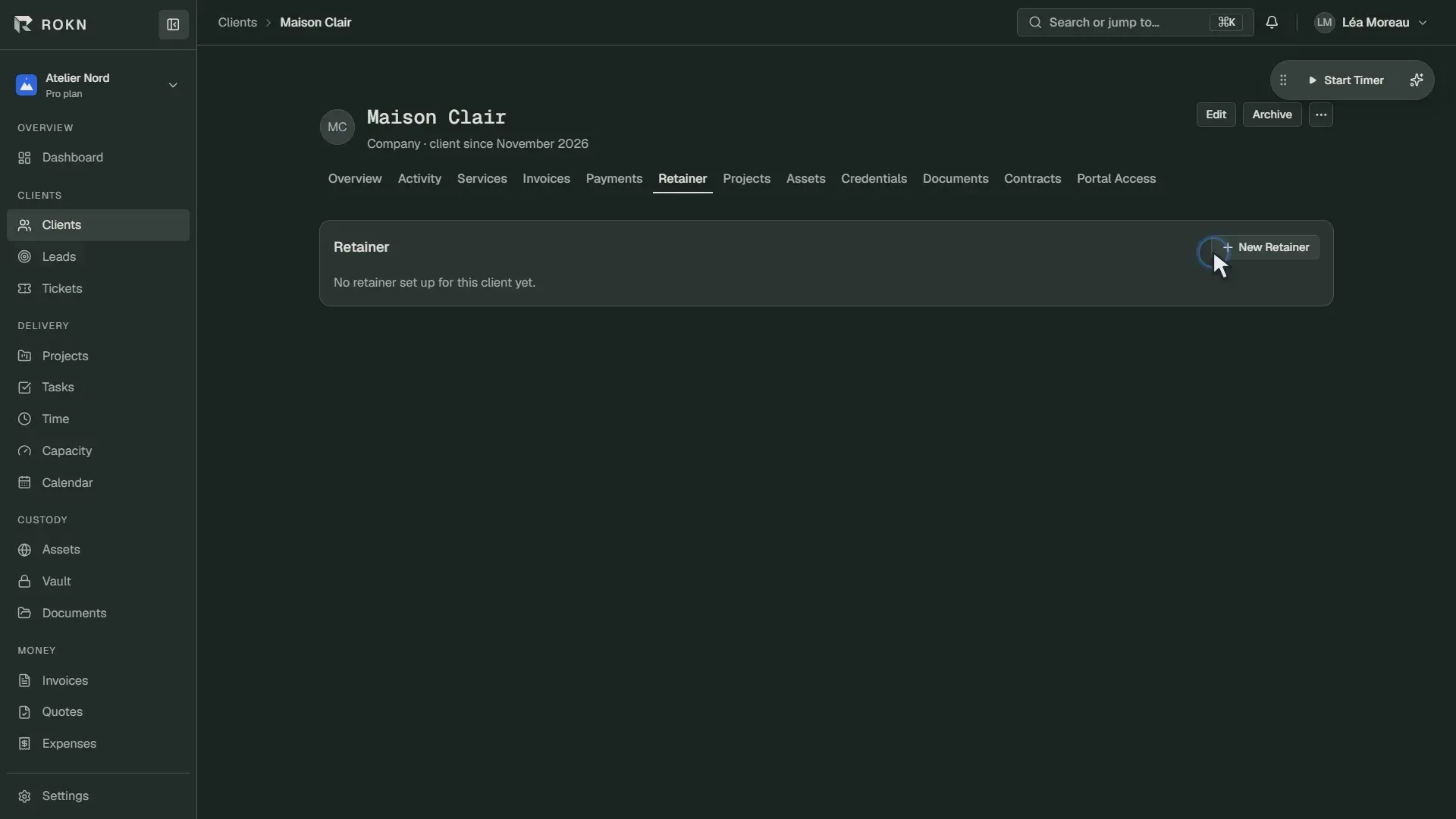
Open the client, for example Maison Clair, and go to Retainer. If there is none yet, the page says so and offers New Retainer.
Create the retainer
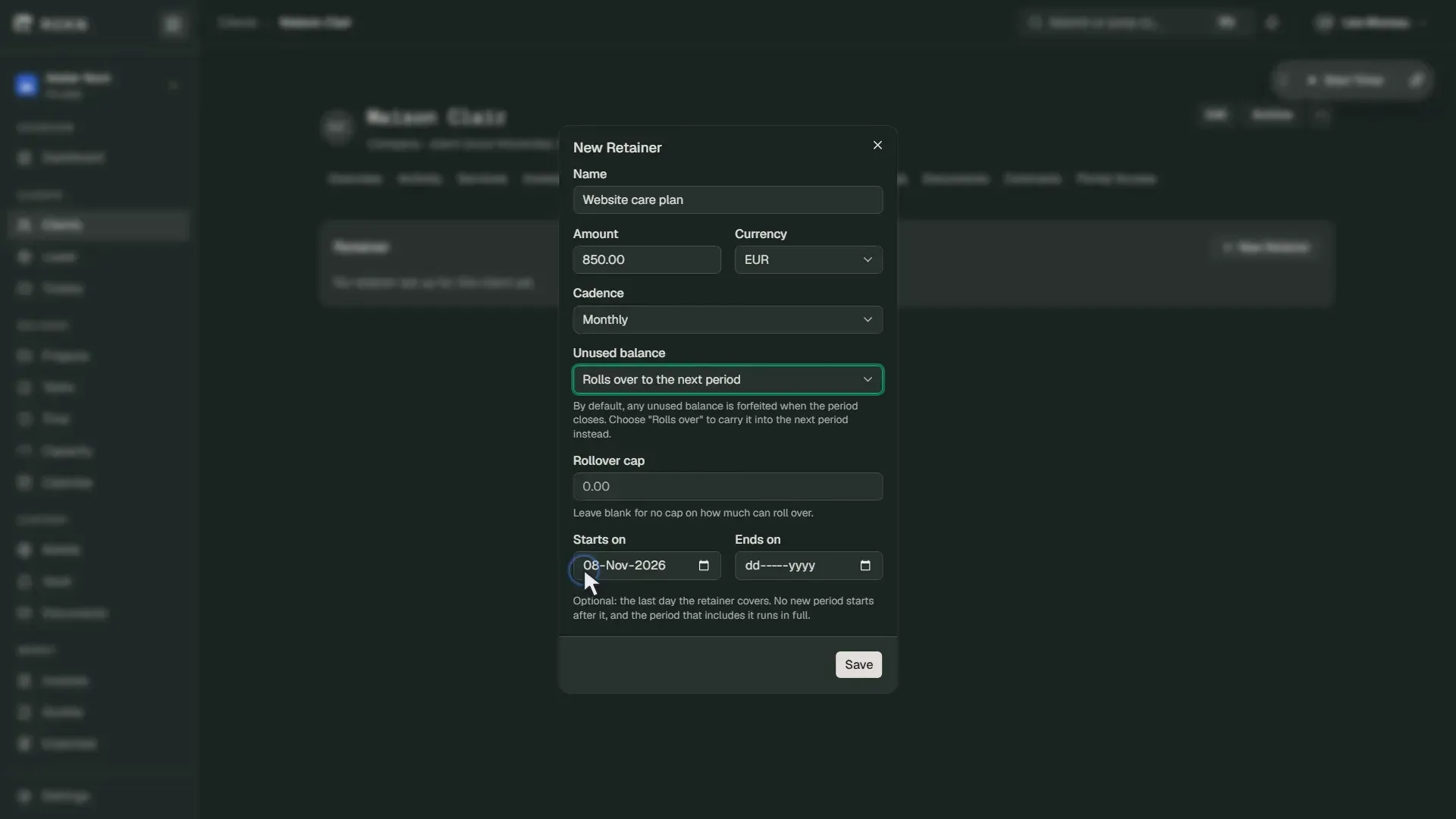
Click New Retainer. Name it, for example Website care plan, then enter the amount and how often it is billed with Cadence.
Choose what happens to unused balance
Under Unused balance, choose what happens to what is left: it expires when the period closes, or it rolls over to the next period.
If you choose rollover, you can also set a rollover cap, or leave it blank for no cap.
Check the current period
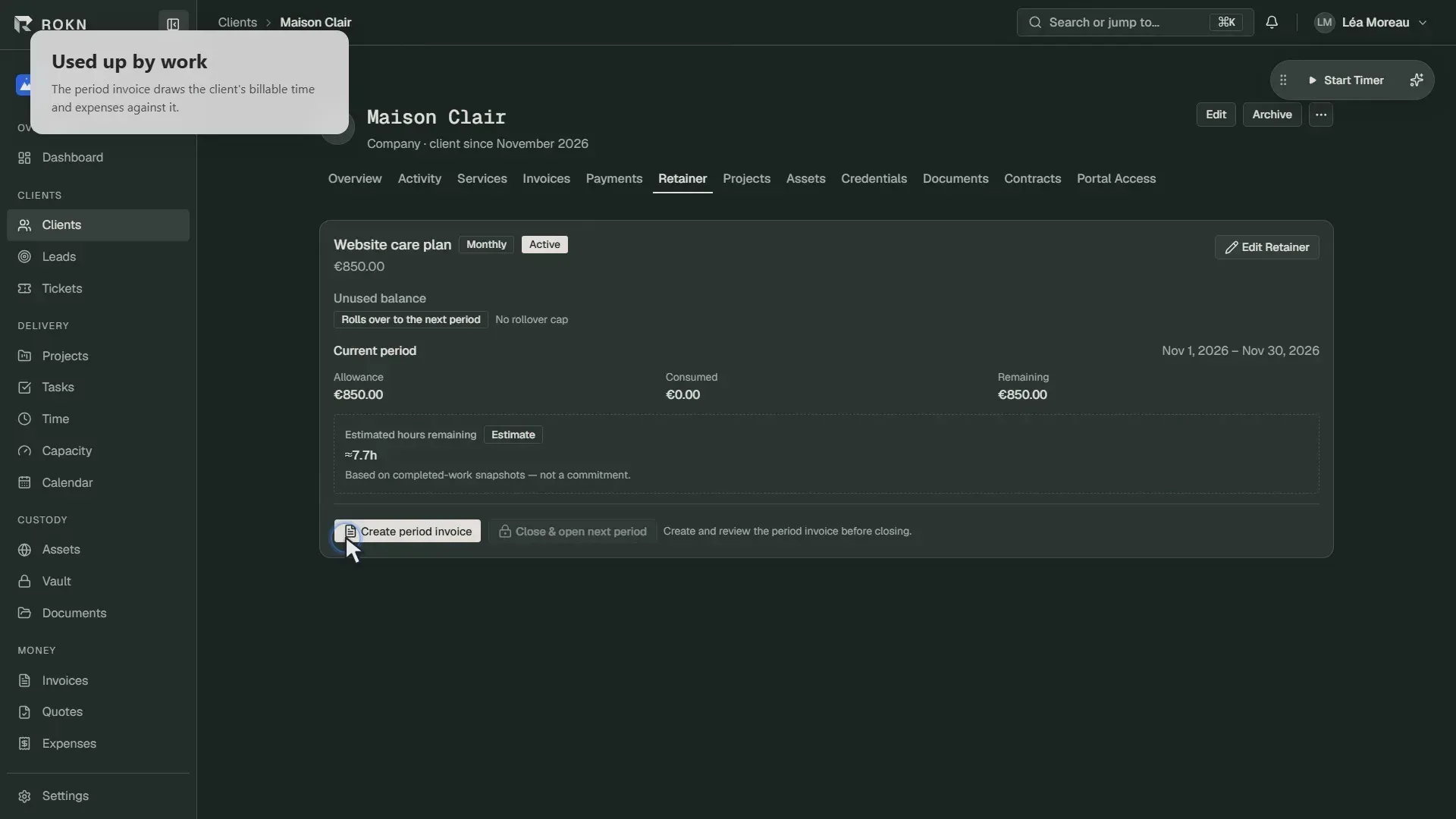
Click Save. The retainer shows the current period: the allowance, what has been used, what is left, and roughly how many hours that buys.
Invoice and close the period
When the period ends, click Create period invoice. Then use Close & open next period to close it and start the next one.
A rolling balance carries over on its own.
Good to know
- The hours estimate is based on completed work. It is not a commitment.
November 10, 2026
Suggest an improvement