

Audit log
See who changed what in your workspace and when, filter the log by action or by person, and export it for your accountant or an audit.
The audit log records every change made in your workspace: who did it, and when. Nobody can edit it, so you can rely on it when you need to check what happened.
Open the audit log
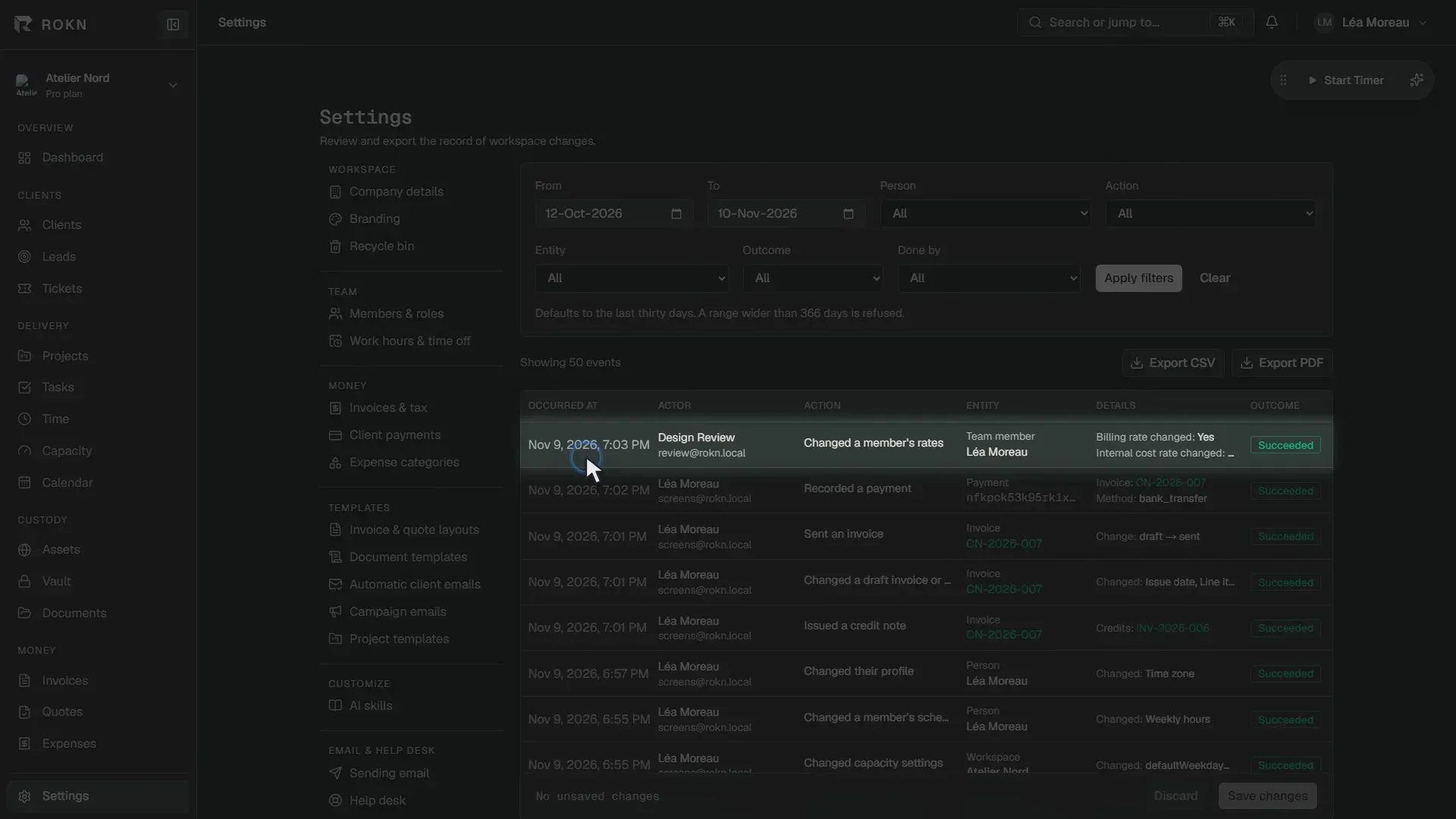
In Settings, open Audit log. It lists the changes made in your workspace, newest first. By default it shows the last thirty days.
Read an entry
Each entry shows the time, the person, the action, the record it touched, what changed, and whether it succeeded.
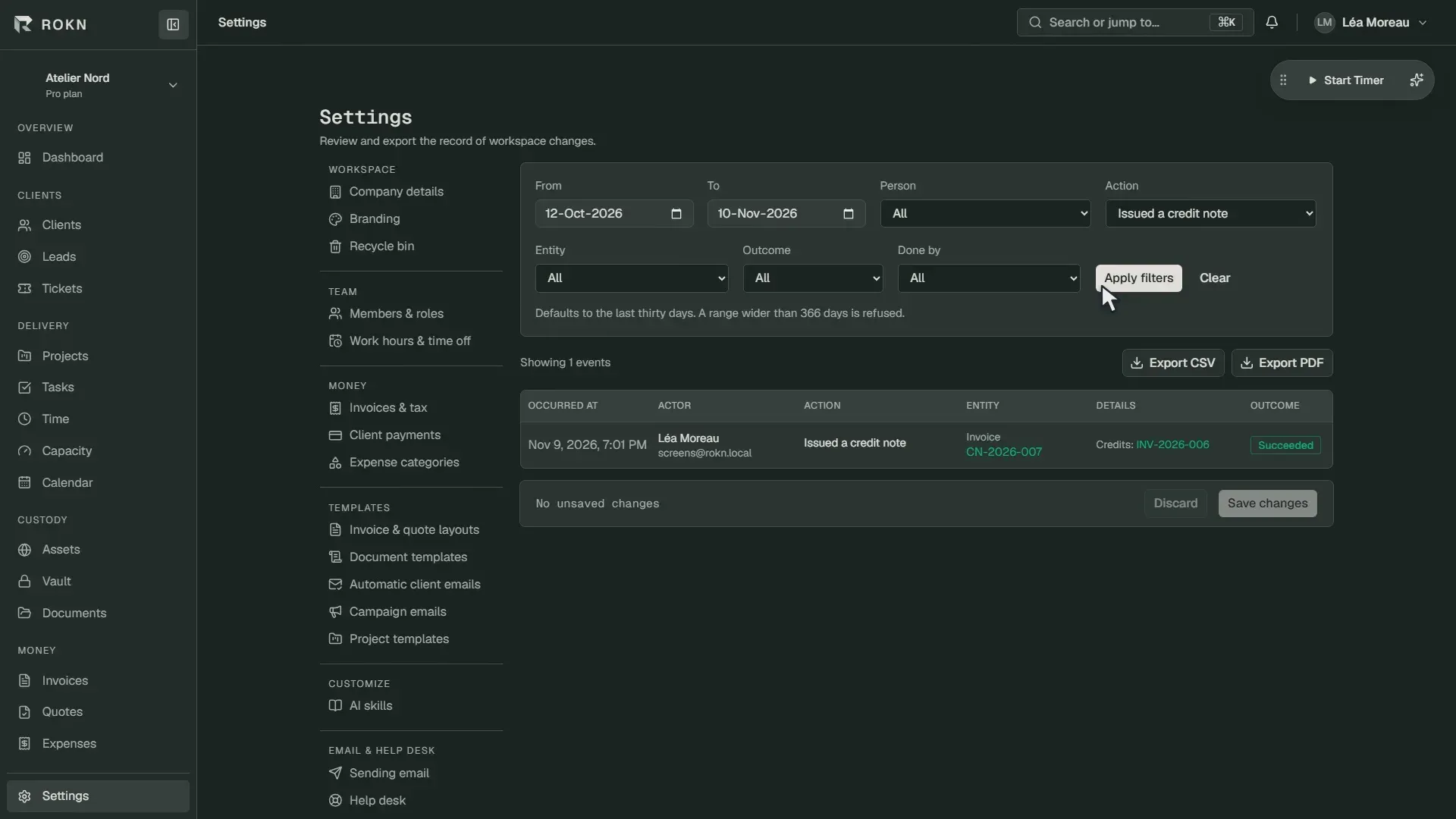
Filter by action
Looking for something specific? Choose an action in the Action filter and click Apply. Here, every credit note issued.
Filter by who did it
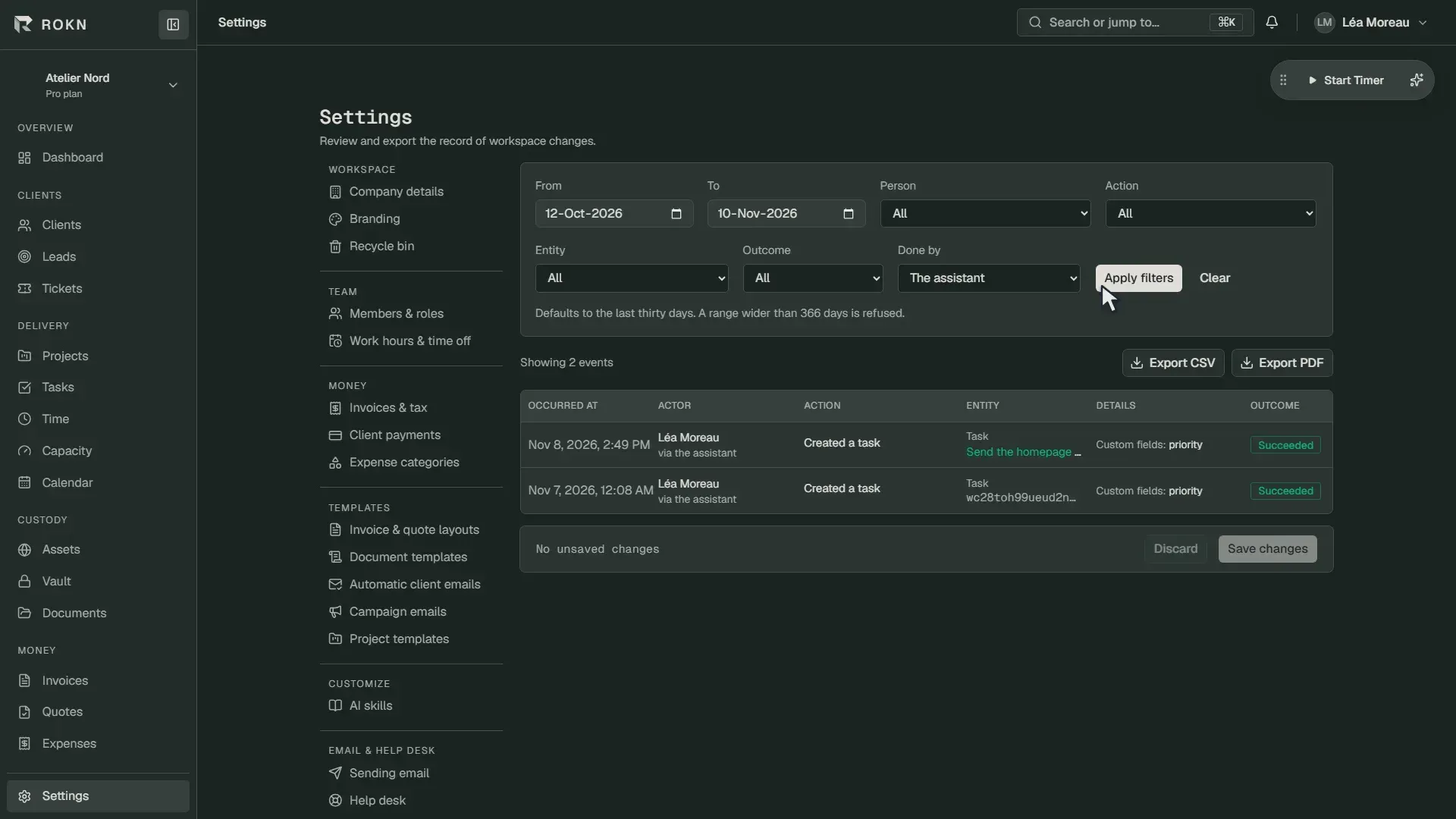
Or use Done by to choose who made the change: a team member, an API key, a client in the portal, or, as here, the AI assistant.
Export what you found
Click Export CSV for a spreadsheet, or Export PDF, to give to your accountant or for an audit.
Good to know
- Entries cannot be edited or removed.
- A range wider than 365 days is refused.
November 10, 2026
Suggest an improvement