

Track public tenders in France
Give French public tenders their own pipeline: stages from notice to award, a bid checklist, deadline reminders and a log of what the buyer says.
If you answer French public tenders (marchés publics), give them their own pipeline. It follows each tender from the notice you spot to the buyer's decision.
Create the pipeline
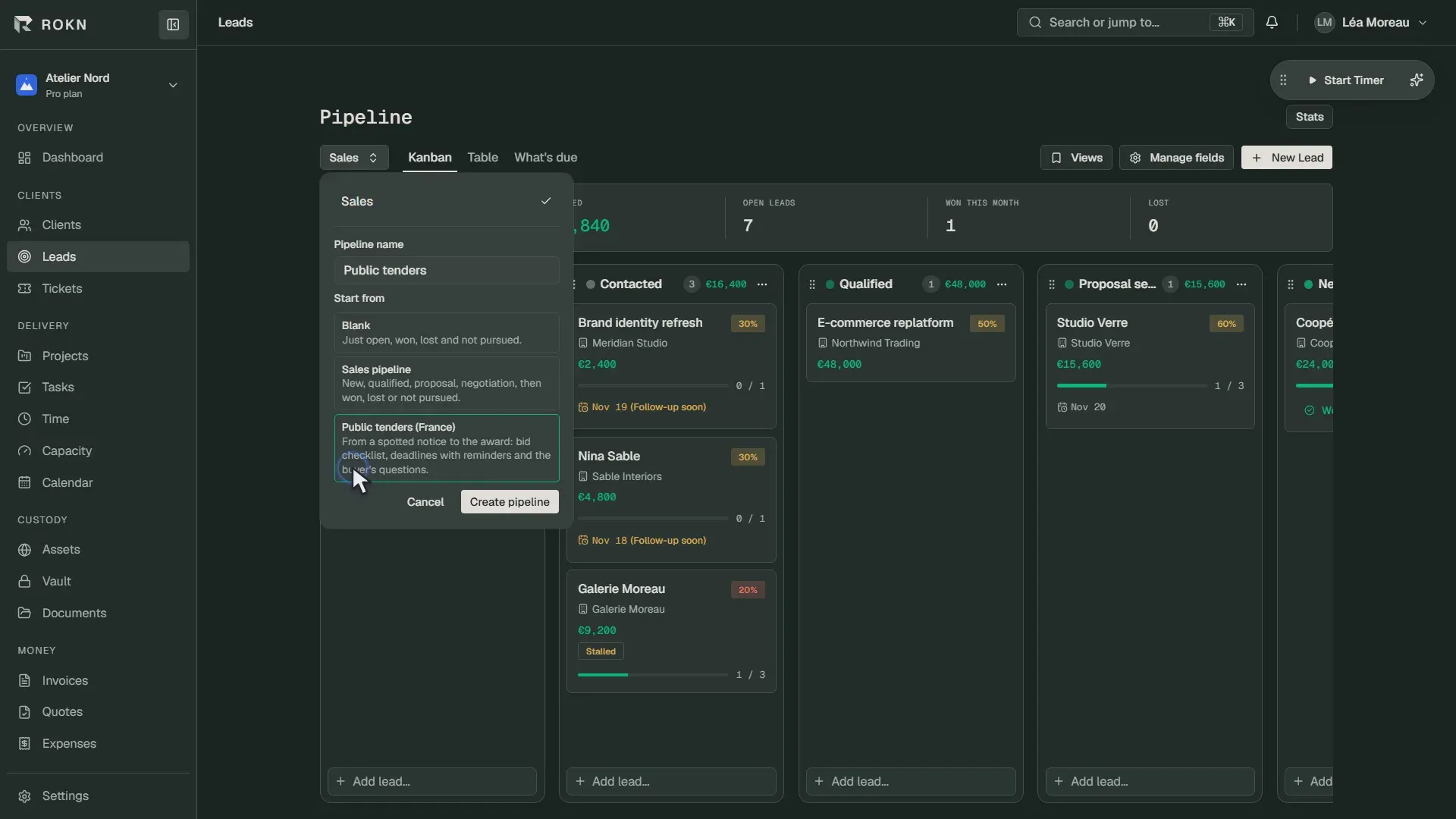
On the Leads page, open the pipeline menu and choose New pipeline. Type a name, for example Public tenders.
Under Start from, pick Public tenders (France), then click Create pipeline.
See the stages
The new board follows a tender from Spotted, through Reviewing the documents and Preparing the bid, to Submitted and Buyer questions / negotiation. It ends as Won, Not selected, Abandoned by the buyer or Not pursued.
Add a tender and record its notice
In the Spotted column, type the tender's name in the Add lead field and press Enter, then open it with Open full page.
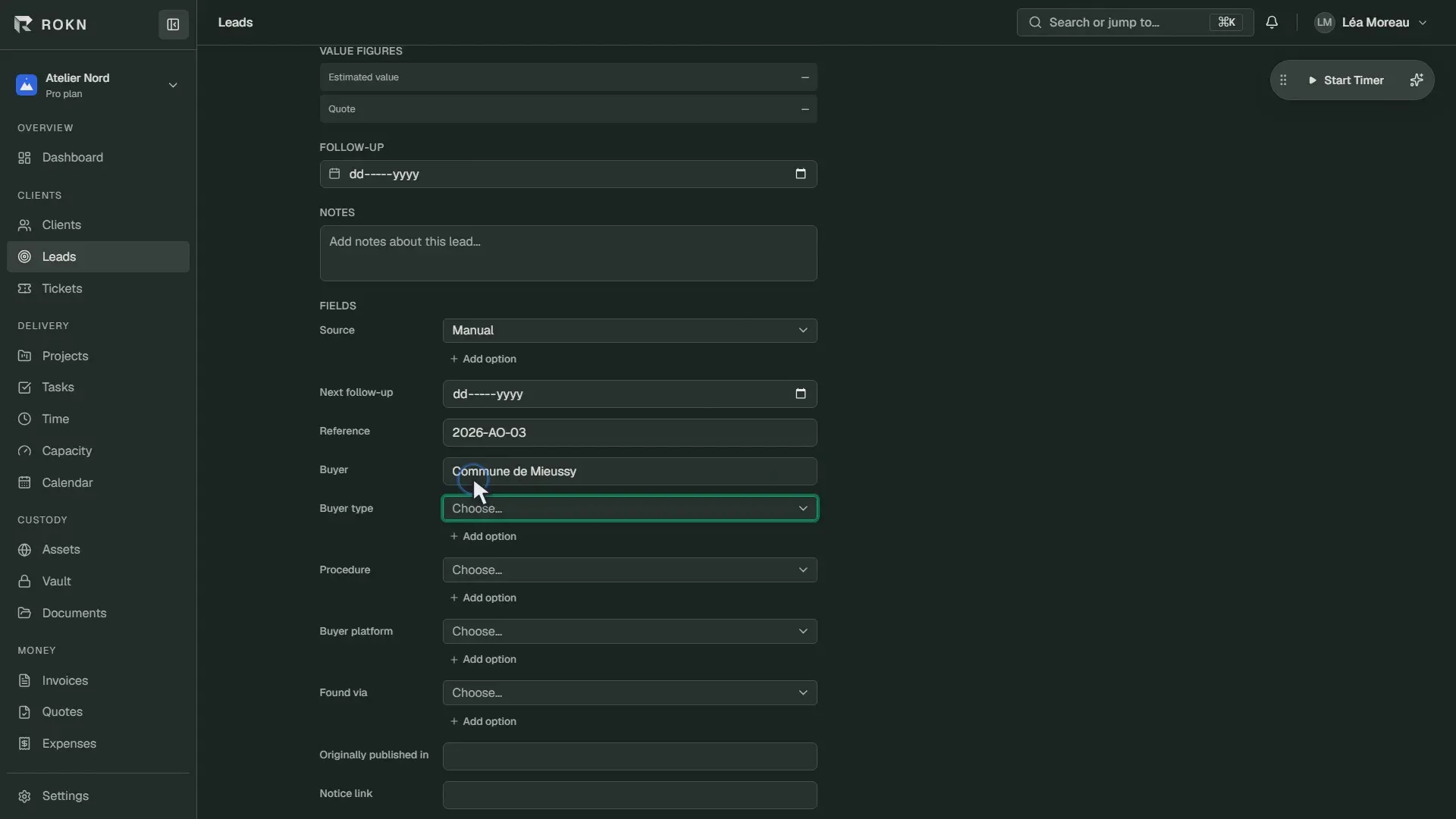
Fill in the Reference and the Buyer, for example 2026-AO-03 and Commune de Mieussy. The reference is unique, so the same notice can't be entered twice.
Then set the Submission deadline. It sends reminders in the days before it falls, and Offer valid until is worked out for you, 120 days after the deadline.
Prepare the bid with the checklist
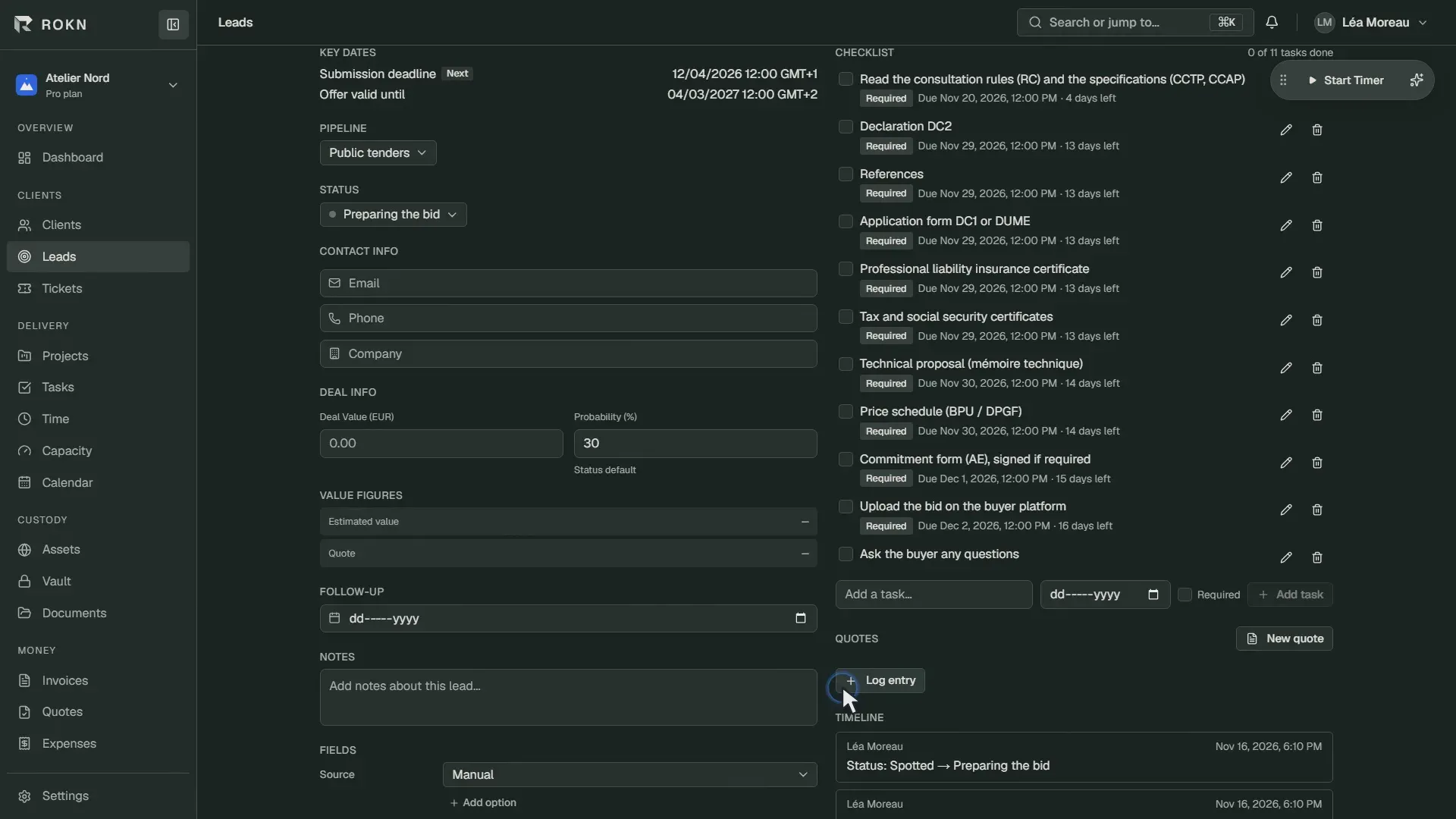
When you decide to bid, change the tender's Status to Preparing the bid.
The bid checklist appears: the DC1 or DUME application form and the DC2 declaration, the certificates, the technical proposal (mémoire technique) and the price schedule (BPU / DPGF), among other items. Each is due a set number of days before the submission deadline.
Log what happens with the buyer
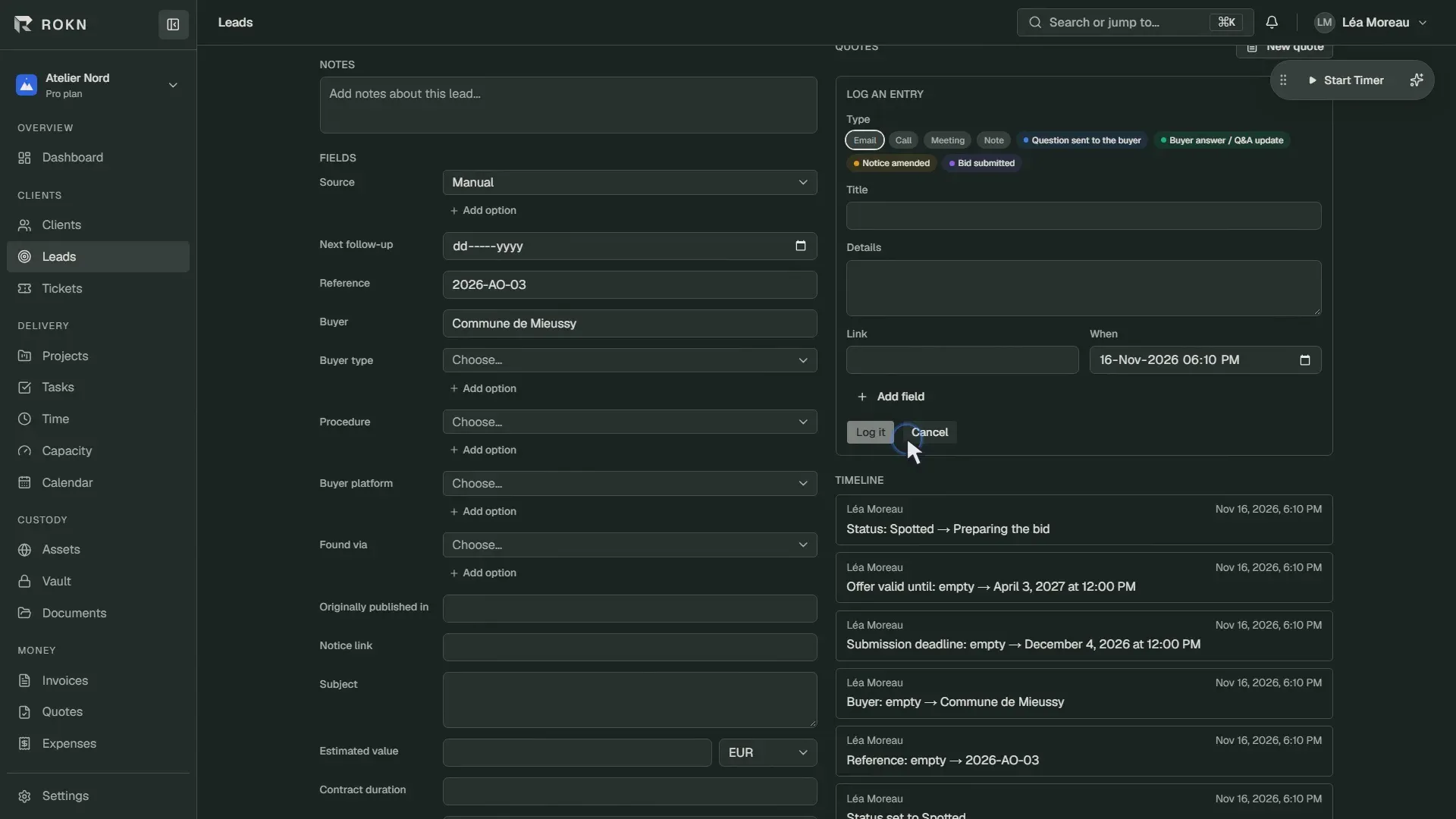
Click Log entry on the tender. Besides the usual types, you can log a Question sent to the buyer, a Buyer answer / Q&A update, a Notice amended and a Bid submitted.
The tender's timeline then shows at a glance what changed.
Let an agent watch for tenders
Open the pipeline menu and choose Agent playbook. It is a ready prompt for a scheduled AI agent that watches for new tenders and records them in this pipeline.
To set it up, make an agent connection with Leads only in Settings → API, add it to Claude as a custom connector, then paste the playbook into a scheduled task and fill in its search brief.
Good to know
- More than one pipeline needs the Pro or Business plan.
- Agent connections need the Business plan.
- Rokn itself does not search for tenders: your agent searches, and Rokn keeps the record.
November 16, 2026
Suggest an improvement