Website maintenance checklist template
The monthly routine for a website care plan as a task list with milestones: updates, backups, uptime, security, small changes and the report.
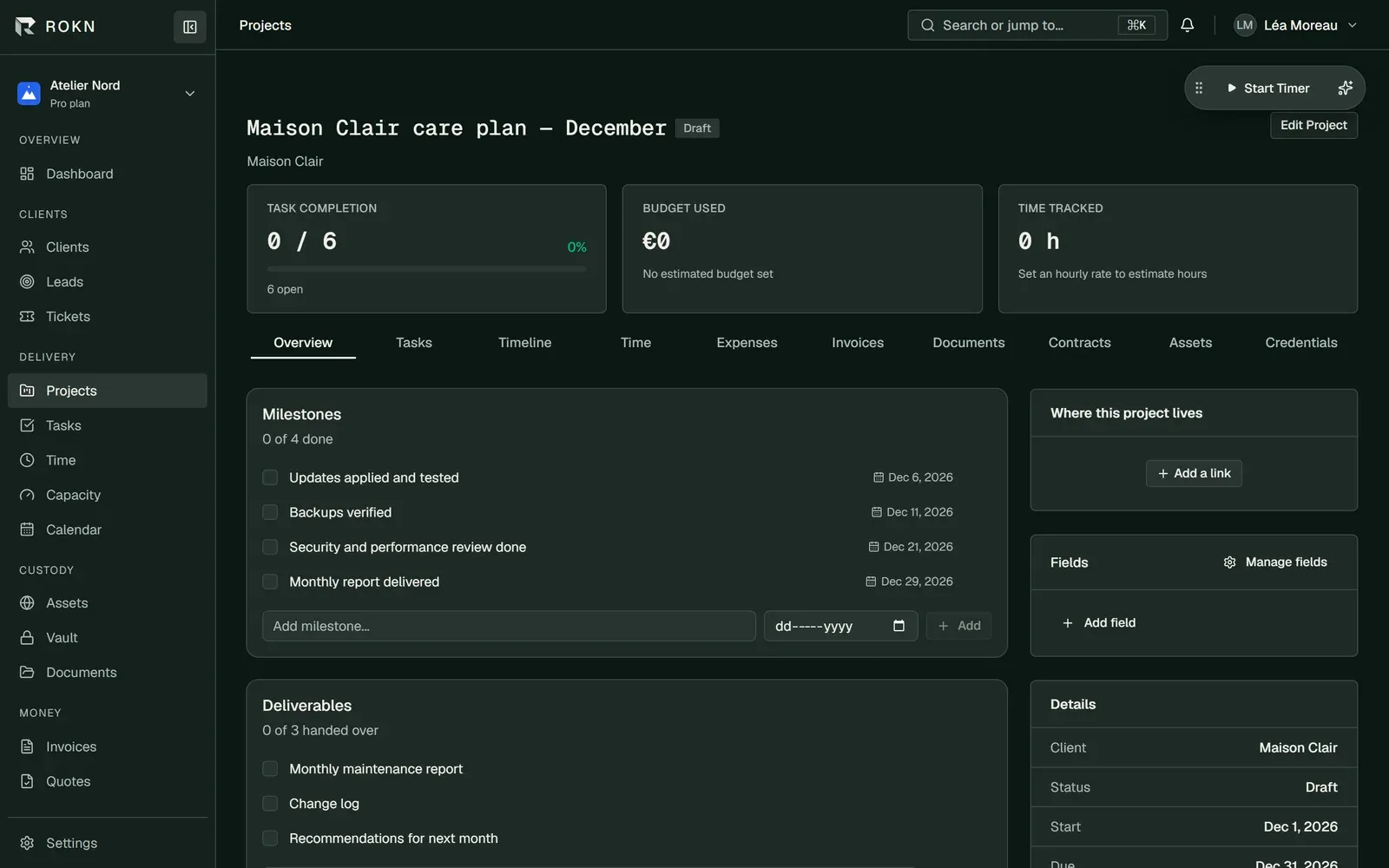
Based on the Monthly maintenance retainer starter in Rokn
What it is for
A care plan is a monthly cycle. Writing the cycle down as a checklist means it gets done the same way for every client, and gives you the evidence for the monthly report. This is the Monthly maintenance retainer project starter in Rokn: one 30-day cycle with six tasks, four milestones and three deliverables. Copy it for each client and each month, or use it as the base of a recurring routine. Pair it with a maintenance agreement so the client knows what the list means.
The template
MONTHLY WEBSITE MAINTENANCE CHECKLIST
Tasks (each with its subtasks)
1.Updates and patches (high)
- Take a fresh backup before touching anything
- Update the core, plugins and dependencies on staging
- Test the critical flows and deploy to production
- Roll back and note any update that breaks something
2.Backup verification (high)
- Confirm that the automated backups ran every day
- Restore the latest backup to a test environment
- Record the result and fix any failed job
3.Uptime and performance review (medium)
- Review the uptime monitor and any incidents
- Run a speed test on the main pages and compare with last month
- Check the error logs and slow queries
4.Security check (medium)
- Scan for vulnerable dependencies and malware
- Review user accounts, API keys and permissions
- Check that the SSL certificate and domain renewal dates are safe
5.Small change requests (medium)
- Triage the requests that came in this month
- Complete the changes within the included hours
- Quote anything that goes beyond the retainer separately
6.Monthly report and client call (medium)
- Compile updates, uptime, backups and hours used
- Write recommendations for next month
- Send the report to the client
- Schedule the next cycle
Milestones (days after the cycle starts)
- Updates applied and tested: day 5
- Backups verified: day 10
- Security and performance review done: day 20
- Monthly report delivered: day 28
Deliverables
- Monthly maintenance report
- Change log
- Recommendations for next month
Start free, then Settings → Document templates → Use starter.
What it must contain
- Updates and patches
Fresh backup first; update on staging; test critical flows and deploy; roll back and note anything that breaks.
- Backup verification
Confirm the automated backups ran each day; restore the latest to a test environment; record the result and fix any failed job.
- Uptime and performance review
Review the uptime monitor and incidents; run a speed test on the main pages and compare with last month; check logs and slow queries.
- Security check
Scan for vulnerable dependencies and malware; review accounts, API keys and permissions; check that the certificate and domain renewal dates are safe.
- Small change requests
Triage this month's requests; complete changes within the included hours; quote anything beyond separately.
- Monthly report and client call
Compile updates, uptime, backups and hours used; write recommendations; send the report; schedule the next cycle.
Use it in Rokn
1. Start the client’s project from the Monthly maintenance retainer starter in From Template: six tasks, four milestones and three deliverables are added. 2. Add the domain, hosting and certificate to the client’s Assets (Business plan), so Rokn warns you 30 and 7 days before they expire. 3. Create a retainer on the client’s page for the monthly fee and log your time on the work, so the report shows the hours used. Make the starter your own in Settings, Project templates, with Use as base.