Retainer agreement template
A retainer agreement for a monthly block of hours: the allowance, what happens to unused time, overage, response times, reporting and notice.
This template is a starting point, not legal advice. Have a qualified professional review any contract before you use it.
What it is for
A retainer agreement lets a client reserve a set amount of your time each month for a fixed fee. It suits ongoing work that is hard to scope in advance: development support, design on demand, consulting. The client gets availability and a predictable bill; you get predictable income and a reason to plan your month. The terms that matter most are the ones people skip: what counts against the allowance, what happens to unused hours, how requests arrive and how you charge for work beyond the allowance.
The template
RETAINER AGREEMENT
This agreement is made on date between Your business name, address (the "Provider"), and Client name, address (the "Client").
1.The retainer
The Client reserves up to number hours of the Provider's time each month (the "Allowance") for description of the services. The Allowance covers types of work. Time spent on calls, project management counts against the Allowance.
2.Unused time
Option A: Unused hours expire at the end of each month.
Option B: Unused hours roll over to the next month, up to a maximum of number hours banked.
3.Work beyond the Allowance
The Provider will tell the Client before the Allowance runs out. Further work is charged at rate per hour and starts only when the Client approves it in writing.
4.Requests
The Client will send requests to address or portal, from named people. The Provider will confirm each request, estimate it if it will take more than two hours and work in the order of priority the Client sets.
5.Response times
The Provider will give a first response within one working day, between hours on days. Requests marked urgent will be answered within four working hours where the Provider is available.
6.Reporting
Each month the Provider will send a report showing hours used against the Allowance, the work done and a short plan for next month. The Provider will hold a review call quarterly.
7.Fees and payment
The monthly fee is amount plus any tax, invoiced on day of each month and due within 14 days. The fee is due whether or not the Allowance is used in full.
8.Term
This agreement starts on start date for a minimum of three months, then continues month to month. Either party may end it with 30 days' written notice.
9.Not included
Anything that is not described in clause 1 is outside the retainer and will be quoted separately.
10.Confidentiality
Each party keeps the other's non-public information confidential and uses it only for this agreement.
11.Liability
Except for gross negligence or wilful misconduct, each party's liability is limited to the fees paid in the three months before the claim.
12.Governing law
This agreement is governed by the laws of country or state.
Your business name — name, date
Client name — name, date
What it must contain
- The allowance
Hours (or an amount) per month, and the types of work that draw it down.
- Unused time
It expires at the end of the month, or it rolls over, optionally up to a cap. Decide and state it.
- Extra work
The rate for work beyond the allowance and the approval needed before you start it.
- Requests and priorities
The one channel for requests, who may make them, and how they are prioritised.
- Response times
First response targets and what is urgent.
- Reporting
Hours used, work done and a short look ahead, monthly.
- Fee and billing
The monthly fee, the invoice date and the due date.
- Term and notice
Start date, minimum term, notice period and what happens at the end.
- Exclusions
Work that is separately quoted.
Use it in Rokn
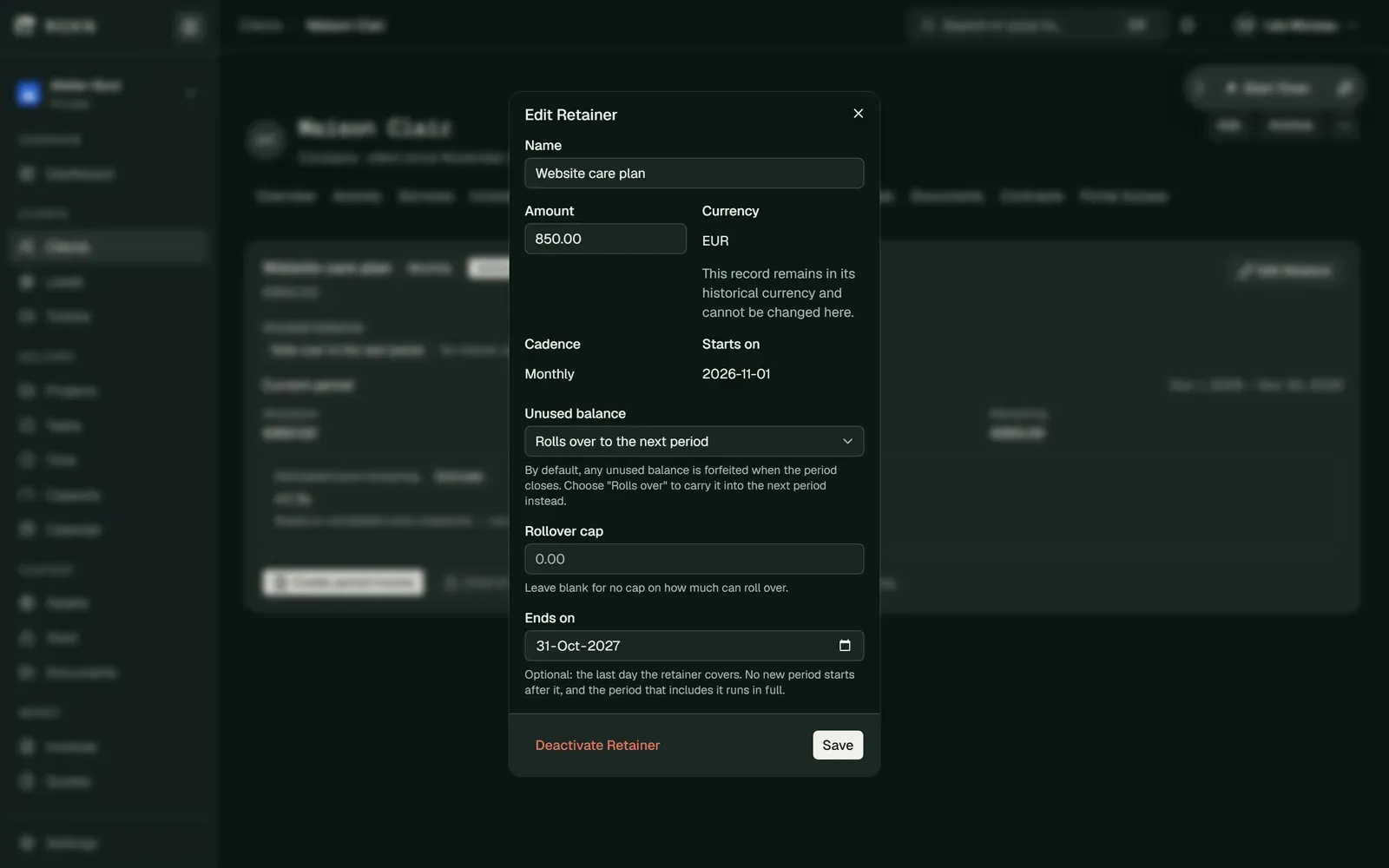
1. On the client’s page, create a retainer with a name, the amount and its cadence, and choose whether an unused balance expires or rolls over, with an optional cap. 2. Billable work you log for the client draws the retainer down. The retainer shows the current period, what is used and what is left. 3. At the end of the period, choose Create period invoice, then Close & open next period. Make the agreement itself from a document template and send it for e-signature (Pro and Business).