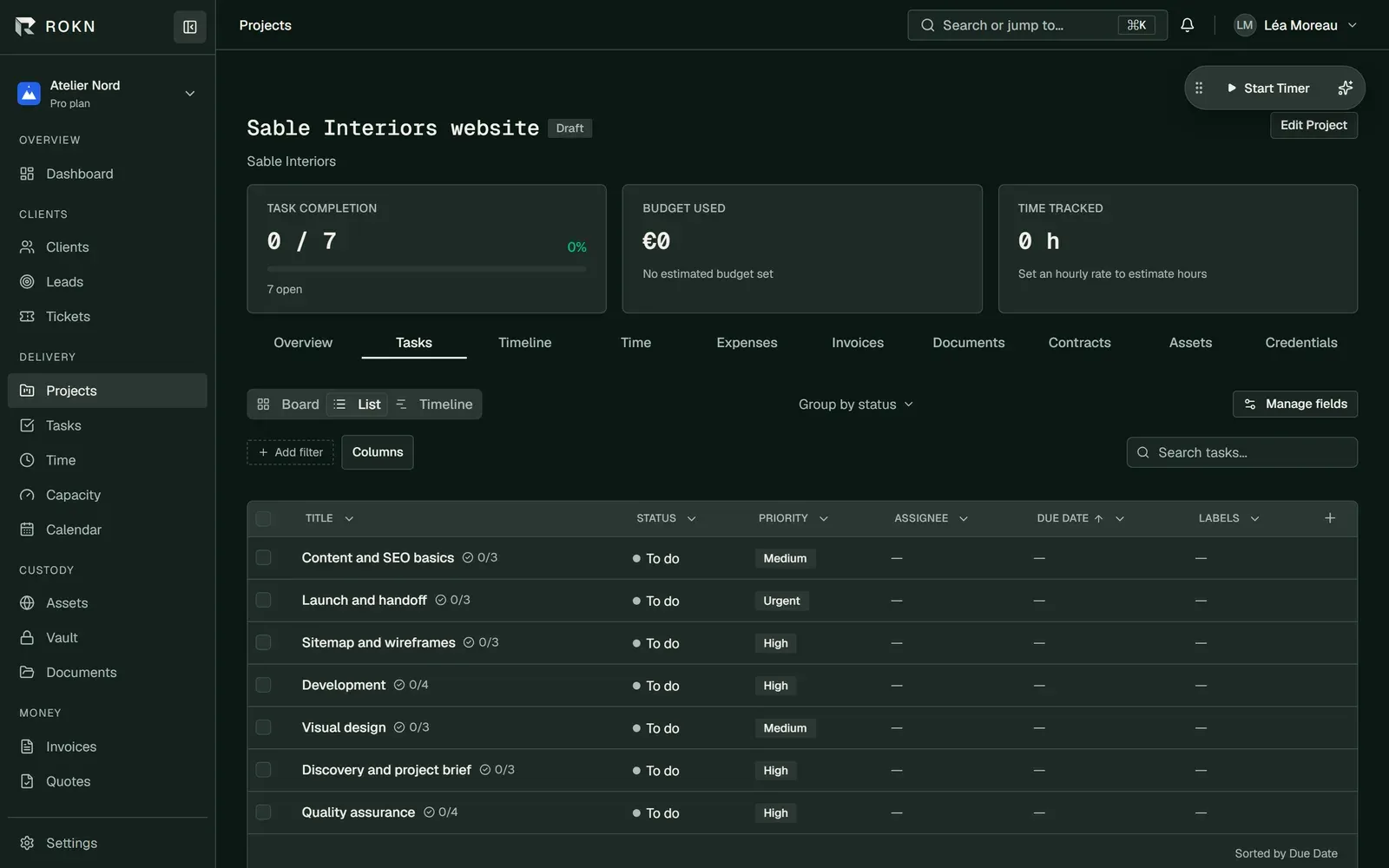
Website project plan template
A task, milestone and deliverable plan for a website build from kick-off to launch: the Website build starter that ships with Rokn.
Based on the Website build starter in Rokn
What it is for
A website project is the same seven pieces of work in nearly every case: discovery, structure, design, build, content, testing and launch. Writing them down once means each new project starts with the checklist already made, and nothing that always matters (redirects, forms, the handover) is forgotten. This is the Website build project starter in Rokn, written out as a plan you can copy into any tool. The milestone dates are offsets from the project start, so you can drop them onto any start date.
The template
WEBSITE PROJECT PLAN
Tasks (each with its subtasks)
1.Discovery and project brief (high)
- Run the kick-off call and record goals and audience
- Collect brand assets, logins and references
- Write and sign off the project brief
2.Sitemap and wireframes (high)
- Draft the sitemap and page list
- Sketch low-fidelity wireframes for key pages
- Review wireframes with the client and apply feedback
3.Visual design (medium)
- Design the home page in desktop and mobile
- Design the inner page templates
- Present the design and collect one consolidated round of feedback
4.Development (high)
- Set up the repository, hosting and staging environment
- Build the layout components and page templates
- Connect the CMS and contact forms
- Make it responsive and accessible
5.Content and SEO basics (medium)
- Collect or write the page copy
- Optimise images and write meta titles and descriptions
- Set up redirects, sitemap.xml and analytics
6.Quality assurance (high)
- Test in the main browsers and on real phones
- Check forms, links and email delivery
- Run a performance and accessibility audit
- Fix the issues found
7.Launch and handoff (urgent)
- Point the domain and enable HTTPS
- Run the post-launch smoke test
- Hand over logins and a short training video
Milestones (days after the start)
- Brief approved: day 7
- Design approved: day 21
- Staging site ready for review: day 42
- Website live: day 56
Deliverables
- Sitemap and wireframes
- Design files
- Live website
Start free, then Settings → Document templates → Use starter.
What it must contain
- Discovery and project brief
Kick-off call and goals; collect brand assets, logins and references; write and sign off the brief.
- Sitemap and wireframes
Draft the sitemap and page list; sketch wireframes of the key pages; review with the client and apply feedback.
- Visual design
Design the home page for desktop and mobile; design inner page templates; present and collect one consolidated round of feedback.
- Development
Set up the repository, hosting and staging; build layout components and page templates; connect the CMS and forms; make it responsive and accessible.
- Content and SEO basics
Collect or write copy; optimise images and write meta titles and descriptions; set up redirects, sitemap.xml and analytics.
- Quality assurance
Test in main browsers and on real phones; check forms, links and email delivery; run a performance and accessibility audit; fix what is found.
- Launch and handoff
Point the domain and enable HTTPS; run a post-launch smoke test; hand over logins and a short training video.
Use it in Rokn
1. When you start a project, choose the Website build starter in From Template: the tasks, subtasks, milestones with their dates and deliverables are added at once. 2. To make it yours, open Settings, Project templates, choose Use as base next to it, change the tasks and save it under Your templates. 3. A template applies when a project is created, so running projects do not change.