Website maintenance agreement template
A fixed-task agreement for a website care plan: what you do each month, what is not included, response times, fees, term and how to end it.
This template is a starting point, not legal advice. Have a qualified professional review any contract before you use it.
What it is for
A website maintenance agreement sets out a monthly routine: updates, backups, security checks, uptime monitoring and small changes, for a fixed fee. The client buys a defined set of tasks and a response time, not your open-ended availability. It is the right shape when the work is mostly routine; if the client mainly wants a block of your hours, use the retainer agreement template instead. The most important parts are what is not included, the response time you can really keep and what happens if something breaks that is outside your control.
The template
WEBSITE MAINTENANCE AGREEMENT
This agreement is made on date between Your business name, address (the "Provider"), and Client name, address (the "Client"), for the website at domain (the "Website").
1.Services included
Each month the Provider will:
- Apply updates to the core system, plugins, themes and dependencies, after testing them on a staging copy where one exists
- Check that backups ran and test a restore at least every three months
- Monitor the Website's availability and review its speed and error logs
- Scan for known vulnerabilities and review user accounts and access
- Monitor the domain, certificate and hosting renewal dates listed in Schedule A
- Handle up to two hours of small changes (text, images, menus, existing page types)
- Send a monthly report with the work done, issues found and recommendations
2.Not included
The following are outside this agreement and can be quoted separately: new features and redesigns; writing or producing content; recovering the Website from damage caused by others or by third-party software; and the cost of hosting, domains, licences and plugins.
3.Response times
The Provider will respond to requests sent to address or portal within one working day, between hours on days. An urgent issue is one where the Website is unavailable or a payment or contact form has stopped working.
4.Access
The Client will give the Provider the access needed in Schedule A, and will keep the accounts for hosting, domain and licences in its own name. Credentials will be shared through a password vault, never by email.
5.Backups
The Provider will manage backups as described in Schedule A. The Provider cannot guarantee the recovery of data that was never backed up or that sits in a service it does not control.
6.Fees and payment
The monthly fee is amount plus any tax, invoiced on day of each month and due within 14 days. Work beyond the included hours is charged at rate per hour with the Client's prior approval. Third-party costs are paid by the Client.
7.Term
This agreement starts on start date for a minimum of three months and then continues month to month. Either party may end it with 30 days' written notice. On ending, the Provider will hand over documentation and remove its own access.
8.Confidentiality
Each party keeps the other's non-public information confidential and uses it only for this agreement.
9.Liability
Except for gross negligence or wilful misconduct, the Provider's liability is limited to the fees paid in the three months before the claim. The Provider is not responsible for failures of services it does not control.
10.Governing law
This agreement is governed by the laws of country or state.
Your business name — name, date
Client name — name, date
Schedule A: domain and registrar; hosting provider and plan; SSL certificate and renewal; CMS and version; licences; backup method and frequency; access list.
What it must contain
- Services included
The recurring tasks, each stated so the client can see it was done: updates, backups, monitoring, security checks, report.
- Small changes
A defined allowance of content or layout edits, with what counts as small.
- Not included
New features, redesigns, content writing, recovery after third-party damage and the cost of hosting and licences.
- Response times
A first response in business hours and what counts as urgent.
- Access
What access you need and how it will be shared securely.
- Backups and restores
What you back up, how often, and the limits of your responsibility.
- Fees and billing
Monthly fee, billing date, overage rate and third-party costs.
- Term and ending
Start date, minimum term, notice period and what happens to the access and to the final month.
- Reporting
A short monthly report: updates, backups, uptime, requests and recommendations.
- Liability
A cap, and a statement that you are not responsible for failures of services you do not control.
Use it in Rokn
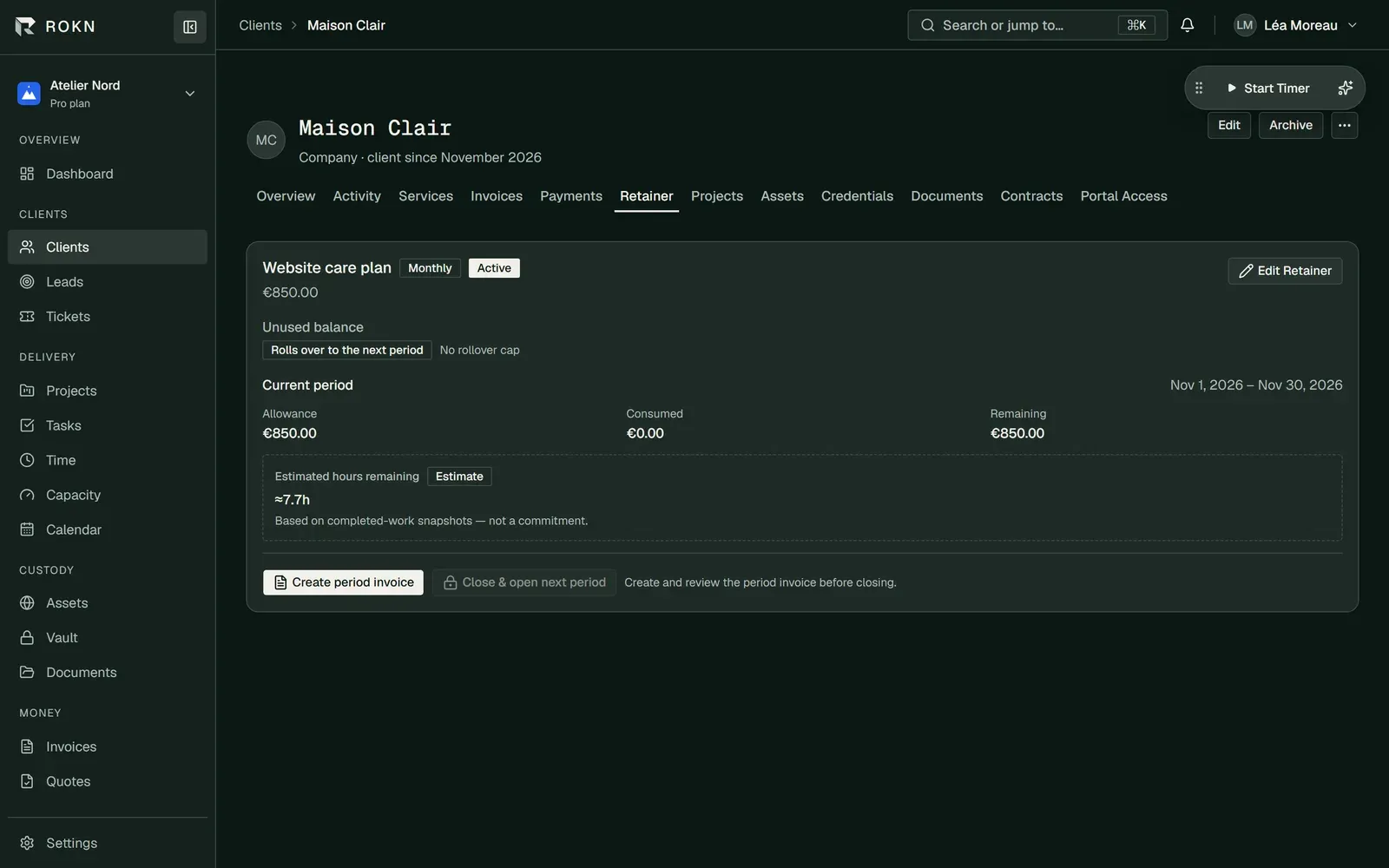
1. Make the agreement from a document template, then send it for e-signature (Pro and Business) from the project’s Contracts tab. 2. On the client’s page, create a retainer for the monthly fee, choose what happens to an unused balance, and use Create period invoice at the end of each period. 3. Add the domain, hosting and certificate from Schedule A to the client’s Assets (Business plan): Rokn checks the expiry dates and warns you 30 and 7 days before. The Monthly maintenance retainer project starter holds the monthly checklist.